Apache Oozie Tutorial: Hadoop Workflow Orchestration (2026)
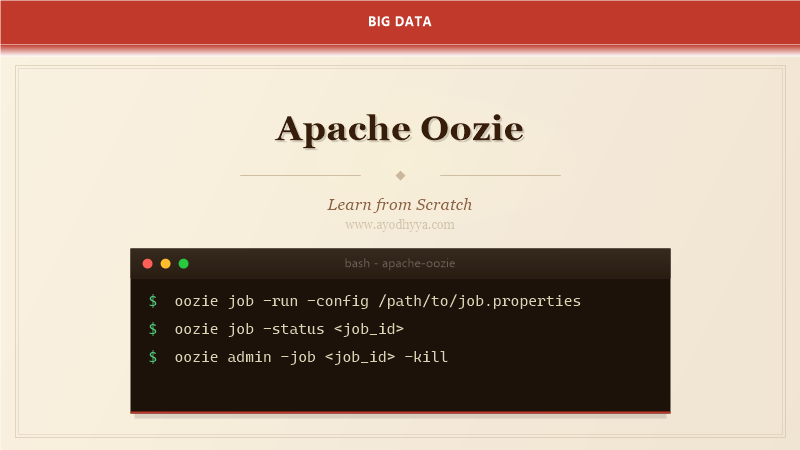
Apache Oozie is a workflow scheduler for Hadoop that coordinates complex multi-step jobs as directed acyclic graphs. After running Oozie in production for years before migrating to Airflow, I understand both its strengths in Hadoop-native scheduling and its limitations that led to its gradual replacement by more modern orchestrators.
This tutorial covers Oozie's workflow and coordinator models, action types, parameterization, SLA monitoring, and practical migration considerations for existing Hadoop environments.
Oozie Architecture and Workflow Model
Oozie runs as a Java web application that stores workflow definitions in a database (Derby, MySQL, or PostgreSQL). Workflows are XML-defined directed acyclic graphs of action nodes and control flow nodes. The Oozie server coordinates execution, manages retries, and handles workflow persistence.
Each workflow runs in its own application directory in HDFS containing the workflow.xml and any required JARs or scripts. Actions spawn MapReduce, Spark, or Shell jobs as child processes and monitor them until completion.
${jobTracker}
${nameNode}
com.example.ExtractData
${inputPath}
${outputPath}/extracted
${jobTracker}
${nameNode}
com.example.TransformMapper
com.example.TransformReducer
${outputPath}/extracted
com.example.LoadToHive
${outputPath}/transformed
Pipeline failed at ${lastActionNode}
Coordinator and Triggering
Coordinators define when and how workflows are triggered. They handle time-based scheduling (daily, hourly), data availability (wait for input files), and dataset-based triggering (new partition appears). Coordinators run workflows repeatedly based on a frequency and time range.
Datasets specify input and output data locations using time-based placeholders. This allows coordinators to process only new data on each run, providing incremental processing without custom logic.
    ${frequency}
    ${startTime}
    ${endTime}


            ${nameNode}/user/oozie/workflows/etl-pipeline


                    inputPath
                    ${coord:dataIn('input-dataset')}


            ${nameNode}/data/events/${YYYY}/${MM}/${dd}
            ${initialDataset}


            ${coord:dataIn('input-dataset')}
Action Types and Integration
Oozie supports actions for MapReduce, Spark, Hive, Pig, Shell, Java, SSH, and DistCp. Each action type has specific configuration for resource management, logging, and error handling. Shell actions run arbitrary commands. Java actions execute custom JAR files with configurable arguments.
For complex workflows, use sub-workflow actions to compose smaller workflows into larger pipelines. This enables reuse and independent development of workflow components.
${jobTracker}
${nameNode}
inputPath=${inputPath}
outputPath=${outputPath}
/bin/bash
/user/oozie/scripts/process.sh
${inputPath}
${nameNode}/user/oozie/workflows/child-pipeline
Parameterization and Configuration
Oozie workflows are parameterized using EL (Expression Language) functions. Variables like ${workflowId}, ${coordId}, and ${date} provide runtime context. The -config and -D flags pass parameters at submission time. This enables reusable workflow templates that process different data on each run.
Configuration properties cascade: job-level properties override coordinator properties, which override global properties in oozie-default.xml. Understanding this hierarchy prevents configuration surprises.
# Submit workflow with parameters
oozie job -run \
    -config /path/to/job.properties \
    -D nameNode=hdfs://namenode:8020 \
    -D jobTracker=resourcemanager:8032 \
    -D inputPath=/data/events/2026/01/15 \
    -D outputPath=/data/processed/2026/01/15

# job.properties
nameNode=hdfs://namenode:8020
jobTracker=resourcemanager:8032
oozie.wf.application.path=${nameNode}/user/oozie/workflows/etl
inputPath=/data/events/${date}
outputPath=/data/processed/${date}

# EL functions
# ${coord:id()} — coordinator ID
# ${workflow:id()} — workflow ID
# ${coord:dataIn('dataset')} — input data path
# ${coord:current()} — current coordinator action number
# ${date('yyyy-MM-dd', coordination:now(), -1)} — yesterday
SLA Monitoring and Error Handling
Oozie tracks SLAs for workflow and coordinator actions. Define expected start and end times, and Oozie sends email alerts or triggers callbacks on SLA misses. SLA events are logged and queryable for auditing workflow performance.
Error handling uses the ok/error transition model. Each action specifies which node to go to on success (ok) and failure (error). The kill node terminates the workflow with an error message. For retryable failures, configure retry policies at the action level.
        ${coord:workflowStart()}
        ${coord:workflowStart() + 7200}


            com.example.Process


            ${wf:errorCode() eq 'ACTION_FAILED'}


        Workflow failed: ${wf:errorCode()} ${wf:errorMessage()}
Oozie vs. Modern Orchestrators
Oozie's XML-heavy configuration and Hadoop-specific design make it less suitable for modern data stacks. Airflow provides Python-based DAGs, a richer UI, and broader ecosystem support. For new projects, Airflow is almost always the better choice.
For existing Oozie deployments, migration is feasible but requires rewriting XML workflows as Python DAGs. Tools like Oozie-to-Airflow converters can automate much of the translation. The key is to map Oozie's action types to Airflow operators and coordinators to Airflow schedules.
# Oozie workflow XML → Airflow Python
# Oozie:
#
#
# ...
#
#
# Airflow equivalent:
from airflow import DAG
from airflow.operators.bash import BashOperator
from datetime import datetime
with DAG('etl', start_date=datetime(2026,1,1), schedule='@daily') as dag:
process = BashOperator(
task_id='process',
bash_command='hadoop jar /path/to/job.jar'
)
# Migration checklist:
# 1. Map action types to operators
# 2. Replace EL expressions with Jinja templates
# 3. Convert coordinator schedules to Airflow schedules
# 4. Replace SLA config with Airflow SLAs
# 5. Test with parallel runs during transitionFrequently Asked Questions
Is Oozie still used in production?
Many legacy Hadoop clusters still run Oozie. However, new deployments almost universally choose Airflow. Oozie is considered end-of-life for new development.
What is the difference between Oozie workflow and coordinator?
Workflows define a sequence of actions. Coordinators schedule and trigger workflows based on time or data availability. Workflows are single-run; coordinators run workflows repeatedly.
How does Oozie handle job failures?
Oozie uses ok/error transitions. Failed actions can be retried or routed to kill nodes. Oozie records failure details in the database and can send email notifications.
Should I migrate from Oozie to Airflow?
For new projects, yes. For existing Oozie deployments, migrate gradually — run both systems in parallel, convert high-value workflows first, and decommission Oozie as workflows prove stable on Airflow.
Originally published on Ayodhyyya. Last updated June 1, 2026.