Apache ZooKeeper Tutorial: Distributed Coordination Service (2026)
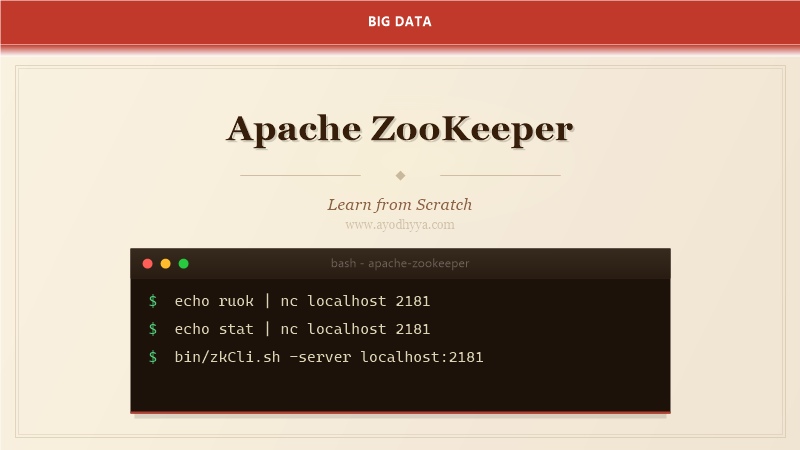
Apache ZooKeeper is the coordination backbone for distributed systems, handling configuration management, naming, synchronization, and leader election. After administering ZooKeeper clusters that coordinate Kafka, HBase, and Hadoop services for years, I appreciate how it solves fundamental distributed computing problems that are deceptively difficult to implement correctly.
This tutorial covers ZooKeeper's architecture, data model, watches, ACLs, cluster administration, and common patterns like distributed locks and leader election.
ZooKeeper Architecture and ZAB Protocol
ZooKeeper runs as an ensemble of servers (typically 3 or 5) using the ZAB (ZooKeeper Atomic Broadcast) protocol. One server is elected leader; followers replicate the leader's state. Writes require a quorum (majority) of servers to acknowledge, ensuring consistency. Reads can be served by any server.
ZAB guarantees linearizable writes — all clients see the same order of updates. This is critical for distributed coordination where ordering of events determines correctness. The leader election algorithm ensures exactly one leader exists at any time.
# ZooKeeper ensemble configuration
# zoo.cfg
server.1=zk1:2888:3888
server.2=zk2:2888:3888
server.3=zk3:2888:3888
dataDir=/data/zookeeper
clientPort=2181
maxClientCnxns=60
tickTime=2000
initLimit=10
syncLimit=5

# myid file on each server
echo "1" > /data/zookeeper/myid  # on zk1
echo "2" > /data/zookeeper/myid  # on zk2
echo "3" > /data/zookeeper/myid  # on zk3

# Start ensemble
$ bin/zkServer.sh start

# Check status
$ bin/zkServer.sh status
# Leader: zk1
# Follower: zk2, zk3
Data Model and Operations
ZooKeeper exposes a hierarchical namespace (like a filesystem) of znodes. Each znode can store data and have children. Znodes support four types: persistent (survives creator disconnection), ephemeral (deleted when session ends), persistent-sequential (auto-increments), and ephemeral-sequential. This combination enables all coordination primitives.
Operations include create, delete, exists, getData, and setData. All operations are atomic and total-ordered. The version field enables optimistic concurrency — concurrent updates are detected via version mismatch.
# ZooKeeper CLI operations

# Create persistent znode
$ bin/zkCli.sh -server localhost:2181
[zk: localhost:2181] create /config "app-config-v1"
[zk: localhost:2181] get /config
# app-config-v1

# Create ephemeral znode (deleted on session end)
[zk: localhost:2181] create -e /locks/resource1 "holder-123"

# Create sequential znode
[zk: localhost:2181] create -s /queue/task- "payload"
# Created /queue/task-0000000001

# Watch for changes
[zk: localhost:2181] get -w /config
# Returns data and sets a one-time watch

# List children
[zk: localhost:2181] ls /locks
# [resource1, resource2]

# Delete
[zk: localhost:2181] delete /locks/resource1
Watches and Notifications
Watches are one-time triggers that notify clients when a znode changes. A client sets a watch on a znode, and ZooKeeper sends a notification when the znode is created, deleted, or its data/children change. Watches are non-persistent — after firing, the client must set a new watch if continued monitoring is needed.
The one-time nature of watches prevents lost notifications in unreliable networks. If a client misses a watch event due to disconnection, the session expiry event tells the client to re-establish watches on reconnection.
import org.apache.zookeeper.*;
import org.apache.zookeeper.data.Stat;

public class WatcherExample implements Watcher {
    private ZooKeeper zk;

    public void process(WatchedEvent event) {
        if (event.getType() == Event.EventType.NodeDataChanged) {
            System.out.println("Config changed: " + event.getPath());
            try {
                byte[] data = zk.getData(event.getPath(), this, null);
                System.out.println("New value: " + new String(data));
            } catch (Exception e) {
                e.printStackTrace();
            }
        }
    }

    public void start() throws Exception {
        zk = new ZooKeeper("localhost:2181", 30000, this);
        byte[] data = zk.getData("/config", this, null);
        System.out.println("Initial: " + new String(data));
    }
}
Distributed Locks and Leader Election
ZooKeeper implements distributed locks using ephemeral-sequential znodes. A client creates an ephemeral-sequential znode under /locks/resource-name, then checks if its znode has the lowest sequence number. If so, it holds the lock. Otherwise, it watches the next-lowest znode and waits for a notification.
Leader election uses a similar pattern: all candidates create ephemeral-sequential znodes under /election. The candidate with the lowest sequence becomes leader. Other candidates watch the node ahead of them and become leader if it is removed.
# Distributed lock implementation pattern

# 1. Create lock node
create -e -s /locks/resource1/lock- "holder-123"
# Created /locks/resource1/lock-0000000001

# 2. Check if lowest sequence
ls /locks/resource1
# [lock-0000000001, lock-0000000002]
# lock-0000000001 is lowest → acquire lock

# 3. If not lowest, watch previous
get -w /locks/resource1/lock-0000000001
# Watch for deletion → retry lock acquisition

# 4. Release lock
delete /locks/resource1/lock-0000000001

# Leader election pattern
create -e -s /election/candidate- "node-1"
# Created /election/candidate-0000000001
ls /election
# [candidate-0000000001] → lowest → become leader

# Watch next candidate for failover
get -w /election/candidate-0000000001
ACLs and Security
ZooKeeper ACLs control access to znodes using a scheme:auth:format. The digest scheme uses username:password pairs. The sasl scheme uses Kerberos. The ip scheme restricts by IP address. ACLs are set per znode and inherited by children.
For production clusters, enable Kerberos authentication, configure SASL for client connections, and set appropriate ACLs on sensitive znodes. Audit logging tracks all access attempts.
# ACL operations

# Set ACL on znode
setAcl /config digest:user1:password1:rwcd
setAcl /config world:anyone:r
setAcl /secret sasl:zk-service@REALM:rwcda

# Read ACL
getAcl /config
# digest,user1,FROZEN_HASH_OF_PASSWORD,rcdwa

# Kerberos authentication
addauth sasl zk-service@REALM
create /secure "data" sasl:zk-service@REALM:rwcda

# Audit logging
# zoo.cfg
audit.enable=true
audit.logger=INFO, org.apache.zookeeper.audit.Slf4jAuditLogger

# Key permissions:
# c = create, d = delete, r = read, w = write, a = admin
# world:anyone:r — anyone can read
# sasl:service@REALM:rwcda — only service principal can access
Monitoring and Troubleshooting
ZooKeeper exposes metrics via JMX and the four-letter-word commands. The 'ruok' command checks health. The 'stat' command shows server statistics. The 'mntr' command provides detailed metrics for Prometheus integration. Monitor outstanding requests, average latency, and watch count.
Common issues: high latency under write load, session expiry due to long garbage pauses, and disk full in the data directory. For GC tuning, use low-pause GC algorithms (G1GC) and keep GC pauses under the tickTime (default 2 seconds).
# Four-letter-word commands
$ echo ruok | nc localhost 2181
imok

$ echo stat | nc localhost 2181
# Server: zk1:2181
# Zxid: 0x200000003
# Mode: leader
# Outstanding requests: 0

$ echo mntr | nc localhost 2181
zk_outstanding_requests 0
zk_avg_latency 0
zk_max_latency 15
zk_num_alive_connections 10
zk_outstanding_requests 0
zk_znode_count 150
zk_watch_count 200

# JMX metrics for Prometheus
# - ZooKeeper:zk_outstanding_requests
# - ZooKeeper:zk_avg_latency
# - ZooKeeper:zk_num_alive_connections
# - ZooKeeper:zk_znode_count

# Common issues:
# 1. High latency → check disk I/O, reduce write rate
# 2. Session expiry → tune JVM GC, increase session timeout
# 3. Disk full → monitor dataDir, clean old snapshots
Frequently Asked Questions
How many ZooKeeper nodes do I need?
Odd numbers: 3 nodes tolerate 1 failure, 5 nodes tolerate 2 failures. For production, 5 nodes provide better availability. Never use 2 nodes (no better than 1) or 4 nodes (no additional tolerance over 3).
What is the maximum znode size?
1 MB by default. ZooKeeper is for coordination metadata, not data storage. Store large data in HDFS or databases and keep references in znodes.
How does ZooKeeper handle network partitions?
ZooKeeper uses quorum-based consensus. The partition with the majority of servers continues operating. The minority partition becomes unavailable until reconnected. This prevents split-brain scenarios.
Should I use ZooKeeper for configuration management?
Yes, for distributed configuration that changes at runtime (feature flags, dynamic settings). For static configuration, use files. ZooKeeper watches ensure configuration changes propagate instantly to all clients.
Originally published on Ayodhyyya. Last updated June 1, 2026.