HCatalog Tutorial: Metadata Management for Hadoop (2026)
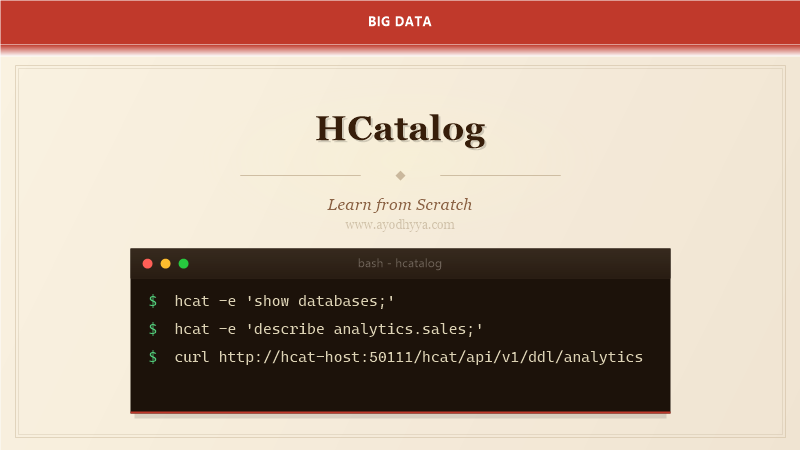
HCatalog provides a metadata management layer for Hadoop that enables Pig, Hive, and MapReduce to share schema information across the ecosystem. After using HCatalog to bridge metadata between different Hadoop processing frameworks, I appreciate how it solves the painful problem of schema compatibility when multiple tools read the same data.
This tutorial covers HCatalog's metadata store, schema management, integration with Hive Metastore, notification system, and practical use cases for metadata governance in Hadoop environments.
HCatalog Architecture and Metadata Store
HCatalog uses the Hive Metastore as its metadata repository, extending it with additional capabilities for schema sharing across Hadoop tools. It stores table definitions, column types, storage formats, and partition information. HCatalog provides a CLI, REST API, and Java API for metadata operations.
The key insight of HCatalog is that it decouples data producers from consumers. When a producer writes data with a specific schema, HCatalog registers that schema. Consumers read data using the schema from HCatalog, even if they do not know the file layout. This eliminates hardcoded schema assumptions.
# HCatalog CLI operations

# List databases
$ hcat -e 'show databases;'

# List tables
$ hcat -e 'show tables in analytics;'

# Describe table
$ hcat -e 'describe analytics.sales;'
# col_name    data_type    comment
# order_id    string       unique order identifier
# amount      double       order amount
# region      string       geographic region
# order_date  string       date of order

# Create table
$ hcat -e 'CREATE TABLE analytics.sales (
    order_id STRING,
    amount DOUBLE,
    region STRING,
    order_date STRING
) STORED AS PARQUET;'

# Drop table
$ hcat -e 'DROP TABLE IF EXISTS analytics.temp_sales;'
Schema Management and Evolution
HCatalog manages schema evolution by tracking column additions, type changes, and renames. When a producer adds a column to a table, HCatalog registers the change. Consumers automatically see the new schema without explicit DDL. This enables independent evolution of producers and consumers.
For schema compatibility, HCatalog checks that schema changes are backward-compatible. Adding nullable columns is allowed; removing columns or changing types is not. This prevents breaking existing consumers when producers evolve.
# Schema evolution in HCatalog

# Original schema
$ hcat -e 'CREATE TABLE analytics.events (
    event_id STRING,
    user_id STRING,
    event_type STRING
) STORED AS PARQUET;'

# Add column (backward compatible)
$ hcat -e 'ALTER TABLE analytics.events ADD COLUMNS (page STRING);'

# Column now includes 'page'
$ hcat -e 'DESCRIBE analytics.events;'
# event_id   string
# user_id    string
# event_type string
# page       string   -- newly added

# Schema validation via REST API
$ curl -X POST -H 'Content-Type: application/json' \
  -d '{
    "tableName": "events",
    "columns": [
      {"name": "event_id", "type": "string"},
      {"name": "user_id", "type": "string"},
      {"name": "page", "type": "string"}
    ]
  }' \
  http://hcat-host:50111/hcat/api/v1/table/analytics/events/schema
HCatalog and Pig Integration
Pig uses HCatalog to read and write Hive-compatible tables without knowing the file format. Instead of specifying LoadFunc/StoreFunc with explicit paths and formats, Pig reads table metadata from HCatalog. This simplifies Pig scripts and ensures they use the same schema as Hive.
HCatalog provides Pig LoadFunc and StoreFunc implementations. When Pig reads via HCatalog, it automatically handles partition discovery, column projection, and type conversion. This eliminates the need for manual schema management in Pig scripts.
-- Pig script using HCatalog

-- Load data via HCatalog
sales = LOAD 'analytics.sales' USING org.apache.hcatalog.pig.HCatLoader();

-- Filter and transform
high_value = FILTER sales BY amount > 1000;

-- Group by region
by_region = GROUP high_value BY region;

-- Compute aggregates
region_totals = FOREACH by_region GENERATE
    group AS region,
    SUM(high_value.amount) AS total_amount,
    COUNT(high_value) AS order_count;

-- Write back via HCatalog
STORE region_totals INTO 'analytics.region_summary'
    USING org.apache.hcatalog.pig.HCatStorer();

# HCatalog handles:
# - Schema from Hive Metastore
# - Partition filtering
# - Column projection
# - Type conversion between Pig and Hive
HCatalog and MapReduce Integration
MapReduce reads data via HCatalog InputFormat and writes via OutputFormat. The HCatInputFormat reads table metadata and generates InputSplits based on table partitions. This eliminates manual path management and ensures MapReduce jobs use consistent schemas.
HCatalog InputFormat supports column projection — MapReduce reads only specified columns, not the entire table. This reduces I/O and memory usage for analytical queries that access a subset of columns.
// MapReduce with HCatalog
// Input format reads table metadata automatically
Configuration conf = getConf();
Job job = Job.getInstance(conf, "HCatalog Analysis");

// Read from HCatalog
job.setInputFormatClass(HCatInputFormat.class);
HCatInputFormat.setInput(job, "analytics.sales");
// Optionally project specific columns
HCatInputFormat.setInputColumns(job, Arrays.asList("region", "amount"));

// Mapper reads HCatRecord
job.setMapperClass(SalesMapper.class);
job.setMapOutputKeyClass(Text.class);
job.setMapOutputValueClass(DoubleWritable.class);

// Output to HCatalog
job.setOutputFormatClass(HCatOutputFormat.class);
HCatOutputFormat.setOutput(job, "analytics.sales_summary");
HCatOutputFormat.setSchema(job, new HCatSchema()
    .addField("region", HCatType.STRING)
    .addField("total_amount", HCatType.DOUBLE));

// HCatRecord in mapper:
// public void map(LongWritable key, HCatRecord value, Context context) {
//     String region = value.get("region").toString();
//     double amount = (Double) value.get("amount");
//     context.write(new Text(region), new DoubleWritable(amount));
// }
HCatalog REST API
HCatalog provides a REST API for metadata operations: create tables, describe schemas, list partitions, and manage notifications. The REST API enables metadata management from any programming language without requiring Hadoop client libraries.
The notification system sends events when schemas or partitions change. Producers can notify consumers that new data is available. Consumers subscribe to notifications and trigger processing when new partitions appear.
# HCatalog REST API operations

# List tables
curl http://hcat-host:50111/hcat/api/v1/ddl/analytics

# Describe table
curl http://hcat-host:50111/hcat/api/v1/ddl/analytics/sales

# Create table via REST
curl -X POST -H 'Content-Type: application/json' \
  -d '{
    "columns": [
      {"name": "event_id", "type": "string"},
      {"name": "amount", "type": "double"}
    ],
    "storageFormat": {"inputFormat": "org.apache.hadoop.mapred.TextInputFormat"}
  }' \
  http://hcat-host:50111/hcat/api/v1/ddl/analytics/new_events

# List partitions
curl http://hcat-host:50111/hcat/api/v1/partitions/analytics/sales

# Subscribe to notifications
curl http://hcat-host:50111/hcat/api/v1/notifications?timeout=30000
# Returns events when partitions are added/removed
HCatalog in Production Workflows
In production, HCatalog serves as the metadata backbone for multi-framework Hadoop environments. Data producers (Sqoop, Flume) write data with schemas registered in HCatalog. Analytics consumers (Hive, Pig, Spark) read data using HCatalog schemas. This decoupling enables independent evolution of producers and consumers.
HCatalog integrates with Apache Atlas for governance and Apache Ranger for security. Register HCatalog tables in Atlas for metadata tracking, and use Ranger policies to control access to HCatalog-registered tables.
# Production workflow using HCatalog

# 1. Data ingestion via Sqoop — registers schema in HCatalog
sqoop import \
  --connect jdbc:postgresql://db:5432/sales \
  --table orders \
  --hcatalog-database analytics \
  --hcatalog-table orders \
  --hcatalog-partition-key dt \
  --hcatalog-partition-value 2026-01-01

# 2. Analytics via Hive — reads schema from HCatalog
hive -e "SELECT region, sum(amount) FROM analytics.orders WHERE dt='2026-01-01' GROUP BY region;"

# 3. Aggregation via Pig — also reads from HCatalog
pig -param 'dt=2026-01-01' analyze.pig

# 4. Notification triggers downstream consumers
# HCatalog sends partition-available event
# Consumer receives notification and processes data

# Atlas integration
# HCatalog tables are automatically registered in Atlas
# Lineage: Sqoop import → HCatalog table → Hive query → output table
Frequently Asked Questions
What is the difference between HCatalog and Hive Metastore?
HCatalog is a layer on top of Hive Metastore that provides cross-tool schema sharing. HCatalog adds REST API, Pig/MapReduce integration, and notification system. The Hive Metastore is the underlying metadata store that HCatalog extends.
Does HCatalog work with Spark?
Spark reads Hive tables via the Hive Metastore directly. HCatalog adds value for Pig and MapReduce integration. For Spark, use Spark SQL with Hive Metastore rather than HCatalog-specific APIs.
Can HCatalog manage non-Hive file formats?
HCatalog supports any format with a Hadoop InputFormat/OutputFormat. The storage descriptor maps file formats (Parquet, ORC, Avro, JSON) to their InputFormat classes. HCatalog handles format detection transparently.
Is HCatalog still maintained?
HCatalog is included in Hive distributions and maintained as part of the Hive project. For new projects, use Hive Metastore directly with Spark/Hive. For legacy Pig/MapReduce workflows, HCatalog remains useful.
Originally published on Ayodhyyya. Last updated June 1, 2026.