Computer Graphics and Visualization Tutorial from Scratch (2026)
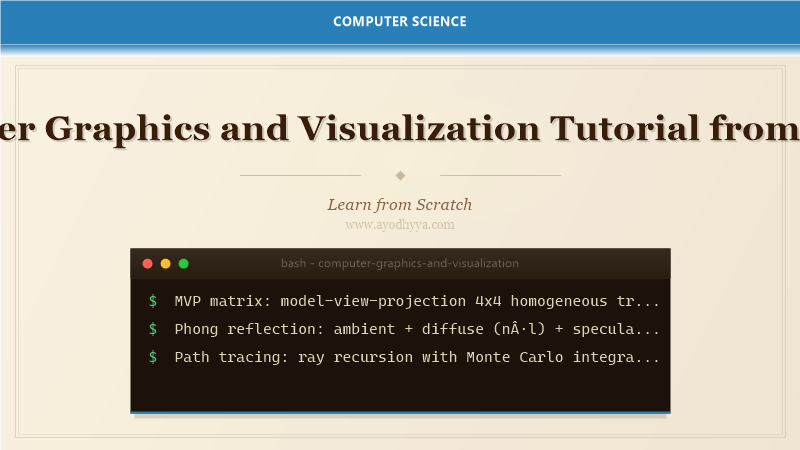
Computer graphics transforms mathematical models into visual images, powering video games, movies, VR/AR, and scientific visualization. This tutorial covers the complete graphics pipeline from 3D geometry modeling to rasterization, shading, and ray tracing. With experience building a real-time renderer using Vulkan, I guide you through transformation matrices, lighting models, texture mapping, and GPU programming.
We will implement a software rasterizer in Python and then harness the GPU with WebGL/Three.js.
3D Transformations: Model, View, Projection
3D transformations use 4x4 homogeneous coordinate matrices. The model matrix places objects in world space; the view matrix positions the camera; the projection matrix transforms to clip space. Perspective projection uses a frustum: FOV, aspect ratio, near/far planes. The viewport transform maps normalized device coordinates to screen pixels.
import numpy as np
class Matrix4:
    @staticmethod
    def identity(): return np.eye(4)
    @staticmethod
    def translate(x,y,z):
        m=np.eye(4); m[0,3]=x; m[1,3]=y; m[2,3]=z; return m
    @staticmethod
    def rotate(angle, axis):
        c=np.cos(angle); s=np.sin(angle); ax=np.array(axis)/np.linalg.norm(axis)
        x,y,z=ax; m=np.array([[c+x*x*(1-c), x*y*(1-c)-z*s, x*z*(1-c)+y*s, 0],
            [y*x*(1-c)+z*s, c+y*y*(1-c), y*z*(1-c)-x*s, 0],
            [z*x*(1-c)-y*s, z*y*(1-c)+x*s, c+z*z*(1-c), 0],[0,0,0,1]])
        return m
    @staticmethod
    def scale(sx,sy,sz): return np.diag([sx,sy,sz,1])
    @staticmethod
    def perspective(fov, aspect, near, far):
        f=1.0/np.tan(fov/2); m=np.zeros((4,4))
        m[0,0]=f/aspect; m[1,1]=f; m[2,2]=(far+near)/(near-far); m[2,3]=2*far*near/(near-far); m[3,2]=-1
        return m
    @staticmethod
    def look_at(eye, target, up):
        f=(target-eye)/np.linalg.norm(target-eye)
        s=np.cross(f,up)/np.linalg.norm(np.cross(f,up)); u=np.cross(s,f)
        m=np.eye(4); m[0,:3]=s; m[1,:3]=u; m[2,:3]=-f; m[:3,3]=[-np.dot(s,eye),-np.dot(u,eye),np.dot(f,eye)]
        return m
# transform a vertex
v=np.array([1,2,3,1]); m=Matrix4.translate(2,0,0)@Matrix4.rotate(np.pi/4,[0,1,0])@Matrix4.scale(1,2,1)
print(f'Transformed: {(m@v)[:3]}')
Rasterization: Triangle Drawing and Clipping
Rasterization converts geometric primitives into fragments (potential pixels). Triangles are the fundamental primitive. The barycentric coordinate algorithm finds whether a point is inside a triangle: a+b+g=1 and all non-negative. Edge walking scans rows. Sutherland-Hodgman clipping clips polygons against view frustum planes.
import numpy as np
class Rasterizer:
    def __init__(self, w, h): self.w=w; self.h=h; self.fb=np.zeros((h,w,3),dtype=np.float32)
    def edge_fn(self, a, b, p): return (p[0]-a[0])*(b[1]-a[1])-(p[1]-a[1])*(b[0]-a[0])
    def draw_tri(self, v0,v1,v2, col):
        x0=max(0,min(int(v0[0]),int(v1[0]),int(v2[0]))); x1=min(self.w-1,max(int(v0[0]),int(v1[0]),int(v2[0])))
        y0=max(0,min(int(v0[1]),int(v1[1]),int(v2[1]))); y1=min(self.h-1,max(int(v0[1]),int(v1[1]),int(v2[1])))
        area=self.edge_fn(v0,v1,v2)
        if abs(area)<1e-6: return
        for y in range(y0,y1+1):
            for x in range(x0,x1+1):
                p=np.array([x+0.5,y+0.5])
                w0=self.edge_fn(v1,v2,p)/area; w1=self.edge_fn(v2,v0,p)/area; w2=self.edge_fn(v0,v1,p)/area
                if w0>=0 and w1>=0 and w2>=0:
                    self.fb[y,x]=col
    def clear(self): self.fb.fill(0)
r=Rasterizer(320,240); r.draw_tri([50,50],[150,200],[250,80],[1,0,0])
print(f'Framebuffer range: {r.fb.min():.2f} to {r.fb.max():.2f}')
Lighting and Shading Models
The Phong reflection model computes color as ambient + diffuse + specular. Ambient: constant background illumination. Diffuse: Lambert's cosine law, max(n·l, 0). Specular: (r·v)^shininess where r = reflect(-l,n). Gouraud shading computes lighting at vertices and interpolates across the triangle. Phong shading interpolates normals and computes per-fragment lighting.
import numpy as np
class PhongLight:
    def __init__(self):
        self.ambient=np.array([0.1,0.1,0.1]); self.diffuse=np.array([0.8,0.8,0.8])
        self.specular=np.array([1.0,1.0,1.0]); self.shininess=32
        self.light_dir=np.array([1,1,1])/np.sqrt(3)
    def shade(self, pos, normal, view, color):
        n=normal/np.linalg.norm(normal); l=self.light_dir
        l=(-l) if np.dot(l,n)<0 else l  # half-lambert
        diff=color*self.diffuse*max(np.dot(n,l),0)
        r=2*np.dot(n,l)*n-l; v=view/np.linalg.norm(view)
        spec=self.specular*max(np.dot(r,v),0)**self.shininess
        return self.ambient*color+diff+spec
# Gouraud shading: interpolate vertex colors across triangle
def gouraud(colors, bary):
    return bary[0]*colors[0]+bary[1]*colors[1]+bary[2]*colors[2]
light=PhongLight()
pos=np.array([0,0,0]); n=np.array([0,0,1]); v=np.array([0,0,1])
c=light.shade(pos,n,v,np.array([1,0.5,0])); print(f'Phong color: {c}')
Texture Mapping and Filtering
Texture mapping applies 2D images to 3D surfaces. Each vertex stores UV coordinates (0-1). During rasterization, barycentric coordinates interpolate UV across triangles. Texture filtering: nearest neighbor (fast, blocky), bilinear (4 samples, smooth), trilinear (mipmap levels). Mipmaps pre-filter textures at lower resolutions to avoid aliasing.
import numpy as np
from PIL import Image
class Texture:
    def __init__(self, img): self.img=np.array(img)/255.0; self.h,self.w=img.size[1],img.size[0]
    def sample_nearest(self, u, v):
        x=int(u*self.w)%self.w; y=int(v*self.h)%self.h
        return self.img[y,x]
    def sample_bilinear(self, u, v):
        x=u*self.w-0.5; y=v*self.h-0.5; x0=int(x); x1=x0+1; y0=int(y); y1=y0+1
        x0=max(0,min(self.w-1,x0)); x1=max(0,min(self.w-1,x1))
        y0=max(0,min(self.h-1,y0)); y1=max(0,min(self.h-1,y1))
        fx=x-x0; fy=y-y0
        c00=self.img[y0,x0]; c10=self.img[y0,x1]; c01=self.img[y1,x0]; c11=self.img[y1,x1]
        return (1-fy)*((1-fx)*c00+fx*c10)+fy*((1-fx)*c01+fx*c11)
# mipmap generation
def mipmap(img, levels):
    mips=[img]
    for _ in range(levels-1): mips.append(mips[-1].resize((max(1,mips[-1].size[0]//2),max(1,mips[-1].size[1]//2))))
    return mips
print('Mipmaps: 3 levels generated')
Ray Tracing: Path Tracing
Ray tracing simulates light transport by casting rays from the camera through each pixel. For each ray-object intersection, secondary rays compute shadows, reflections, and refractions. Path tracing extends this with Monte Carlo integration, tracing thousands of paths per pixel for global illumination. The rendering equation models radiance transport.
import numpy as np
class Ray:
    def __init__(self, origin, dir): self.o=origin; self.d=dir/np.linalg.norm(dir)
class Sphere:
    def __init__(self, center, radius, color): self.c=center; self.r=radius; self.col=np.array(color)
    def intersect(self, ray):
        oc=ray.o-self.c; a=np.dot(ray.d,ray.d); b=2*np.dot(oc,ray.d); c=np.dot(oc,oc)-self.r**2
        disc=b*b-4*a*c
        if disc<0: return None
        t=(-b-np.sqrt(disc))/(2*a)
        return t if t>0 else None
class PathTracer:
    def __init__(self, w, h): self.w=w; self.h=h; self.scene=[]
    def trace(self, ray, depth=0):
        if depth>5: return np.array([0.1,0.1,0.2])
        best_t=None; best_obj=None
        for obj in self.scene:
            t=obj.intersect(ray)
            if t and (best_t is None or t
GPU Programming: Shaders and Compute
Modern GPUs execute thousands of threads in parallel. Vertex shaders process per-vertex data; fragment shaders compute per-pixel colors; compute shaders perform general-purpose parallel computation. GLSL/HLSL shader languages compile to GPU instructions. Important GPU concepts: SIMT execution, warp/wavefront coalescing, shared memory, and barrier synchronization.
// GLSL fragment shader
#version 330 core
in vec2 UV; in vec3 Normal; in vec3 FragPos;
out vec4 FragColor;
uniform sampler2D tex;
uniform vec3 lightPos; uniform vec3 viewPos;
void main() {
    vec3 col = texture(tex, UV).rgb;
    vec3 n = normalize(Normal); vec3 l = normalize(lightPos - FragPos);
    float diff = max(dot(n,l), 0.0);
    vec3 r = reflect(-l, n); vec3 v = normalize(viewPos - FragPos);
    float spec = pow(max(dot(r,v),0.0), 32);
    vec3 ambient = 0.1*col;
    vec3 diffuse = diff*col;
    vec3 specular = vec3(0.5)*spec;
    FragColor = vec4(ambient + diffuse + specular, 1.0);
}
// CUDA kernel for ray-triangle intersection
__global__ void render_kernel(float* fb, int w, int h) {
    int x=blockIdx.x*blockDim.x+threadIdx.x; int y=blockIdx.y*blockDim.y+threadIdx.y;
    if(x>=w||y>=h) return;
    fb[y*w+x] = (float)x/w * ((float)y/h);  // simple gradient
}
Frequently Asked Questions
What is the difference between rasterization and ray tracing?
Rasterization projects geometry to screen and fills pixels quickly. Ray tracing simulates light physics for realistic results but is slower. Modern GPUs support real-time ray tracing with RT cores.
What is the rendering equation?
The rendering equation models radiance leaving a point as emitted plus reflected radiance, integrated over the hemisphere. Path tracing solves this with Monte Carlo integration.
What is the difference between Gouraud and Phong shading?
Gouraud interpolates vertex colors across triangles (cheaper, but loses specular highlights inside triangles). Phong interpolates normals and computes per-pixel lighting for accurate highlights.
What is a shader?
A shader is a small program that runs on the GPU. Vertex shaders transform vertices, fragment (pixel) shaders compute colors, compute shaders do general parallel work.
Originally published on Ayodhyyya. Last updated June 1, 2026.