Amazon DynamoDB Tutorial: Learn Managed NoSQL from Scratch (2026)
DynamoDB is the database that forced me to think in terms of access patterns and throughput rather than tables and relationships. I have used it to build systems that handle hundreds of thousands of requests per second with single-digit millisecond latency. It is not the right tool for every job, but when your workload demands consistent performance at any scale, DynamoDB is unmatched. This tutorial covers the design patterns and operational practices I use in production.
Getting Started with DynamoDB
Amazon DynamoDB is a fully managed NoSQL key-value and document database that delivers single-digit millisecond latency at any scale. There are no servers to manage, no software to patch, and no clusters to configure. You define a table, specify the throughput (read capacity units and write capacity units), and DynamoDB handles the rest. It replicates data across three Availability Zones in an AWS Region automatically.
To get started, sign in to the AWS Console and navigate to DynamoDB, or use the AWS CLI. The free tier includes 25GB of storage and 25 RCU/WCU. Create a table with a primary key: a partition key alone for key-value access patterns or a composite key (partition key + sort key) for hierarchical or time-series data.
# Create a table with AWS CLI
aws dynamodb create-table \
    --table-name Users \
    --attribute-definitions \
        AttributeName=userId,AttributeType=S \
    --key-schema \
        AttributeName=userId,KeyType=HASH \
    --billing-mode PAY_PER_REQUEST

# Put an item
aws dynamodb put-item \
    --table-name Users \
    --item '{
        "userId": {"S": "user_1001"},
        "name": {"S": "Alice Johnson"},
        "email": {"S": "alice@example.com"},
        "createdAt": {"S": "2026-06-01T00:00:00Z"}
    }'
Data Modeling with Single-Table Design
DynamoDB data modeling follows the single-table design pattern. Instead of creating multiple tables like a relational database, you store all entities in a single table and use the primary key schema to distinguish them. The partition key identifies the entity type and ID, and the sort key models relationships. This is possible because DynamoDB has no JOINs and no schema enforcement at the table level.
The access pattern is everything. Before writing a single line of code, list every access pattern your application needs. Get user by email. Get all orders for a user sorted by date. Get products by category. Then design your table so each access pattern can be served by Query (not Scan) on either the table's primary index or a Global Secondary Index (GSI).
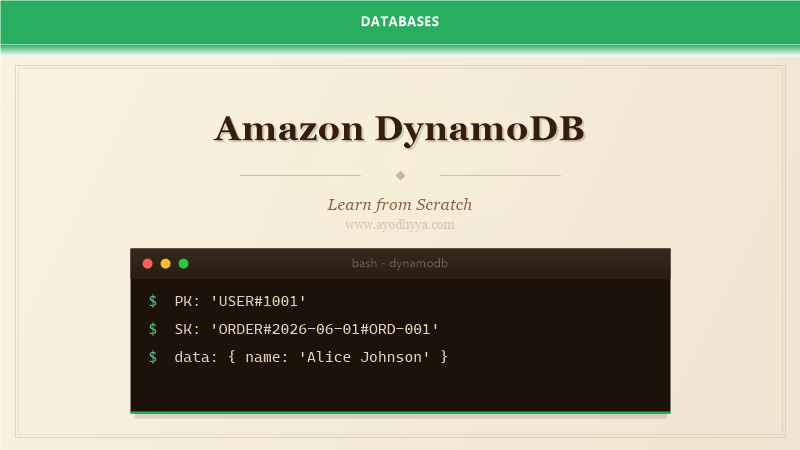
A typical single-table design uses prefixes in the partition key and sort key. User records use PK=USER#userId and SK=META. Order records use PK=USER#userId and SK=ORDER#orderDate#orderId. A Query on PK=USER#userId returns the user's profile and all their orders sorted by date. A GSI with PK=ORDER#status and SK=ORDER#orderDate supports queries by order status across all users.
// Single-table design example
// Item 1: User profile
PK: 'USER#1001'
SK: 'PROFILE'
data: { name: 'Alice Johnson', email: 'alice@example.com' }

// Item 2: User order
PK: 'USER#1001'
SK: 'ORDER#2026-06-01#ORD-001'
data: { orderId: 'ORD-001', total: 149.99, status: 'SHIPPED' }
Read and Write Capacity Management
DynamoDB offers two capacity modes. Provisioned capacity lets you specify RCU (Read Capacity Units) and WCU (Write Capacity Units). One RCU equals one strongly consistent read per second for items up to 4KB, or two eventually consistent reads. One WCU equals one write per second for items up to 1KB. Provisioned capacity is cost-effective for predictable workloads, but you must handle throttling when you exceed provisioned limits.
On-demand capacity mode (PAY_PER_REQUEST) scales automatically to accommodate any traffic level. You pay per read and write request. This is ideal for unpredictable workloads, new applications with unknown traffic patterns, or when you want to avoid capacity planning. The per-request cost is higher than provisioned, but you never deal with throttling.
Auto scaling adjusts provisioned capacity based on actual usage. Configure target utilization (typically 70 percent) and DynamoDB scales up or down. Use CloudWatch alarms to monitor throttled requests. If you see sustained throttling, increase your minimum provisioned capacity. For write-heavy workloads, consider using DynamoDB Accelerator (DAX) to reduce read load on the main table.
# Update to on-demand
aws dynamodb update-table \
    --table-name MyTable \
    --billing-mode PAY_PER_REQUEST

# Auto scaling configuration
aws application-autoscaling register-scalable-target \
    --service-namespace dynamodb \
    --resource-id "table/MyTable" \
    --scalable-dimension "dynamodb:table:ReadCapacityUnits" \
    --min-capacity 5 \
    --max-capacity 100
Indexing: GSI and LSI Strategies
Global Secondary Indexes (GSIs) let you query on non-primary key attributes. Each GSI has its own partition key and sort key, different from the table's primary key. GSIs have their own provisioned throughput, so they can be scaled independently. Use GSIs to support alternative access patterns. A common example: query users by email by creating a GSI with email as the partition key.
Local Secondary Indexes (LSIs) use the same partition key as the table but a different sort key. LSIs are created when the table is created and cannot be added later. They are useful for alternative sort orders within the same partition. For example, a table with PK=userId and SK=orderDate can have an LSI with SK=status to query orders by status for a specific user.
GSI design requires careful planning. Each GSI consumes additional storage and write capacity because the index is updated asynchronously. GSIs support eventually consistent reads only. Projection determines which attributes are copied to the index: KEYS_ONLY (minimum overhead), INCLUDE (selected attributes), or ALL (maximum overhead). Choose KEYS_ONLY or INCLUDE for cost efficiency.
# Create GSI for email lookups
aws dynamodb update-table \
    --table-name Users \
    --attribute-definitions AttributeName=email,AttributeType=S \
    --global-secondary-index-updates '[
        {"Create": {
            "IndexName": "EmailIndex",
            "KeySchema": [{"AttributeName": "email", "KeyType": "HASH"}],
            "Projection": {"ProjectionType": "KEYS_ONLY"}
        }}
    ]'
Transactions, Consistency, and Conflict Resolution
DynamoDB transactions provide ACID guarantees across multiple items within the same AWS region. Use TransactWriteItems to write up to 25 items across multiple tables atomically. TransactGetItems reads up to 25 items consistently. Transactions are useful for financial operations, inventory management, and any workflow where partial failures are unacceptable.
DynamoDB offers two read consistency models. Eventually consistent reads (default) return data that may be up to one second stale but consume half the read capacity. Strongly consistent reads return the most up-to-date data but may have higher latency. Use strongly consistent reads for critical operations like balance checks and order validation.
Conditional writes prevent race conditions without using transactions. A conditional write only succeeds if the item's current state matches a specified condition. For example, UPDATE inventory SET stock = stock - 1 WHERE stock > 0. Conditional expressions support attribute existence, comparison operators, and function calls. Use conditional writes for optimistic locking patterns.
# Transactional write
aws dynamodb transact-write-items \
    --transact-items '[
        {"Update": {
            "TableName": "Accounts",
            "Key": {"accountId": {"S": "1001"}},
            "UpdateExpression": "SET balance = balance - :amount",
            "ConditionExpression": "balance >= :amount",
            "ExpressionAttributeValues": {":amount": {"N": "100"}}
        }}
    ]'
Streams, Triggers, and Production Patterns
DynamoDB Streams capture a time-ordered sequence of item-level changes in a table. Every modification creates a stream record with the old and new images of the item. Streams are enabled at the table level and retain data for 24 hours. Lambda functions can process stream records in near real-time, enabling event-driven architectures.
Common stream processing patterns include cross-region replication, updating search indexes (e.g., Elasticsearch), sending notifications, and maintaining aggregates. Each shard in the stream is processed by one Lambda invocation at a time, preserving order within the shard. Use stream view type NEW_AND_OLD_IMAGES for full context about each change.
Time-To-Live (TTL) automatically expires items after a specified timestamp. Set a TTL attribute on your table, and DynamoDB deletes expired items within 48 hours of expiration. TTL deletions are recorded in streams, allowing you to handle data expiration gracefully. This is perfect for session management, temporary tokens, and event data that loses relevance over time.
# Enable streams
aws dynamodb update-table \
    --table-name Orders \
    --stream-specification '{
        "StreamEnabled": true,
        "StreamViewType": "NEW_AND_OLD_IMAGES"
    }'

# Enable TTL
aws dynamodb update-time-to-live \
    --table-name Sessions \
    --time-to-live-specification '{
        "Enabled": true,
        "AttributeName": "ttl"
    }'
Frequently Asked Questions
When should I use DynamoDB instead of a relational database?
Use DynamoDB for applications that need consistent single-digit millisecond latency at any scale, serverless applications, high-traffic web apps, gaming leaderboards, IoT data ingestion, and event-driven architectures. Avoid it for complex queries with joins, aggregations, or flexible access patterns.
What is the single-table design pattern?
Instead of creating multiple tables, store all entities in one table using composite keys with prefixes to distinguish entity types. This enables complex access patterns through queries on the primary key and GSIs. It reduces costs and simplifies management, but requires careful upfront design.
How do I handle hot partitions in DynamoDB?
A hot partition occurs when too many requests hit one partition. Use composite partition keys with high-cardinality attributes like user IDs. Add a suffix to the partition key to distribute writes. Use DynamoDB Auto Scaling and DAX caching to absorb traffic spikes.
What is the difference between provisioned and on-demand capacity?
Provisioned capacity specifies RCU/WCU upfront and costs less for predictable workloads. On-demand capacity scales automatically and costs more per request but eliminates capacity planning. Use provisioned for steady-state workloads and on-demand for variable or new applications.
Originally published on Ayodhyyya. Last updated June 1, 2026.