Firebase Tutorial: Learn Backend as a Service from Scratch (2026)
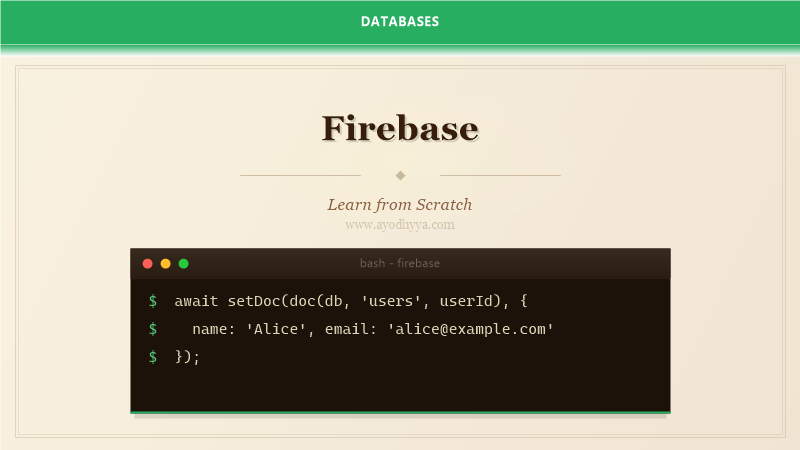
Firebase changed how I build applications. Instead of spending weeks setting up authentication, databases, storage, and server infrastructure, I focus on the user experience. Firebase handles the backend plumbing with services like Firestore, Authentication, Cloud Functions, and Hosting. This tutorial covers the Firebase ecosystem from a practitioner's perspective, with emphasis on architecture patterns that scale beyond the prototype phase.
Getting Started with Firebase
Firebase is Google's application development platform that provides backend services as a managed offering. It started as a real-time database company and has grown into a comprehensive suite including Firestore (NoSQL database), Authentication, Cloud Storage, Cloud Functions, Hosting, Remote Config, and Analytics. The free Spark plan covers enough to build and launch an application, while the Blaze plan scales to enterprise traffic.
To get started, create a Firebase project in the Firebase Console. Install the Firebase CLI with npm install -g firebase-tools. A Firebase project can also connect to Google Cloud Platform services, giving you access to BigQuery, Pub/Sub, and Cloud Run. Initialize your project with firebase init, which walks you through selecting the services you need.
# Install Firebase CLI
npm install -g firebase-tools

# Login and initialize
firebase login
firebase init

# Select features: Firestore, Functions, Hosting
# Deploy your project
firebase deploy

# Firebase config in code
import { initializeApp } from 'firebase/app';

const firebaseConfig = {
    apiKey: "AIzaSy...",
    authDomain: "project.firebaseapp.com",
    projectId: "my-project",
    storageBucket: "my-project.appspot.com"
};

const app = initializeApp(firebaseConfig);
Firestore: The NoSQL Document Database
Cloud Firestore is Firebase's flagship database. It is a flexible, scalable NoSQL document database that stores data in documents organized into collections. Each document contains key-value pairs. Subcollections allow nested data structures up to 100 levels deep. Firestore provides real-time synchronization: clients can listen to document changes and receive updates instantly.
Data modeling in Firestore follows similar principles to MongoDB but with some important differences. Firestore charges per document read, write, and delete, so efficient data modeling directly affects your bill. Denormalize data to reduce reads, but be aware that each write to a denormalized field requires updating multiple documents. The common pattern is to store frequently accessed data denormalized and keep canonical data in a separate collection.
Firestore queries support compound filters with equality, range, and array-contains operators. Indexes are created automatically for simple queries but must be created manually for compound queries involving range filters on different fields. Security Rules control access at the document level using a declarative syntax that checks authentication state, document data, and request patterns.
// Firestore data operations
import { collection, doc, getDoc, setDoc, query, where, onSnapshot } from 'firebase/firestore';

// Write a document
await setDoc(doc(db, 'users', userId), {
    name: 'Alice',
    email: 'alice@example.com',
    role: 'premium',
    createdAt: Timestamp.now()
});

// Real-time listener
const q = query(collection(db, 'posts'),
    where('published', '==', true),
    where('category', '==', 'tech')
);

const unsubscribe = onSnapshot(q, (snapshot) => {
    snapshot.docChanges().forEach((change) => {
        console.log(change.type, change.doc.id, change.doc.data());
    });
});
Firebase Authentication
Firebase Authentication provides a complete authentication system with support for email/password, phone number, Google, Apple, Facebook, and dozens of other providers. The Auth SDK handles token generation, refresh, and storage automatically. You get user profile information, account linking, and multi-factor authentication out of the box.
For custom authentication requirements, Firebase supports custom tokens generated by your own server. This is useful when you already have a user database and want to integrate with Firebase gradually. Generate a custom token using the Firebase Admin SDK on your server and sign in on the client with signInWithCustomToken().
Authentication integrates deeply with other Firebase services. Security Rules can reference auth.uid to implement per-user data isolation. Cloud Functions can access auth events through the functions.auth.user() trigger, which fires on user creation, deletion, and metadata changes. This is useful for creating user profiles in Firestore when a new account registers.
// Email/password signup
import { createUserWithEmailAndPassword, signInWithEmailAndPassword } from 'firebase/auth';

const userCredential = await createUserWithEmailAndPassword(auth, email, password);
console.log('User created:', userCredential.user.uid);
Cloud Functions for Server-Side Logic
Cloud Functions for Firebase lets you run server-side code in response to events. Functions can respond to HTTP requests, Firestore document changes, Authentication events, Storage file uploads, and scheduled cron jobs. Each function runs in a managed Node.js environment with automatic scaling from zero to thousands of concurrent invocations.
Functions are organized by trigger type. Firestore triggers fire on document create, update, delete, or write. They receive a Change object with before and after snapshots, letting you compare the old and new document states. HTTP triggers create API endpoints that you can call from your client application or third-party services. Use onCall functions for direct client invocation with authentication context.
Cold starts are the main performance consideration. Functions that have not been invoked recently take 1-3 seconds to initialize. Mitigate this by minimizing dependencies, keeping functions focused on a single purpose, and using the minimum instances setting for latency-sensitive functions. Long-running operations should use Google Cloud Run instead, which supports streaming and longer timeouts.
// Firestore trigger
import * as functions from 'firebase-functions';
import * as admin from 'firebase-admin';
admin.initializeApp();

export const onOrderCreate = functions.firestore
    .document('orders/{orderId}')
    .onCreate(async (snap, context) => {
        const order = snap.data();
        await admin.firestore()
            .collection('mail')
            .add({
                to: order.userEmail,
                message: {
                    subject: 'Order Confirmation',
                    text: `Your order $${order.total} has been received.`
                }
            });
    });

// Scheduled function
export const cleanupOldSessions = functions.pubsub
    .schedule('every 24 hours')
    .onRun(async (context) => {
        const cutoff = new Date(Date.now() - 30 * 24 * 60 * 60 * 1000);
        const oldSessions = await admin.firestore()
            .collection('sessions')
            .where('createdAt', '<', cutoff)
            .get();
        const batch = admin.firestore().batch();
        oldSessions.docs.forEach(doc => batch.delete(doc.ref));
        await batch.commit();
    });
Cloud Storage and Hosting
Cloud Storage for Firebase is backed by Google Cloud Storage and provides file storage for user-generated content like images, videos, and documents. Files are stored in buckets with a hierarchical structure. Security Rules control access at the file level: you can allow public read for avatar images while restricting write to the authenticated user who owns the file.
File uploads use resumable uploads that handle network interruptions gracefully. The Firebase SDK generates upload URLs and manages multipart uploads automatically. For client-side uploads, use the putFile or putBytes methods on the storage reference. For server-side access, use the Google Cloud Storage Node.js client with service account credentials.
Firebase Hosting serves static assets with global CDN distribution. It supports custom domains, SSL certificates (managed automatically), and URL rewrites that can proxy requests to Cloud Functions. The hosting configuration in firebase.json controls redirects, headers, and clean URLs. Hosting is optimized for single-page applications: configure a rewrite rule that serves index.html for all routes so client-side routing works.
// Upload a file
import { ref, uploadBytesResumable, getDownloadURL } from 'firebase/storage';

const storageRef = ref(storage, `avatars/${userId}.jpg`);
const uploadTask = uploadBytesResumable(storageRef, file);

uploadTask.on('state_changed',
    (snapshot) => {
        const progress = (snapshot.bytesTransferred / snapshot.totalBytes) * 100;
        console.log('Upload:', progress + '%');
    },
    (error) => console.error('Upload failed:', error),
    async () => {
        const url = await getDownloadURL(uploadTask.snapshot.ref);
        console.log('File available at:', url);
    }
);
Production Operations and Monitoring
Moving from prototype to production requires careful attention to several areas. Firestore security rules must be restrictive: start with deny-all and grant access incrementally. Test rules in the Firebase Console simulator before deploying. Enable Firestore's PITR (Point-in-Time Recovery) for protection against accidental deletes and data corruption.
Performance monitoring with Firebase Performance SDK captures real user metrics for your application. Instrument key user flows like sign-up, checkout, and search. Firebase Crashlytics captures and groups crash reports with stack traces and breadcrumbs. These tools are integrated into the Firebase Console dashboard and require minimal setup code.
Cost management is critical on the Blaze plan. Firestore charges per read/write/delete, and each query that returns no results still counts as at least one read. Set budgets and alerts in the Google Cloud Console. Monitor Firestore usage metrics, especially document reads and bandwidth. Consider caching frequently accessed data with a small Cloud Function that serves cached results from Firestore.
// Performance monitoring
import { initializePerformance } from 'firebase/performance';
const perf = initializePerformance(app);
const trace = perf.trace('checkout_flow');
trace.start();
trace.stop();

// Cost-saving: batch writes
const batch = db.batch();
items.forEach(item => {
    const ref = doc(db, 'orders', orderId, 'items', item.id);
    batch.set(ref, item);
});
await batch.commit();
Frequently Asked Questions
Can I use Firebase with my existing backend?
Yes. Firebase services can be used incrementally. You can add Firebase Authentication to an existing Django app, use Firestore alongside a PostgreSQL database, or integrate Cloud Functions with your existing REST API.
How does Firebase pricing work?
The Spark plan is free with limited Firestore writes (20K/day), reads (50K/day), and Cloud Functions invocations (125K/month). The Blaze plan charges per usage and scales automatically. Most projects cost less than $50/month until they reach significant traffic.
What happens to my data if I stop using Firebase?
Google Takeout allows you to export your data. Firestore data can be exported via the gcloud CLI or Firebase Console. Authentication user data can be exported. Cloud Functions source code is in your project directory.
Is Firebase suitable for large-scale applications?
Yes, Firebase runs on Google Cloud infrastructure. Firestore auto-scales to millions of concurrent connections. The main limitations are query expressiveness (no JOINs, limited aggregation) and cost at scale. Many large applications use Firebase for real-time features alongside a relational database for analytics.
Originally published on Ayodhyyya. Last updated June 1, 2026.