MariaDB Tutorial: Learn SQL Database from Scratch (2026)
I switched several production systems from MySQL to MariaDB a few years ago, and the experience was surprisingly smooth. MariaDB is a fork of MySQL created by the original MySQL developers after Oracle's acquisition. It maintains full compatibility while adding innovative features like the Aria storage engine, system-versioned tables, and significant performance improvements. This tutorial covers what makes MariaDB distinct and worth considering.
Getting Started with MariaDB
MariaDB is a community-developed relational database that began as a fork of MySQL but has evolved independently. It uses the same SQL syntax, same port (3306), and same protocol as MySQL, so most MySQL tools and applications work with MariaDB without changes. The key difference is under the hood: MariaDB includes multiple storage engines, advanced optimizer features, and performance improvements that MySQL does not have.
Installation is easy. On Ubuntu, use apt-get install mariadb-server. On macOS, brew install mariadb. Windows has an MSI installer from the official site. After installation, run mysql_secure_installation to set the root password and remove anonymous users. The mysql command-line client works identically to MySQL's client.
# Install and secure
sudo apt-get install mariadb-server -y
sudo mysql_secure_installation

# Connect
mysql -u root -p

-- Create database and user
CREATE DATABASE myapp;

CREATE USER 'appuser'@'localhost' IDENTIFIED BY 'secure_pass';
GRANT ALL PRIVILEGES ON myapp.* TO 'appuser'@'localhost';
FLUSH PRIVILEGES;

CREATE TABLE myapp.articles (
    id INT AUTO_INCREMENT PRIMARY KEY,
    title VARCHAR(200) NOT NULL,
    body TEXT,
    created_at TIMESTAMP DEFAULT CURRENT_TIMESTAMP
) ENGINE=InnoDB;
Storage Engines: Aria, InnoDB, and More
MariaDB supports multiple storage engines, and this is where it separates from MySQL most clearly. InnoDB is the default transactional engine, identical to MySQL's InnoDB. Aria is MariaDB's own engine, designed as a crash-safe replacement for MyISAM. Aria supports transactions, caching, and automatic recovery from crashes without requiring manual repair.
The MEMORY engine stores data in RAM for lightning-fast temporary tables. The CONNECT engine lets MariaDB query external data sources like CSV files, XML, JSON, ODBC, and even other databases through a single SQL interface. The Spider engine enables sharding across multiple MariaDB servers, presenting them as a single table.
ColumnStore is MariaDB's columnar storage engine for analytics workloads. It stores data by column instead of by row, which dramatically improves compression and query performance for aggregation-heavy queries. ColumnStore is ideal for data warehousing and business intelligence, handling billions of rows with sub-second response times for analytical queries.
-- Check available engines
SHOW ENGINES;

-- Create Aria table
CREATE TABLE log_entries (
    id BIGINT AUTO_INCREMENT PRIMARY KEY,
    event_type VARCHAR(50),
    message TEXT,
    logged_at TIMESTAMP DEFAULT CURRENT_TIMESTAMP
) ENGINE=Aria TRANSACTIONAL=1;

-- Connect engine: query a CSV file
CREATE TABLE csv_data (
    id INT,
    name VARCHAR(100),
    value DECIMAL(10,2)
) ENGINE=CONNECT table_type=CSV
  file_name='/data/import.csv' header=1;

SELECT * FROM csv_data WHERE value > 100;
MariaDB-Specific SQL Extensions
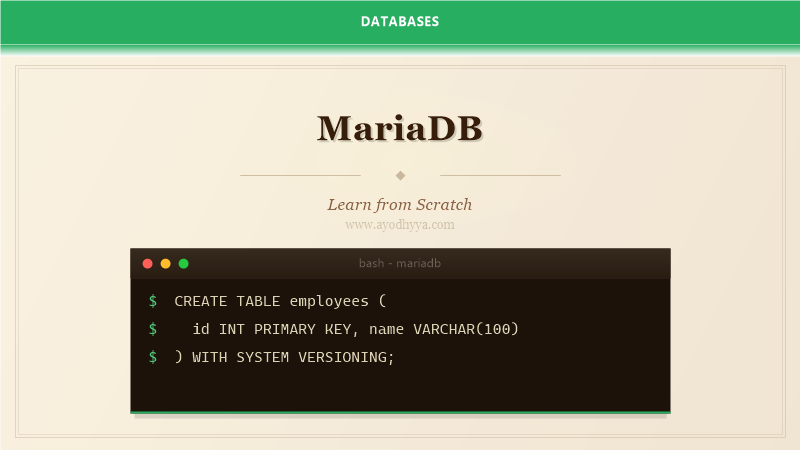
MariaDB extends SQL with features not found in MySQL. System-versioned tables automatically track row history without application code. When you create a table WITH SYSTEM VERSIONING, MariaDB stores every version of each row. You can query historical data with FOR SYSTEM_TIME: SELECT * FROM employees FOR SYSTEM_TIME BETWEEN '2025-01-01' AND '2025-06-01'. This is a built-in temporal table feature that MySQL only added in version 8.0.
The DELETE and UPDATE statements support LIMIT and ORDER BY, which MySQL added later. This is useful for batch operations: DELETE FROM old_logs ORDER BY created_at LIMIT 1000. Window functions, common table expressions, and the WITH clause have been in MariaDB for years and work identically to PostgreSQL's syntax.
Dynamic columns allow schemaless data within a relational table. You can store key-value pairs in a BLOB column and query them with COLUMN_GET, COLUMN_CREATE, and COLUMN_ADD functions. This bridges the gap between relational and NoSQL: you get the benefits of schema enforcement for core columns with flexible attributes stored as dynamic columns.
-- System-versioned table
CREATE TABLE employees (
    id INT PRIMARY KEY,
    name VARCHAR(100),
    salary DECIMAL(10,2),
    department_id INT
) WITH SYSTEM VERSIONING;

-- Query historical data
SELECT * FROM employees
FOR SYSTEM_TIME AS OF '2025-06-01 12:00:00';

-- Dynamic columns
CREATE TABLE products (
    id INT AUTO_INCREMENT PRIMARY KEY,
    name VARCHAR(200) NOT NULL,
    base_price DECIMAL(10,2),
    attributes BLOB
);

INSERT INTO products (name, base_price, attributes)
VALUES ('Laptop', 999.99, COLUMN_CREATE('color', 'silver', 'ram', '16GB', 'storage', '512GB'));

SELECT name, base_price,
    COLUMN_GET(attributes, 'ram' AS CHAR(10)) AS ram
FROM products;
Query Optimizer and Performance Features
MariaDB's query optimizer includes features that are absent in MySQL. The Table Elimination optimization removes unnecessary tables from JOINs when their columns are not referenced. The derived table merge optimization pushes conditions into subqueries. These optimizations happen automatically, but you can observe them with EXPLAIN FORMAT=JSON.
MariaDB's histogram statistics provide detailed data distribution information to the optimizer. Unlike MySQL, which added histograms later, MariaDB has had them for many releases. Collect statistics with ANALYZE TABLE employees PERSISTENT FOR COLUMNS ALL. Histograms help the optimizer make better decisions when data is skewed, like a status column where 99 percent of rows are active.
Subquery optimizations in MariaDB include semijoin, materialization, and EXISTS-to-IN transformations. The optimizer can transform correlated subqueries into efficient joins automatically. Use EXPLAIN to verify the optimization is applied. The extended_keys feature leverages InnoDB's clustered index to resolve queries from secondary indexes without accessing the primary key.
-- Analyze with histograms
ANALYZE TABLE orders PERSISTENT FOR COLUMNS status SIZE 100;

-- EXPLAIN with JSON format
EXPLAIN FORMAT=JSON
SELECT c.name, COUNT(o.id) as order_count
FROM customers c
LEFT JOIN orders o ON c.id = o.customer_id
WHERE o.status = 'completed'
  AND o.total > 100
GROUP BY c.id;

-- Optimizer trace
SET optimizer_trace=1;
SELECT * FROM ...;
SELECT * FROM information_schema.OPTIMIZER_TRACE;
SET optimizer_trace=0;
Galera Cluster for High Availability
Galera Cluster is MariaDB's synchronous multi-master replication solution. Unlike MySQL's asynchronous replication where the replica can lag, Galera ensures all nodes have identical data at all times. You can write to any node, and all nodes apply the write simultaneously. If a node fails, applications continue reading and writing to the remaining nodes with zero data loss.
Setting up a Galera cluster requires at least three nodes for a quorum. The cluster uses Group Communication System (GCS) to coordinate transactions. A transaction commits only after all nodes acknowledge it. This synchronous approach eliminates replication lag but adds latency for cross-data-center deployments. For local data center clusters, the overhead is minimal.
Galera has some limitations: it does not support MyISAM tables (not crash-safe), LOCK TABLES (unnecessary with multi-master), and certain DDL operations that cause cluster-wide schema changes. The wsrep_provider status variables show cluster health. Check wsrep_cluster_size for the number of nodes and wsrep_local_state_comment for each node's status.
# Galera configuration (/etc/mysql/conf.d/galera.cnf)
[mysqld]
binlog_format=ROW
default_storage_engine=InnoDB
wsrep_on=ON
wsrep_provider=/usr/lib/galera/libgalera_smm.so
wsrep_cluster_name='my_cluster'
wsrep_cluster_address='gcomm://node1,node2,node3'
wsrep_sst_method=mariabackup
wsrep_node_address='192.168.1.10'

# Check cluster status
SHOW STATUS LIKE 'wsrep_cluster_size';
SHOW STATUS LIKE 'wsrep_local_state_comment';
SHOW STATUS LIKE 'wsrep_flow_control_paused';
Backup Tools and Migration from MySQL
MariaDB Backup (mariabackup) is the recommended backup tool for MariaDB. It is a fork of Percona XtraBackup modified to support MariaDB-specific features like compression, encryption, and the Aria engine. Mariabackup performs hot backups without locking tables, using redo log tracking to maintain consistency. Use mariabackup --backup to create a backup and mariabackup --prepare to make it ready for restore.
Migrating from MySQL to MariaDB is unusually simple. Install MariaDB, stop MySQL, install the mysql_upgrade_info file, and start MariaDB. Run mysql_upgrade to ensure compatibility. The protocol is identical, so applications connect without changes. MariaDB even includes the mysql command-line client. I have migrated dozens of databases by dumping from MySQL with mysqldump and restoring into MariaDB with mysql.
Compatibility considerations: MariaDB uses a different version numbering scheme, and some MySQL features like the data dictionary (MySQL 8.0+) are implemented differently. The performance_schema tables exist but are not identical. Test your application thoroughly, especially if you use MySQL-specific SQL syntax or rely on specific performance_schema instrumentation.
# Hot backup with mariabackup
mariabackup --backup \
    --target-dir=/backups/mariadb/full/ \
    --user=root --password

# Prepare backup for restore
mariabackup --prepare \
    --target-dir=/backups/mariadb/full/

# Restore
systemctl stop mariadb
rm -rf /var/lib/mysql/*
mariabackup --copy-back \
    --target-dir=/backups/mariadb/full/
chown -R mysql:mysql /var/lib/mysql
systemctl start mariadb

# Export from MySQL, import to MariaDB
mysqldump --databases mydb > mydb_dump.sql
mysql -u root -p < mydb_dump.sql
Frequently Asked Questions
What is the main difference between MariaDB and MySQL?
MariaDB includes additional storage engines (Aria, ColumnStore, Spider), system-versioned tables, dynamic columns, and advanced optimizer features. It is fully compatible with MySQL at the protocol level but has diverged significantly in features.
Can I switch from MySQL to MariaDB without changing my application?
In most cases, yes. MariaDB is a drop-in replacement for MySQL. The wire protocol is identical, so your application connects the same way. Some MySQL-specific features like the data dictionary in MySQL 8.0+ have different implementations, so test thoroughly.
What is Galera Cluster?
Galera Cluster provides synchronous multi-master replication for MariaDB. You can write to any node, and all nodes stay synchronized. It offers higher availability than traditional MySQL replication but adds some limitations on table types and DDL operations.
Is MariaDB free to use in production?
Yes. MariaDB is open source (GPL) and completely free. There are no licensing fees, even for enterprise deployments. MariaDB Corporation offers commercial support and enterprise features if needed.
Originally published on Ayodhyyya. Last updated June 1, 2026.