MongoDB Tutorial: Learn NoSQL Database from Scratch (2026)
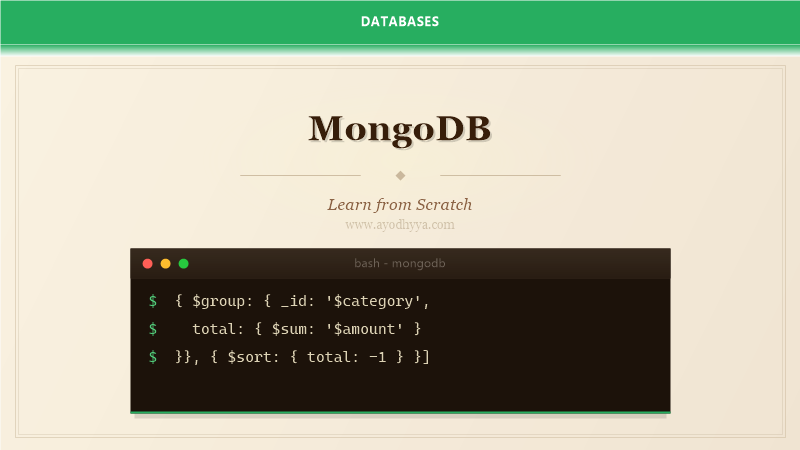
When I first moved from relational databases to MongoDB, the mental shift was harder than I expected. I kept trying to normalize data and write JOINs that did not exist. Once I embraced the document model, I never looked back. This tutorial covers everything from installation to aggregation pipelines, sharding, and the operational wisdom I wish someone had shared with me earlier.
Getting Started with MongoDB
MongoDB is a NoSQL document database that stores data in flexible, JSON-like documents. Unlike relational databases, you do not need to define a schema upfront. Documents in the same collection can have different fields, which makes MongoDB ideal for projects where the data model evolves rapidly.
To get started, download MongoDB Community Server from the official site or use a package manager. On macOS, brew install mongodb-community. Start the mongod process and connect with mongosh, the new MongoDB shell. The shell uses JavaScript syntax, so you can write scripts, assign variables, and even define functions directly in your queries.
// Start mongosh and create a database
use blog

// Insert a document
 db.articles.insertOne({
    title: 'Getting Started with MongoDB',
    tags: ['database', 'nosql'],
    author: 'Alice',
    views: 0,
    published: new Date()
})

// Find all documents
 db.articles.find().pretty()
Document Design and Embedding Strategies
The most important decision in MongoDB is how to structure your documents. You have two choices: embedding related data inside a single document or referencing data across collections. Embedding works well for one-to-few relationships like a user and their addresses. Referencing is better for one-to-many or many-to-many relationships like orders and products.
A common beginner mistake is designing documents exactly like normalized relational tables. MongoDB is optimized for data that is accessed together to be stored together. If you always display a blog post with its comments, embed the first few comments in the post document. This avoids expensive lookups and keeps read latency low.
Documents have a 16MB size limit, which is generous but not infinite. If an embedded array could grow without bound, like a product's sales history, use a separate collection and reference it. The key is understanding your application's access patterns before deciding on the structure.
// Embedded document pattern
 db.users.insertOne({
    name: 'Bob Smith',
    email: 'bob@example.com',
    addresses: [
        { type: 'home', street: '123 Main St', city: 'Portland' },
        { type: 'work', street: '456 Oak Ave', city: 'Portland' }
    ]
})

// Reference pattern
 db.orders.insertOne({
    user_id: ObjectId('...'),
    products: [ObjectId('...'), ObjectId('...')],
    total: 59.99
})
CRUD Operations and Query Operators
MongoDB provides a rich set of query operators that go beyond simple equality checks. You can filter with comparison operators like $gt, $lt, $gte, $lte. Use $in to match any value in an array. The $regex operator supports pattern matching on string fields. For array fields, $elemMatch finds documents where at least one array element matches all specified criteria.
Updates support atomic operators that modify specific fields without transferring the entire document. $set updates or creates a field, $inc increments a numeric value, $push appends to an array, and $unset removes a field. These operators are crucial for building performant applications because they avoid read-modify-write round trips.
Projections let you return only the fields you need. This reduces network transfer and speeds up queries. Use the second argument to find() to specify inclusion or exclusion. By default, the _id field is always included unless you explicitly exclude it.
// Query operators
 db.products.find({
    price: { $gte: 10, $lte: 50 },
    category: { $in: ['electronics', 'accessories'] },
    tags: { $elemMatch: { $eq: 'sale' } }
})

// Update operators
 db.products.updateOne(
    { _id: ObjectId('...') },
    { $inc: { stock: -1 }, $set: { last_sold: new Date() } }
)
Indexing for Performance
Indexes in MongoDB work similarly to relational databases but with some unique considerations. A collection without indexes scans every document, which is unacceptable for anything beyond trivial datasets. Use db.collection.createIndex() to define indexes and db.collection.explain() to verify they are being used.
Compound indexes follow the same leftmost prefix rule as B-tree indexes in SQL. Order the fields by selectivity: the most selective field first. For a query filtering by status and sorting by created_at, an index on { status: 1, created_at: -1 } handles both the filter and the sort in one pass.
MongoDB also supports text indexes for full-text search and 2dsphere indexes for geospatial queries. Multikey indexes automatically index array fields. Be careful with multikey indexes because each document can have at most one indexed array field per index. Covered queries, where all required fields are in the index, are the fastest possible queries in MongoDB.
// Create a compound index
 db.articles.createIndex(
    { status: 1, created_at: -1 },
    { background: true }
)

// Text index for search
 db.articles.createIndex(
    { title: 'text', body: 'text' },
    { weights: { title: 10, body: 1 } }
)

// Check query plan
 db.articles.find({ status: 'published' })
    .sort({ created_at: -1 })
    .explain('executionStats')
Aggregation Pipeline
The aggregation pipeline is MongoDB's answer to complex data processing. It processes documents through a series of stages, where each stage transforms the data and passes it to the next. The $match stage filters documents, $group aggregates them, $sort orders them, and $project reshapes the output. You can think of it as a pipeline of Unix pipes, where each command transforms the stream.
The $lookup stage performs a left outer join with another collection. While MongoDB discourages joins for frequently accessed data, $lookup is invaluable for reporting and analytics. Use $unwind to deconstruct an array field into multiple documents, one per array element, which enables further aggregation on array contents.
Performance tip: place $match and $sort as early in the pipeline as possible. This reduces the number of documents flowing through subsequent stages. If a $match filters out 90 percent of documents early, the rest of the pipeline processes only 10 percent. Use indexes on fields used in $match and $sort for additional speed.
// Aggregation pipeline: top 5 categories by revenue
 db.orders.aggregate([
    { $match: { status: 'completed' } },
    { $unwind: '$items' },
    { $group: {
        _id: '$items.category',
        total_revenue: { $sum: { $multiply: ['$items.price', '$items.qty'] } },
        order_count: { $sum: 1 }
    }},
    { $sort: { total_revenue: -1 } },
    { $limit: 5 },
    { $project: {
        category: '$_id',
        total_revenue: 1,
        order_count: 1,
        _id: 0
    }}
])
Replication, Sharding, and Production Operations
MongoDB's replication set provides high availability through automatic failover. A replica set has one primary node that accepts writes and multiple secondary nodes that replicate data asynchronously. If the primary goes down, the remaining secondaries hold an election and promote one to primary. Applications should use connection strings that include all replica set members so the driver can route requests automatically.
Sharding horizontally partitions data across multiple servers. MongoDB uses a shard key to distribute documents across shards. Choosing the right shard key is critical. A monotonically increasing shard key like ObjectId concentrates writes on one shard, negating the benefit of sharding. Use a hashed shard key or a compound key with high cardinality for even distribution.
Operational best practices include enabling authentication, using TLS for client connections, setting up regular backups with mongodump, and monitoring the oplog window. The oplog (operations log) is a capped collection that records all write operations. If a secondary falls too far behind, it will need to be resynced from scratch. Monitor replication lag with rs.status().
// Check replica set status
rs.status()

// Initiate a replica set
rs.initiate({
    _id: 'myReplicaSet',
    members: [
        { _id: 0, host: 'mongo1:27017' },
        { _id: 1, host: 'mongo2:27017' },
        { _id: 2, host: 'mongo3:27017', arbiterOnly: true }
    ]
})

// Enable sharding
sh.enableSharding('myDatabase')
sh.shardCollection('myDatabase.orders', { order_id: 'hashed' })
Frequently Asked Questions
When should I use MongoDB instead of a relational database?
Use MongoDB when your data has a flexible schema, when you need fast iteration on the data model, or when you need to store nested documents that would require many JOINs in SQL. It excels at content management, catalogs, and real-time analytics.
What is the difference between MongoDB and a key-value store?
MongoDB supports rich queries, secondary indexes, aggregation pipelines, and atomic updates on sub-documents. Key-value stores like Redis only support lookups by primary key. MongoDB is a document database, not a key-value store.
How do I handle transactions in MongoDB?
MongoDB supports multi-document ACID transactions since version 4.0. Use session.startTransaction() for operations that require atomicity across documents or collections. For single-document operations, MongoDB already provides atomicity.
What is the oplog and why is it important?
The oplog is a capped collection that records every write operation in a replica set. Secondary nodes use the oplog to replicate data from the primary. Monitor the oplog window to ensure secondaries can catch up before old entries are overwritten.
Originally published on Ayodhyyya. Last updated June 1, 2026.