MySQL Tutorial: Learn MySQL Database from Scratch (2026)
I have been working with MySQL for over a decade, from small WordPress sites to sharded clusters handling billions of rows. What I have learned is that most tutorials skip the practical details you actually need in production. This one does not. We will cover schema design, indexing strategies, query optimization, and the kind of real-world troubleshooting that comes from years of on-call rotations.
Getting Started with MySQL
MySQL is an open-source relational database that powers everything from personal blogs to massive e-commerce platforms. It has been around since 1995, and its longevity is a testament to its reliability and performance. Before diving into complex queries, make sure you have a working installation. On Ubuntu, you can install MySQL Server with apt-get. On Windows, the MySQL Installer handles everything. Mac users can use Homebrew.
Once installed, connect to the MySQL shell: mysql -u root -p. The first thing you should do is create a dedicated user for your application instead of using root. CREATE USER 'appuser'@'localhost' IDENTIFIED BY 'secure_password'; GRANT ALL PRIVILEGES ON mydb.* TO 'appuser'@'localhost'; FLUSH PRIVILEGES; This follows the principle of least privilege and keeps your root account safe.
CREATE DATABASE mydb;
USE mydb;

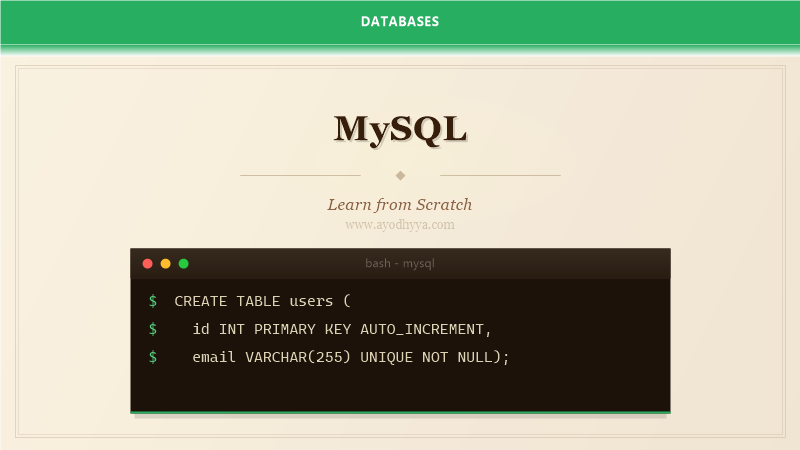
CREATE TABLE users (
    id INT AUTO_INCREMENT PRIMARY KEY,
    email VARCHAR(255) UNIQUE NOT NULL,
    name VARCHAR(100) NOT NULL,
    created_at TIMESTAMP DEFAULT CURRENT_TIMESTAMP
);

INSERT INTO users (email, name)
VALUES ('alice@example.com', 'Alice Johnson');
Schema Design and Normalization
Good schema design is the foundation of a performant MySQL database. The goal is to eliminate data redundancy while keeping queries fast. Start by identifying the entities in your application and how they relate to each other. A customer has many orders, an order belongs to one customer, an order has many line items. These relationships map to foreign keys.
Normalization is the process of organizing your tables to reduce duplication. Third normal form is a good target for most applications. Do not over-normalize, though. Sometimes a little redundancy is worth the query performance gain, especially in read-heavy systems. The key is understanding the trade-off before making the decision.
Choose your data types carefully. INT for ids, VARCHAR for variable-length strings, DECIMAL for monetary values, TIMESTAMP or DATETIME for dates. Using the wrong data type wastes storage and slows down queries. A common mistake is using VARCHAR for zip codes or phone numbers because they look like numbers but should not be summed or averaged.
-- One-to-many relationship
CREATE TABLE customers (
    id INT AUTO_INCREMENT PRIMARY KEY,
    name VARCHAR(100) NOT NULL,
    email VARCHAR(255) UNIQUE NOT NULL
);

CREATE TABLE orders (
    id INT AUTO_INCREMENT PRIMARY KEY,
    customer_id INT NOT NULL,
    total DECIMAL(10,2) NOT NULL,
    ordered_at TIMESTAMP DEFAULT CURRENT_TIMESTAMP,
    FOREIGN KEY (customer_id) REFERENCES customers(id)
);

CREATE INDEX idx_orders_customer ON orders(customer_id);
Writing Efficient Queries
Writing queries that return correct results is easy. Writing queries that perform well under load is harder. The key is understanding how MySQL executes your query internally. When you run a SELECT statement, MySQL goes through several stages: parsing, optimization, execution, and returning results. The optimizer tries to find the most efficient execution plan, but it can only work with the information you give it.
Use EXPLAIN to see how MySQL executes your query. It shows you which indexes are used, how many rows are examined, and whether the query does a full table scan. A query examining 100,000 rows when it should only examine 100 is a sign of a missing index or a poorly written join.
JOINs are where most performance problems live. Always join on indexed columns. Make sure the column types match between the joined tables. A JOIN on an INT and a VARCHAR column will not use an index efficiently. Also, avoid SELECT * in production code. Name the columns you actually need. This reduces network traffic and memory usage.
-- Use EXPLAIN to analyze query performance
EXPLAIN SELECT c.name, COUNT(o.id) as order_count
FROM customers c
LEFT JOIN orders o ON c.id = o.customer_id
WHERE c.created_at > '2025-01-01'
GROUP BY c.id, c.name
HAVING COUNT(o.id) > 5
ORDER BY order_count DESC;
Indexing Strategies That Work
Indexes are the single most effective tool for improving query performance. But more indexes are not always better. Each index slows down write operations because MySQL has to update the index every time data changes. The trick is to create indexes for your most important query patterns and accept slower queries for rare operations.
A composite index on (status, created_at) helps queries that filter by status and then sort by date. The order of columns in a composite index matters. MySQL can use the index for queries that filter on the leftmost columns. If your query only filters by created_at, a composite index starting with status will not help.
Covering indexes are a powerful optimization. If all the columns your query needs are in the index itself, MySQL never has to read the actual table row. This dramatically reduces disk I/O. Monitor your slow query log and create indexes based on actual usage patterns, not guesses.
-- Creating effective indexes
CREATE INDEX idx_status_date ON orders(status, created_at);

-- Covering index example
CREATE INDEX idx_covering ON orders(status, created_at, total)
    WHERE status = 'active';
Transactions and Concurrency
MySQL transactions ensure that a group of operations either all succeed or all fail. This is critical for financial applications, inventory management, and any system where data consistency matters. Use BEGIN to start a transaction, COMMIT to save changes, and ROLLBACK to undo them if something goes wrong.
The default storage engine InnoDB supports ACID transactions. It uses row-level locking, which means multiple transactions can modify different rows in the same table simultaneously. This is much better than MyISAM's table-level locking, which blocks all writes to the entire table during a write operation.
Deadlocks happen when two transactions wait for each other to release a lock. MySQL detects deadlocks and rolls back one of the transactions. Your application code should retry transactions that fail due to deadlocks. The typical pattern is to catch the deadlock exception and retry up to three times.
START TRANSACTION;

UPDATE accounts SET balance = balance - 100 WHERE id = 1;
UPDATE accounts SET balance = balance + 100 WHERE id = 2;

-- If both updates succeed:
COMMIT;

-- If anything goes wrong:
-- ROLLBACK;
Backup, Recovery, and Maintenance
Backups are insurance. You do not need them until you desperately do, and by then it is too late. Schedule regular backups using mysqldump for logical backups or Percona XtraBackup for physical backups. Logical backups are portable across MySQL versions but slower for large databases. Physical backups are faster but tied to the specific MySQL version.
Test your backups. A backup that you cannot restore is worthless. Set up a cron job that restores the latest backup to a staging environment weekly and runs integrity checks. This catches corruption early and ensures your restore procedure works when you need it.
Regular maintenance keeps MySQL healthy. Run ANALYZE TABLE to update index statistics so the optimizer makes good decisions. Use OPTIMIZE TABLE to reclaim space from fragmented tables. Monitor your slow query log and address queries that appear regularly. Set up monitoring for replication lag if you use read replicas.
# Full backup with mysqldump
mysqldump --single-transaction \
    --routines --triggers --events \
    --databases mydb > mydb_backup_$(date +%Y%m%d).sql

# Restore
mysql -u root -p mydb < mydb_backup_20260601.sql
Frequently Asked Questions
What is the difference between MyISAM and InnoDB?
InnoDB supports transactions, foreign keys, and row-level locking. MyISAM supports only table-level locking and no transactions. InnoDB is the default and recommended engine for almost all use cases.
How do I choose the right data type for a column?
Use INT for integer IDs, VARCHAR for variable strings, DECIMAL for exact monetary values, TIMESTAMP for timezone-aware timestamps. Avoid TEXT if VARCHAR is sufficient. Use the smallest data type that fits your data.
What is the best way to paginate large datasets?
Avoid OFFSET for large pagination because MySQL still scans the skipped rows. Use keyset pagination with WHERE id > last_seen_id ORDER BY id LIMIT 20. This performs well regardless of page depth.
How do I handle MySQL connection timeouts?
Set wait_timeout and interactive_timeout appropriately for your application. Use connection pooling on the application side. Run mysqladmin ping as a health check before executing queries.
Originally published on Ayodhyyya. Last updated June 1, 2026.