Oracle Database Tutorial: Learn Enterprise DB from Scratch (2026)
Oracle Database has a reputation for being complex and expensive, and that reputation is well-earned. But after working with it for eight years at a Fortune 500 company, I have also learned to appreciate its strengths: unmatched reliability, advanced optimization features, and tooling that no open-source database can match. This tutorial covers the practical skills you need to work with Oracle in an enterprise environment.
Getting Started with Oracle Database
Oracle Database is a multi-model relational database management system designed for enterprise-scale workloads. It supports SQL, JSON, XML, spatial data, graph processing, and more. The architecture is fundamentally different from open-source databases. An Oracle instance consists of memory structures (SGA and PGA) and background processes that manage the database files.
Installing Oracle is more involved than other databases. Download Oracle Database Express Edition (XE) for a free starter version, or use Oracle Cloud's Always Free Tier for a cloud-based instance. The installation guides you through creating an initial database. Connect with SQL*Plus, the command-line tool, or SQL Developer, the free graphical IDE.
-- Connect as system administrator
sqlplus sys as sysdba

-- Create a pluggable database (PDB)
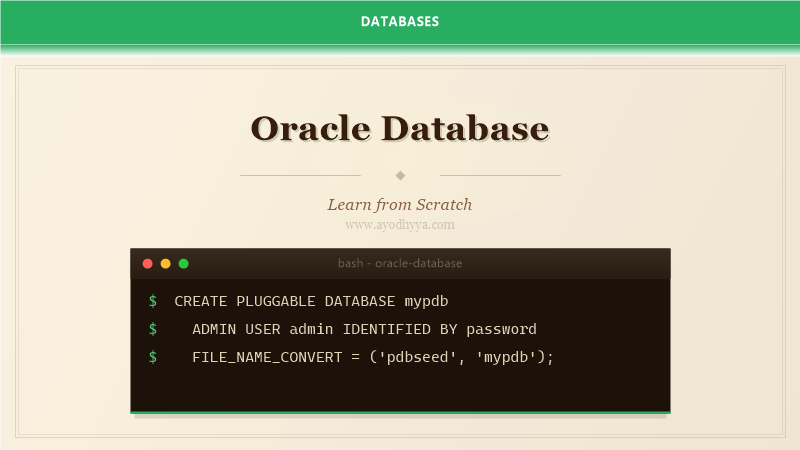
CREATE PLUGGABLE DATABASE mypdb
    ADMIN USER admin IDENTIFIED BY password
    FILE_NAME_CONVERT = ('pdbseed', 'mypdb');

-- Connect to the PDB
ALTER SESSION SET CONTAINER = mypdb;

-- Create a user and table
CREATE USER app_user IDENTIFIED BY secure_pass;
GRANT CONNECT, RESOURCE TO app_user;

CREATE TABLE app_user.employees (
    emp_id NUMBER GENERATED BY DEFAULT AS IDENTITY,
    name VARCHAR2(100) NOT NULL,
    salary NUMBER(10,2),
    hire_date DATE DEFAULT SYSDATE,
    CONSTRAINT emp_pk PRIMARY KEY (emp_id)
);
Oracle Architecture: Instance, Schema, and Tablespaces
Understanding Oracle's architecture is essential for effective administration. The System Global Area (SGA) is shared memory that contains the buffer cache, shared SQL area, redo log buffer, and other structures. The Program Global Area (PGA) is private memory for each server process. Sizing these components correctly is the most impactful tuning you can do.
A tablespace is a logical storage unit that contains one or more data files. Oracle uses multiple tablespaces by default: SYSTEM for the data dictionary, SYSAUX for auxiliary components, TEMP for sort operations, and UNDO for transaction rollback. Applications should store data in application-specific tablespaces to simplify management and backup.
Oracle's multitenant architecture, introduced in 12c, allows a single container database (CDB) to host multiple pluggable databases (PDBs). This simplifies consolidation, management, and resource allocation. Each PDB appears to applications as a separate database but shares the CDB's background processes and memory.
-- Create tablespace
CREATE TABLESPACE app_data
    DATAFILE 'app_data01.dbf' SIZE 100M
    AUTOEXTEND ON NEXT 10M MAXSIZE 1G
    EXTENT MANAGEMENT LOCAL
    SEGMENT SPACE MANAGEMENT AUTO;

-- Check SGA and PGA sizes
SHOW PARAMETER sga_target;
SHOW PARAMETER pga_aggregate_target;

-- View all PDBs
SELECT name, open_mode FROM v$pdbs;

-- Resource manager for PDB
ALTER SYSTEM SET pdb_file_name_convert = 'old_location', 'new_location';
SQL and Advanced Query Features
Oracle's SQL implementation includes powerful analytic functions, hierarchical queries, and flashback queries. The CONNECT BY clause enables hierarchical queries for tree-structured data like organizational charts or bill-of-materials. START WITH defines the root, and CONNECT BY PRIOR specifies the parent-child relationship.
The MODEL clause is unique to Oracle and provides spreadsheet-like calculations within SQL. You can create formulas that reference cells by dimension values, making it possible to solve problems that would otherwise require procedural code. I use MODEL for financial forecasting, budget allocation, and inter-row calculations that are awkward with regular SQL.
Oracle's optimizer uses cost-based optimization with histogram statistics. Gather statistics regularly with DBMS_STATS to ensure optimal execution plans. Oracle also supports SQL plan management, which lets you capture and control which execution plans are used, preventing plan regressions after system changes.
-- Hierarchical query
SELECT employee_id, manager_id, level,
    LPAD(' ', 2 * (level - 1)) || last_name AS org_tree
FROM employees
START WITH manager_id IS NULL
CONNECT BY PRIOR employee_id = manager_id
ORDER SIBLINGS BY last_name;

-- Analytic function: running total
SELECT department_id, salary,
    SUM(salary) OVER (
        PARTITION BY department_id
        ORDER BY hire_date
        ROWS BETWEEN UNBOUNDED PRECEDING AND CURRENT ROW
    ) AS running_dept_total
FROM employees;

-- Flashback query
SELECT * FROM employees
AS OF TIMESTAMP (SYSTIMESTAMP - INTERVAL '1' HOUR);
Performance Tuning and SQL Optimization
Oracle provides the most sophisticated performance diagnostic tools of any database. Automatic Workload Repository (AWR) captures snapshots of database performance metrics at regular intervals. AWR reports give you a top-down view of what is consuming database resources: SQL by elapsed time, segments by logical I/O, and wait events by time waited.
Wait events are the key to Oracle performance troubleshooting. Instead of guessing what is slow, look at wait events to see exactly what the database is waiting for. Common wait events include db file sequential read (single-block reads, usually index lookups), log file sync (commit waits), and enq: TX row lock contention (row-level locking conflicts).
SQL Tuning Advisor is an automated tool that analyzes high-load SQL and recommends optimizations. It can identify missing indexes, suggest query rewrites, and recommend SQL profiles. While I do not rely on it blindly, it often catches things even experienced DBAs miss, especially in complex queries with multiple joins and subqueries.
-- Generate AWR report (from command line)
@$ORACLE_HOME/rdbms/admin/awrrpt.sql

-- Find top SQL by elapsed time
SELECT sql_id, executions,
    ROUND(elapsed_time / 1000000 / DECODE(executions, 0, 1, executions), 4) AS avg_secs,
    SUBSTR(sql_text, 1, 50) AS sql_text
FROM v$sql
ORDER BY elapsed_time DESC
FETCH FIRST 10 ROWS ONLY;

-- Check current wait events
SELECT event, wait_class, total_waits, time_waited
FROM v$system_event
WHERE wait_class != 'Idle'
ORDER BY time_waited DESC;
Backup, Recovery, and RMAN
Recovery Manager (RMAN) is Oracle's integrated backup and recovery tool. Unlike mysqldump or pg_dump, RMAN works at the block level, backing up only used blocks and performing incremental backups that capture only changed blocks. RMAN also validates backups by scanning blocks for corruption without restoring them.
Configure RMAN with a recovery catalog database for enterprise environments or use the control file for simpler setups. Set up a backup strategy that includes full backups weekly, incremental backups daily, and archive log backups every hour. RMAN automatically manages retention and can restore to any point in time by applying archived redo logs.
Data Guard provides disaster recovery by maintaining a synchronized standby database. In a Data Guard configuration, the primary database ships redo data to the standby, which applies it continuously. You can configure the standby as a physical replica (identical block-level copy) or a logical replica (open for read-only access). Switchover and failover operations are controlled by Data Guard Broker.
# RMAN backup script
rman target /

CONFIGURE RETENTION POLICY TO RECOVERY WINDOW OF 7 DAYS;
CONFIGURE BACKUP OPTIMIZATION ON;

BACKUP DATABASE PLUS ARCHIVELOG DELETE INPUT;

# Restore and recover
rman target /

STARTUP MOUNT;
RESTORE DATABASE;
RECOVER DATABASE UNTIL TIME "TO_DATE('2026-06-01 14:00:00', 'YYYY-MM-DD HH24:MI:SS')";
ALTER DATABASE OPEN RESETLOGS;

# Check Data Guard status
SELECT database_role, switchover_status FROM v$database;
Enterprise Security and Compliance
Oracle's security model is the most granular of any major database. Beyond basic user authentication, Oracle supports Virtual Private Database (VPD) that automatically restricts row access based on policy functions. A VPD policy appends a WHERE clause to every query, ensuring users only see data they are authorized to see, regardless of the application used.
Transparent Data Encryption (TDE) encrypts data at rest without requiring application changes. Columns marked as encrypted are automatically encrypted when written to disk and decrypted when read into memory. TDE also supports tablespace-level encryption, which encrypts all data in a tablespace. The encryption keys are managed by Oracle Wallet.
Auditing is mandatory in regulated industries. Oracle's unified auditing captures all database activity in a single audit trail. You can create audit policies for specific actions, users, or objects. For example, audit any SELECT on tables containing PII, or audit all DDL changes by non-admin users. Review audit logs regularly and archive them for compliance requirements.
-- Virtual Private Database
BEGIN
    DBMS_RLS.ADD_POLICY(
        object_schema   => 'hr',
        object_name     => 'employees',
        policy_name     => 'dept_access',
        function_schema => 'hr',
        policy_function => 'authorized_emps',
        statement_types => 'SELECT, UPDATE',
        update_check    => TRUE
    );
END;

-- Audit policy
CREATE AUDIT POLICY sensitive_data_access
    ACTIONS SELECT ON hr.employees,
           SELECT ON hr.salary_history
    WHEN 'UPPER(SYS_CONTEXT(''USERENV'', ''SESSION_USER'')) != ''ADMIN'''
    EVALUATE PER STATEMENT;

AUDIT POLICY sensitive_data_access;
Frequently Asked Questions
Is Oracle too expensive for small projects?
Oracle XE is free for development and small deployments. It is limited to 2 CPUs, 2GB RAM, and 12GB of user data. For larger projects, Oracle's licensing costs are significant but often justified by enterprise support, security features, and reliability requirements.
What is the difference between Oracle and open-source databases?
Oracle offers advanced features like RAC clustering, Data Guard, advanced compression, and enterprise-grade security auditing that open-source databases lack. It also requires more administrative expertise and has steeper licensing costs.
How do I troubleshoot slow queries in Oracle?
Start with AWR reports for system-level analysis. Use SQL Monitoring for real-time query execution views. Check execution plans with DBMS_XPLAN. Look for full table scans, missing indexes, and cardinality estimate mismatches.
What is a pluggable database?
A PDB is a portable collection of schemas and objects that appears to applications as a separate database. Multiple PDBs share one container database (CDB), reducing overhead and simplifying management. This is Oracle's multitenant architecture.
Originally published on Ayodhyyya. Last updated June 1, 2026.