Consul Tutorial: Learn Service Discovery from Scratch (2026)
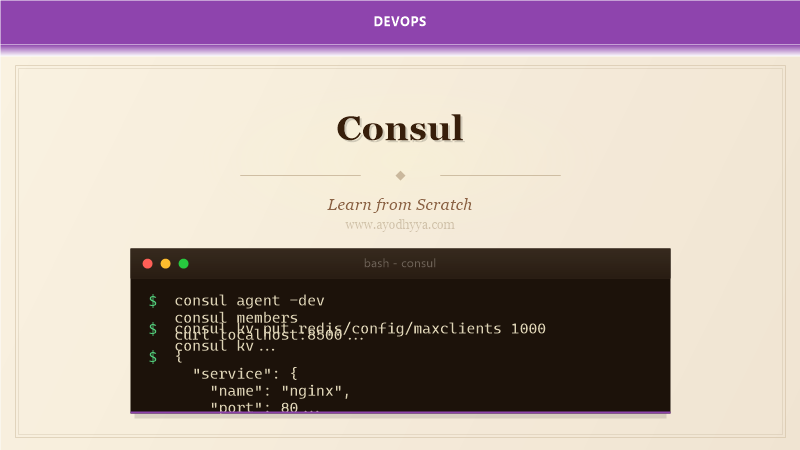
In my early days of running microservices, services knew each other through a shared spreadsheet. Consul introduced me to service discovery done right. It provides a distributed, highly available registry where services register themselves and clients discover them via DNS or HTTP API.
By the end of this tutorial, you will know how to register services with health checks, query the service catalog via DNS and API, and use Consul's key-value store for dynamic configuration.
Consul Architecture and Cluster Setup
Consul runs as a single binary in server or client mode. Server nodes maintain cluster state via Raft consensus. Client nodes run the agent that forwards requests and performs health checks locally. A production cluster needs at least 3 or 5 server nodes. The gossip protocol handles member discovery and failure detection.
# config/server.json
{
  "datacenter": "dc1",
  "server": true,
  "bootstrap_expect": 3,
  "data_dir": "/opt/consul/data",
  "ui_config": { "enabled": true },
  "connect": { "enabled": true }
}
Service Registration and Health Checking
Services register with Consul through the API or configuration files. The service definition includes name, tags, port, and health check configuration. Consul supports script-based checks, HTTP checks, TCP checks, and TTL checks. I use HTTP checks for web services — Consul hits /health on each service every 10 seconds.
{
  "service": {
    "name": "web",
    "id": "web-01",
    "tags": ["v1", "production"],
    "port": 8080,
    "check": {
      "http": "http://localhost:8080/health",
      "interval": "10s",
      "timeout": "5s"
    }
  }
}
Service Discovery via DNS and HTTP API
Every service gets a DNS name: web.service.dc1.consul. Applications query this DNS to get healthy service IP addresses. SRV records return port numbers alongside IPs. The HTTP API provides programmatic access to the service catalog with health filtering.
dig @127.0.0.1 -p 8600 web.service.consul SRV
curl http://localhost:8500/v1/catalog/service/web
curl http://localhost:8500/v1/health/service/web?passing
The Key-Value Store for Dynamic Configuration
Consul's key-value store provides a hierarchical, distributed configuration database. Applications read configuration at startup and optionally watch for changes. I use the KV store for feature flags, service routing tables, dynamic rate limits, and environment-specific configuration.
consul kv put config/web/features/new-checkout true
consul kv get config/web/features/new-checkout
curl -X PUT -d 'true' http://localhost:8500/v1/kv/config/web/features/new-checkout
Consul Connect: Service Mesh with mTLS
Consul Connect provides service-to-service authorization with mutual TLS. It uses sidecar proxies to intercept traffic and enforce intentions. Intention rules specify which services can communicate. A deny-all default with explicit allow rules is the security best practice.
{
  "service": {
    "name": "web",
    "port": 8080,
    "connect": { "sidecar_service": {} }
  }
}
consul intention create -deny * *
Multi-Datacenter Federation and ACL Security
Consul federates multiple datacenters through the WAN gossip pool. Server nodes in different datacenters communicate over WAN, enabling service discovery across regions. ACL tokens with policies grant read, write, or deny access to specific service names and key prefixes.
consul acl bootstrap
consul acl policy create -name web-policy -rules @web-policy.hcl
consul acl token create -policy-name web-policy
consul join -wan consul-server-2.dc2.example.com:8302
Frequently Asked Questions
What is the difference between Consul and etcd?
Both are distributed key-value stores, but Consul adds service discovery, health checking, DNS interface, ACLs, and multi-datacenter federation. etcd is a pure key-value store focused on consistency.
How does Consul handle network partitions?
Consul uses Raft consensus for strong consistency. During a partition, the majority side continues to operate. When the partition heals, the minority side syncs via the Raft log.
Can Consul work with Kubernetes?
Yes. The Consul Helm chart deploys Consul on Kubernetes with automatic service syncing. Consul services appear as Kubernetes services and vice versa.
How do I migrate from ZooKeeper to Consul?
Consul provides a ZooKeeper compatibility layer for the KV store. Service discovery requires rewriting application code to use Consul's DNS or HTTP API instead of ZooKeeper's ephemeral znodes.
Originally published on Ayodhyyya. Last updated June 1, 2026.