Eclipse Tutorial: Learn IDE from Scratch (2026)
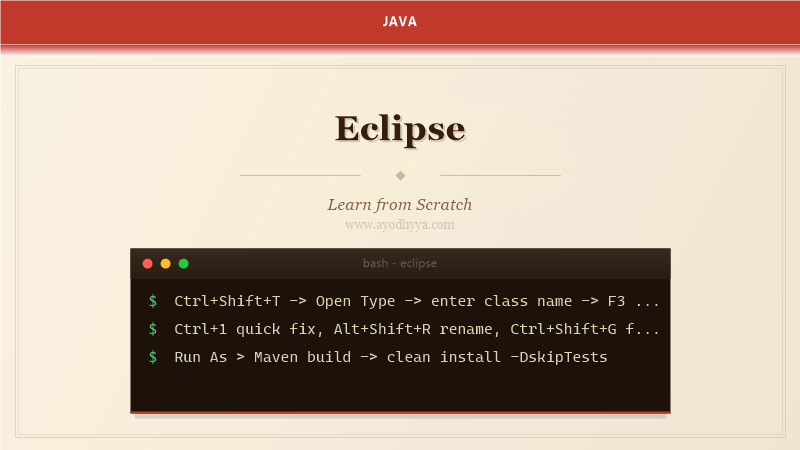
Eclipse is one of the oldest and most mature Java IDEs. While IntelliJ has gained popularity, Eclipse remains widely used in enterprise environments, particularly for large-scale projects with complex plugin ecosystems and RCP applications. Its workspace-based project model and extensive plugin architecture offer unique advantages for teams with established Eclipse-based toolchains.
This tutorial covers workspace management, views and perspectives, code assistance, refactoring, debugging, Maven integration, and productivity tips that help you get the most out of this powerful IDE.
Workspace and Perspectives
Eclipse organizes projects in a workspace directory that stores preferences and metadata. Perspectives (Java, Debug, Git) arrange views and editors for specific tasks. Switch via Ctrl+F8 or the perspective toolbar. Important views: Package Explorer, Project Explorer, Outline, Problems, Console, and Progress.
// Key workspace shortcuts
// Ctrl+F8           Switch perspective
// Ctrl+Shift+R      Open resource (file)
// Ctrl+Shift+T      Open type (class)
// Ctrl+3            Quick access

// Creating a project:
// File > New > Java Project
// Or: Ctrl+N > Maven Project
// Workspace .metadata folder stores all settings
// Problems view shows errors/warnings from compilation
Code Editing and Navigation
Content Assist (Ctrl+Space) provides context-aware completion. Open Declaration (F3) navigates to type or method. Call Hierarchy (Ctrl+Alt+H) shows callers and callees. Quick Outline (Ctrl+O) shows class members without opening the full file. Type Hierarchy (F4) displays the inheritance tree.
// Navigation shortcuts
// F3                Open declaration
// Ctrl+Shift+G      Find references in workspace
// Ctrl+Alt+H        Open call hierarchy
// Ctrl+O            Quick outline
// F4                Type hierarchy
// Ctrl+Q            Last edit location
// Ctrl+L            Go to line
// Ctrl+E            Editor switcher (recent files)

// Quick fixes: Ctrl+1 (lightbulb suggestions)
// - Create method/variable
// - Add imports
// - Surround with try/catch
Refactoring
Eclipse's refactoring engine is comprehensive. Rename (Alt+Shift+R) renames elements with preview. Extract Method (Alt+Shift+M) creates new methods from selected code blocks. Inline (Alt+Shift+I) replaces references with the actual code. Move (Alt+Shift+V) relocates elements between types.
// Refactoring shortcuts
// Alt+Shift+R       Rename
// Alt+Shift+M       Extract method
// Alt+Shift+L       Extract local variable
// Alt+Shift+I       Inline
// Alt+Shift+V       Move
// Alt+Shift+C       Change method signature
// Alt+Shift+Z       Surround with (try/catch, etc.)

// Preview changes before applying via refactoring wizard
Debugging
Toggle breakpoints with Ctrl+Shift+B or double-click the gutter. The Debug perspective shows Variables, Breakpoints, Expressions, and Display views. Conditional breakpoints evaluate boolean expressions before suspending. Watchpoints monitor field access and modification. Step filters skip through library classes during debugging.
// Debug shortcuts
// Ctrl+Shift+B      Toggle breakpoint
// F11               Debug last launched
// F5                Step into
// F6                Step over
// F7                Step return
// F8                Resume
// Ctrl+Shift+I      Inspect expression
// Ctrl+R            Run to line

// Drop to Frame: select frame in Debug view to restart execution
// Display view: type expressions and evaluate (Ctrl+Shift+D)
Maven Integration (m2e)
Eclipse's m2e plugin imports Maven projects natively. It reads the POM, resolves dependencies, and configures the classpath. Update Project (Alt+F5) synchronizes with POM changes. Run Maven goals from Run Configurations or right-click > Run As > Maven build. The POM editor provides a visual dependency management interface.
// Maven operations
// Right-click project > Maven > Update Project (Alt+F5)
// Run As > Maven build: enter goals like "clean install"
// Run As > Maven test: runs unit tests
// Run As > Maven package: creates JAR/WAR

// Creating a Maven project:
// File > New > Other > Maven > Maven Project
// Select archetype (maven-archetype-quickstart)
// Enter groupId, artifactId, version
// POM editor: Dependencies tab for visual editing
Plugins and Extensions
Eclipse's plugin architecture enables deep customization. Install from Eclipse Marketplace (Help > Eclipse Marketplace). Essential plugins: SonarLint, Checkstyle, EGit (Git integration), Buildship (Gradle), Spring Tools Suite (STS) for Spring development, and WindowBuilder for UI design.
// Install from Eclipse Marketplace:
// Help > Eclipse Marketplace
// Search: "Spring Tools", "SonarLint", "TestNG"

// Installing from Update Site:
// Help > Install New Software
// Add Repository URL
// Select features to install

// Key EGit actions:
// Team > Commit, Push, Pull, Fetch
// Git Staging view: stage/unstage files
// Git History view: branch graph
Frequently Asked Questions
Should I use Eclipse or IntelliJ IDEA in 2026?
IntelliJ IDEA is more polished for modern Java development with better Spring/Maven/Gradle integration. Eclipse remains strong for large corporate environments, RCP development, and teams with established Eclipse toolchains.
How do I fix a corrupted Eclipse workspace?
Close Eclipse, delete .metadata/.plugins/org.eclipse.core.resources, restart and re-import projects. For less drastic fixes, use File > Restart with -clean flag.
How do I increase Eclipse performance?
Increase memory in eclipse.ini (-Xms1024m -Xmx4096m), disable validation (Window > Preferences > Validation), close unused projects, exclude large folders from build path.
What is the difference between Package Explorer and Project Explorer?
Package Explorer is Java-centric — shows packages as folder hierarchies with JAR references. Project Explorer is general-purpose — shows the actual file system structure regardless of project type.
Originally published on Ayodhyyya. Last updated June 1, 2026.