Midjourney Tutorial: Learn AI Image from Scratch (2026)
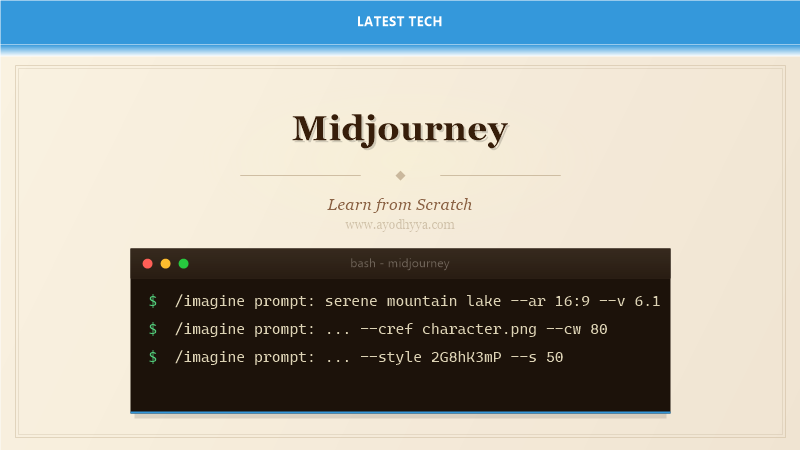
Midjourney produces the most aesthetically pleasing AI-generated images of any text-to-image model as of 2026. Unlike Stable Diffusion, it runs entirely on Midjourney's servers, accessed through Discord. After generating over 10,000 images across dozens of projects — from book covers to architectural concepts — I have developed a systematic approach to getting consistent, high-quality results.
This tutorial covers prompt anatomy, parameter tuning, style references, blending, and the advanced features that separate Midjourney beginners from power users.
Discord Interface and Workflow
Midjourney operates through Discord bots. You enter /imagine prompt: followed by your description. The bot returns a grid of 4 images after about 60 seconds. Below each grid are buttons: U1-U4 (upscale) and V1-V4 (create variations).
Upscaling has two modes: 'Upscale (Subtle)' adds minimal detail and 'Upscale (Creative)' adds significant new detail. After upscaling, you can Vary (Strong or Subtle) to get variations, or use the web gallery to browse all your generations.
/imagine prompt: serene mountain lake at golden hour, photorealistic, 8K, award-winning photography, cinematic lighting --ar 16:9 --v 6.1 --style rawPrompt Structure and Parameters
Every Midjourney prompt consists of: a subject description, stylistic modifiers, and parameters. Parameters include --ar (aspect ratio), --v (version), --s (stylize), --cw (chaos), --iw (image weight), and --no (negative). The stylize parameter (0-1000) controls how much the model interprets your prompt creatively.
The raw mode (--style raw) reduces Midjourney's default aestheticization, giving more literal interpretations — useful for architectural or product visualization. Version 6.1 has the best understanding of anatomy, hands, and text rendering.
/imagine prompt: brutalist concrete building interior, wide-angle lens, symmetric composition, skylight --ar 3:2 --s 50 --style raw --v 6.1Image References and Blending
For consistent characters or styles, use image prompts. Add an image URL before the text prompt. Midjourney blends the image's composition, style, and content according to --iw (image weight). --iw 0.5 balances text and image evenly; --iw 2.0 prioritizes the image heavily.
The /blend command merges two images without text prompts — useful for morphing between concepts. Use /describe to upload an image and get Midjourney to generate prompts that would recreate it.
/imagine prompt: https://example.com/ref-style.jpg a cyberpunk city at night, neon signs, rain --ar 16:9 --iw 1.5 --s 200 --v 6.1

/blend image1: https://... image2: https://... dimensions: --ar 16:9
Style Tuner and Personalization
The Style Tuner (via /tune) creates a custom style code from pairs of images. You choose your preferred aesthetic from 16 comparison grids, and Midjourney generates a unique --style code that you can append to any prompt. This is the secret to brand-consistent output.
Personalization (--p) uses your profile preferences to bias generations toward your past likes and upscales. The more you use Midjourney, the better the personalization becomes.
/tune

/imagine prompt: futuristic car showroom, luxury concept --style 2G8hK3mP --v 6.1
Consistent Characters with Cref
Midjourney 6.1 introduced Cref (Character Reference): --cref URL with --cw (character weight) 0-100. This lets you use a reference image of a character and generate that character in new poses and settings. Unlike the older image prompt, Cref focuses specifically on character consistency.
For best results, use a clear front-facing photo with good lighting. --cw 100 uses the full character, --cw 0 uses only the face. Combine with --sref (style reference) to also match the aesthetic.
/imagine prompt: a knight in armor walking through a forest, cinematic lighting --cref https://.../character.png --cw 80 --sref https://.../style.png --v 6.1Commercial Best Practices
Midjourney's terms grant full commercial usage rights to paid subscribers. You can sell prints, use images in books, merchandise, and marketing. However, you cannot copyright AI-generated images in most jurisdictions. For unique commercial assets, always combine AI generation with human editing to strengthen copyright claims.
For client work, use --style raw and low stylize values to reduce variability. Create a brand mood board, generate 20-50 iterations, present options, then refine.
/imagine prompt: product photography of a minimalist ceramic vase, white background, studio lighting, soft shadows --ar 4:5 --s 20 --style raw --v 6.1Frequently Asked Questions
How is Midjourney different from DALL-E and Stable Diffusion?
Midjourney prioritizes aesthetic quality over prompt fidelity. DALL-E is better at following complex prompts literally. Stable Diffusion offers the most control (local, LoRAs, ControlNet) but requires more technical skill. Each serves a different use case.
What is the best aspect ratio for different platforms?
Instagram: 1:1 or 4:5. YouTube thumbnails: 16:9. Twitter/X: 16:9 or 4:3. Books/print: 3:2 or 4:3. Presentation slides: 16:9. Posters: 2:3. Always specify --ar in your prompt; Midjourney defaults to 1:1.
How do I avoid the 'Midjourney look' in my images?
Use --style raw to reduce default aesthetic smoothing. Lower --s (stylize) values (e.g., --s 20-50). Add photography terms like 'grain, natural skin texture, documentary style.' Reference real photos via image prompts.
Can I use Midjourney for video generation?
Midjourney generates still images only. For video, use Midjourney frames as input to Runway Gen-3, Pika Labs, or Stable Video Diffusion. Generate a keyframe in Midjourney, then animate motion in a video model.
Originally published on Ayodhyyya. Last updated June 1, 2026.