Command Design Pattern Tutorial from Scratch (2026)
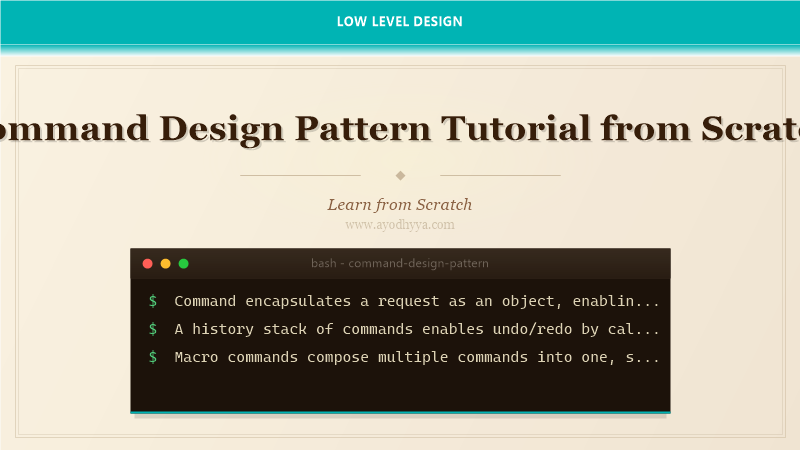
The Command pattern encapsulates a request as an object, thereby allowing parameterization of clients with queues, requests, and operations. It supports undoable operations and logging.
This pattern decouples the object that invokes the operation from the one that knows how to perform it. Commands become first-class objects that can be stored, passed around, and executed later.
Request Encapsulation and Undo/Redo
The Command pattern involves a Command interface with execute and undo methods, Concrete Commands that implement specific operations, an Invoker that triggers commands, and a Receiver that knows how to perform the actual work.
By storing executed commands in a history stack, we can implement undo by calling each command's undo method in reverse order. Redo requires a separate stack for undone commands.
// Command interface
class Command {
  execute() {}
  undo() {}
}

// Receiver
class TextEditor {
  constructor() {
    this.text = '';
  }
  insert(at, str) {
    this.text = this.text.slice(0, at) + str + this.text.slice(at);
  }
  delete(at, length) {
    const before = this.text.slice(0, at);
    const after = this.text.slice(at + length);
    this.text = before + after;
  }
  getText() {
    return this.text;
  }
}

// Concrete Commands
class InsertCommand extends Command {
  constructor(editor, at, str) {
    super();
    this.editor = editor;
    this.at = at;
    this.str = str;
  }
  execute() {
    this.editor.insert(this.at, this.str);
  }
  undo() {
    this.editor.delete(this.at, this.str.length);
  }
}

class DeleteCommand extends Command {
  constructor(editor, at, length) {
    super();
    this.editor = editor;
    this.at = at;
    this.length = length;
    this.deletedText = '';
  }
  execute() {
    this.deletedText = this.editor.text.slice(this.at, this.at + this.length);
    this.editor.delete(this.at, this.length);
  }
  undo() {
    this.editor.insert(this.at, this.deletedText);
  }
}

// Invoker with undo/redo
class CommandManager {
  constructor() {
    this.history = [];
    this.redoStack = [];
  }
  executeCommand(command) {
    command.execute();
    this.history.push(command);
    this.redoStack = [];
  }
  undo() {
    const command = this.history.pop();
    if (command) {
      command.undo();
      this.redoStack.push(command);
    }
  }
  redo() {
    const command = this.redoStack.pop();
    if (command) {
      command.execute();
      this.history.push(command);
    }
  }
}

const editor = new TextEditor();
const manager = new CommandManager();
manager.executeCommand(new InsertCommand(editor, 0, 'Hello'));
manager.executeCommand(new InsertCommand(editor, 5, ' World'));
console.log(editor.getText());
manager.undo();
console.log(editor.getText());
manager.redo();
console.log(editor.getText());
Macro Commands and Task Queues
Macro commands combine multiple commands into a single composite command, executing them in sequence. This is useful for recording macros or executing batched operations. A MacroCommand itself implements the Command interface, so it can be treated like any other command.
Task queues benefit from Command because commands are objects that can be serialized, queued, scheduled, and executed asynchronously. This is the foundation of job queues and message patterns in distributed systems.
// Macro (composite) command
class MacroCommand extends Command {
  constructor() {
    super();
    this.commands = [];
  }
  add(command) {
    this.commands.push(command);
  }
  execute() {
    for (const cmd of this.commands) {
      cmd.execute();
    }
  }
  undo() {
    for (const cmd of this.commands.reverse()) {
      cmd.undo();
    }
    this.commands.reverse();
  }
}

// Task queue invoker
class TaskQueue {
  constructor() {
    this.queue = [];
    this.isProcessing = false;
  }
  enqueue(command) {
    this.queue.push(command);
    this.processNext();
  }
  async processNext() {
    if (this.isProcessing || this.queue.length === 0) return;
    this.isProcessing = true;
    const command = this.queue.shift();
    try {
      await command.execute();
    } catch (err) {
      console.error('Command failed:', err);
    }
    this.isProcessing = false;
    this.processNext();
  }
  get pending() {
    return this.queue.length;
  }
}

// Example: formatting macro
const bold = new InsertCommand(editor, 0, '');
const closeBold = new InsertCommand(editor, 7, '');
const macro = new MacroCommand();
macro.add(bold);
macro.add(closeBold);
macro.execute();
console.log(editor.getText());
macro.undo();
console.log(editor.getText());
Frequently Asked Questions
What are the main benefits of the Command pattern?
Command decouples the sender and receiver of a request, supports undo/redo via command history, enables queuing and logging of operations, and allows composing commands into macros. It also facilitates implementing transactional behavior.
How does Command support undo functionality?
Each command stores the state needed to reverse its operation (e.g., previous values, positions). An invoker maintains a history stack of executed commands. Undo pops the last command and calls its undo method. Redo uses a separate stack of undone commands.
What is a MacroCommand?
A MacroCommand is a composite command that contains multiple child commands. It executes them in sequence and can undo them in reverse order. It implements the same Command interface, so it can be used anywhere a regular command is accepted.
How do Command and Strategy patterns differ?
Command encapsulates a request as an object for later execution, supporting queuing and undo. Strategy encapsulates an algorithm for runtime selection. Command focuses on invocation and timing; Strategy focuses on interchangeable implementations.
Originally published on Ayodhyyya. Last updated June 1, 2026.