Active Directory Tutorial: Directory Services from Scratch (2026)
When I started, Active Directory was this mysterious black box senior admins guarded jealously. Once I got hands-on creating OUs, configuring Group Policies, and setting up trusts, I realized it is an elegant directory service built on LDAP, Kerberos, and DNS. AD is the backbone of identity in most enterprises.
Active Directory Domain Services stores information about users, computers, groups, and network objects. It authenticates access using Kerberos, provides centralized management through Group Policy, supports organizational hierarchies with OUs, and enables single sign-on across the enterprise.
Domain Controllers and Forest Structure
Domain controllers host the AD database (NTDS.DIT). Multi-master replication ensures any DC accepts changes. Forest is the security boundary containing domains sharing schema and global catalog. OUs organize objects for delegation and GPO application.
Install-WindowsFeature -Name AD-Domain-Services -IncludeManagementTools
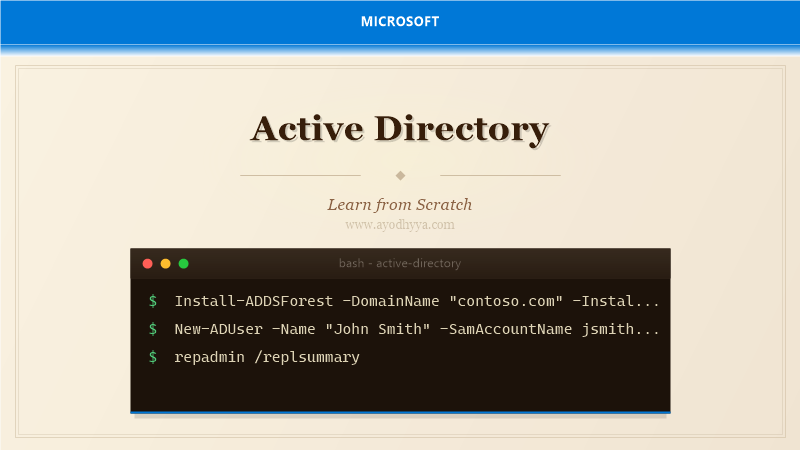
Install-ADDSForest -DomainName "contoso.com" -DomainNetbiosName "CONTOSO" -InstallDns:$true
New-ADOrganizationalUnit -Name "Sales" -Path "DC=contoso,DC=com"
Managing Users, Groups, and Computers
User objects have attributes like sAMAccountName, UPN, distinguishedName. Security Groups simplify permissions. Groups can be Domain Local, Global, or Universal. Computer objects join workstations to the domain. gMSA provides automatic password management for services.
New-ADUser -Name "John Smith" -SamAccountName jsmith -UserPrincipalName jsmith@contoso.com -Enabled $true
New-ADGroup -Name "SalesTeam" -GroupScope Global -GroupCategory Security
Add-ADGroupMember -Identity "SalesTeam" -Members "jsmith"
Group Policy: Configuration and Security
GPOs contain policy settings applied to users and computers in OUs. Processed in LSDOU order. Common policies: password complexity, USB restriction, firewall, software deployment. Use gpresult and RSoP for troubleshooting.
New-GPO -Name "Sales Desktop Policy" | New-GPLink -Target "OU=Sales,DC=contoso,DC=com"
Set-ADDefaultDomainPasswordPolicy -Identity contoso.com -MinPasswordLength 12 -LockoutThreshold 5
Authentication Protocols: Kerberos, NTLM, and LDAP
Kerberos is the default — issues TGT on login, obtains service tickets without re-entering credentials. NTLM is legacy and less secure. LDAP queries/modifies the directory on port 389 (LDAPS on 636).
Get-ADUser -LDAPFilter "(&(objectCategory=user)(department=Sales))"
klist
nltest /dsgetdc:contoso.com
Trusts, Sites, and Replication
Trust relationships connect domains. Transitive by default within a forest. Sites control replication topology. KCC creates efficient replication. Inter-site replication compresses data. repadmin.exe monitors and diagnoses replication.
Get-ADTrust -Filter *
repadmin /replsummary
repadmin /syncall /AdeP
Get-ADReplicationSite -Filter *
Azure AD Connect and Hybrid Identity
Sync on-premises AD with Azure AD via Azure AD Connect. Password hash sync, pass-through authentication, or federation with AD FS. Seamless SSO for domain-joined users. Azure AD Connect Health monitors sync health.
Start-ADSyncSyncCycle -PolicyType Delta
Get-ADSyncConnectorStatistics
Frequently Asked Questions
What is the difference between AD and Azure AD?
AD is on-premises LDAP/Kerberos directory for Windows domains. Azure AD is cloud-based identity using REST and OAuth/OIDC. They integrate via Azure AD Connect.
How many domain controllers should I have?
Minimum two per domain for redundancy. Add per site based on user count. Distribute FSMO roles across multiple DCs.
What is the FSMO and why is it important?
Five special roles: Schema Master, Domain Naming Master, PDC Emulator, RID Master, Infrastructure Master. Handle operations that cannot be multi-mastered.
Can I manage Active Directory from Linux?
Yes. Use LDAP clients, Samba Winbind, PowerShell Core with AD module, or RSAT in a Windows VM.
Originally published on Ayodhyyya. Last updated June 1, 2026.