ASP.NET Core Tutorial: Learn Web Framework from Scratch (2026)
When I first picked up ASP.NET Core back in its early days, I remember being both excited and overwhelmed. Here was Microsoft rebuilding their entire web stack from the ground up — cross-platform, lightweight, and modular. After building production systems with classic ASP.NET for years, the shift felt like learning to ride a bike all over again. But once the pieces clicked, I realized this was the most thoughtfully designed web framework I had ever worked with.
ASP.NET Core is not just an upgrade — it is a complete reimagining of how .NET applications are built and served. Whether you are deploying to Linux containers on Azure, running on a Raspberry Pi, or hosting in a traditional Windows Server IIS environment, this framework meets you where you are. In this tutorial, I will walk you through the essentials from project creation to production-ready APIs, sharing patterns I have relied on across real-world projects.
Project Structure and the Startup Pipeline
The first thing you notice when you create a new ASP.NET Core project is the Program.cs file. Unlike the old web.config-driven configuration, everything flows through a code-first startup pipeline. The WebApplication builder pattern introduced in .NET 6 simplified this further — you no longer need separate Startup classes unless you prefer them. Services are registered in the dependency injection container, middleware components are chained in order, and the hosting environment is configured right there in Program.cs.
Understanding the middleware pipeline is critical. Each request flows through registered middleware in the order you add them. A typical pipeline might include exception handling, authentication, static files, routing, and endpoint execution. If you place authorization middleware before authentication, requests will fail. This ordering concept trips up many newcomers, but once internalized, it gives you surgical control over the HTTP request lifecycle.
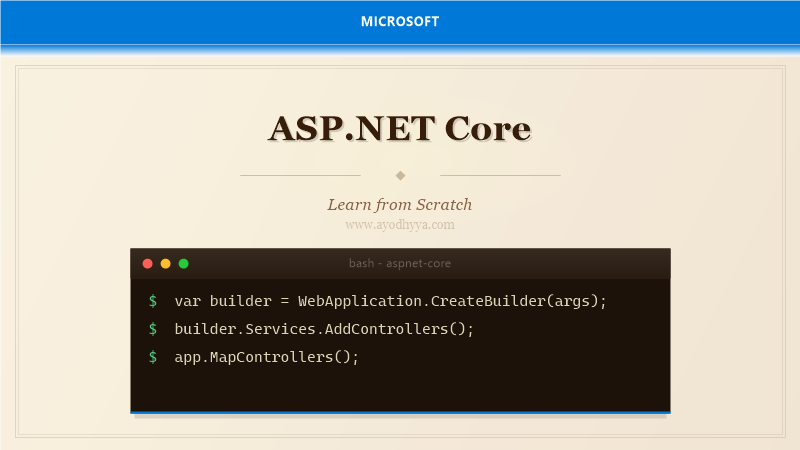
var builder = WebApplication.CreateBuilder(args);
builder.Services.AddControllers();
builder.Services.AddDbContext(options =>
    options.UseSqlServer(builder.Configuration.GetConnectionString("Default")));
var app = builder.Build();
if (app.Environment.IsDevelopment()) app.UseDeveloperExceptionPage();
app.UseRouting();
app.UseAuthorization();
app.MapControllers();
app.Run();
Dependency Injection and Service Lifetimes
ASP.NET Core ships with a built-in dependency injection container that is both powerful and straightforward. You register services in the IServiceCollection during startup, and the framework resolves them throughout your application. The three lifetimes — Transient, Scoped, and Singleton — correspond to how often a new instance is created. Transient services are created every time they are requested, Scoped services are created once per HTTP request, and Singletons are created once and shared for the application's lifetime.
A common pitfall is capturing a Scoped service into a Singleton. For example, injecting a DbContext (which is Scoped by default) into a Singleton repository causes the same context instance to be reused across requests, leading to stale data and threading issues. Always match lifetimes carefully. When in doubt, start with Scoped for data services and Transient for stateless utilities.
builder.Services.AddScoped();
builder.Services.AddTransient();
builder.Services.AddSingleton();

public class ProductController : ControllerBase
{
    private readonly IProductRepository _repo;
    public ProductController(IProductRepository repo) => _repo = repo;
}
Building RESTful APIs with Controllers and Minimal APIs
ASP.NET Core offers two approaches for building APIs: the traditional controller-based style and the newer Minimal APIs introduced in .NET 6. Controllers provide a structured approach with model binding, validation filters, and action results — ideal for larger projects with complex routing needs. Minimal APIs strip away the ceremony, letting you map endpoints directly to lambdas. For simple microservices or health-check endpoints, Minimal APIs reduce boilerplate significantly.
I typically use controllers for resource-heavy APIs with multiple related endpoints and Minimal APIs for simple CRUD operations or internal service endpoints. Both approaches share the same underlying infrastructure — model binding, serialization, and middleware — so you can mix them within a single project without friction.
[ApiController]
[Route("api/[controller]")]
public class ProductsController : ControllerBase
{
    [HttpGet("{id}")]
    public async Task> Get(int id)
    {
        var product = await _repo.GetByIdAsync(id);
        if (product == null) return NotFound();
        return Ok(product);
    }
}
Entity Framework Core Integration
Chances are you will pair ASP.NET Core with Entity Framework Core for data access. The integration is seamless — register your DbContext in the DI container, configure the connection string in appsettings.json, and let the framework manage context lifetime per request. EF Core migrations keep your database schema in sync with your models, and the LINQ provider translates C# queries into efficient SQL.
One performance tip I share with every team: always use async versions of EF Core methods — ToListAsync, FirstOrDefaultAsync, SaveChangesAsync. Synchronous calls block the ASP.NET thread pool and degrade throughput under load. Also, be mindful of the N+1 query problem: use Include and ThenInclude for eager loading, or rely on projection with Select to fetch only the columns you need.
public class AppDbContext : DbContext
{
    public DbSet Products => Set();
    public DbSet Categories => Set();

    protected override void OnModelCreating(ModelBuilder modelBuilder)
    {
        modelBuilder.Entity()
            .HasOne(p => p.Category)
            .WithMany(c => c.Products)
            .HasForeignKey(p => p.CategoryId);
    }
}
Authentication and Authorization
Securing an ASP.NET Core application involves two distinct concerns: authentication (who you are) and authorization (what you are allowed to do). The framework supports JWT bearer tokens, cookie authentication, OAuth, OpenID Connect, and Windows Authentication out of the box. For modern APIs, JWT is the most common choice — the client presents a token, and the server validates its signature and claims on each request.
Authorization policies give you fine-grained control. You can define policies based on roles, claims, or custom requirements. For example, requiring a Manager role for delete endpoints but only a Member claim for read access. I recommend centralizing policy definitions in Program.cs rather than scattering magic strings across controllers.
builder.Services.AddAuthentication(JwtBearerDefaults.AuthenticationScheme)
    .AddJwtBearer(options =>
    {
        options.Authority = "https://your-tenant.auth0.com/";
        options.Audience = "https://api.myapp.com";
    });
builder.Services.AddAuthorization(options =>
{
    options.AddPolicy("RequireAdmin", policy => policy.RequireRole("Admin"));
});

[Authorize(Policy = "RequireAdmin")]
[HttpDelete("{id}")]
public IActionResult Delete(int id) => Ok();
Configuration, Logging, and Deployment
ASP.NET Core's configuration system is hierarchical and environment-aware. The default setup loads settings from appsettings.json, appsettings.Development.json, environment variables, and command-line arguments in a layered fashion. This means you can have different connection strings, feature flags, and logging levels per environment without modifying code. The Options pattern binds strongly-typed configuration classes, giving you IntelliSense and compile-time checking.
For logging, the built-in ILogger
builder.Host.UseSerilog((context, config) =>
    config.ReadFrom.Configuration(context.Configuration));

builder.Services.Configure(
    builder.Configuration.GetSection("FeatureFlags"));

public class FeatureFlags
{
    public bool EnableExport { get; set; }
    public int MaxBatchSize { get; set; }
}
Frequently Asked Questions
Can I use ASP.NET Core on Linux?
Absolutely. ASP.NET Core runs on Windows, Linux, and macOS. You can develop on any platform and deploy to Linux Docker containers in production. The Kestrel web server is cross-platform and performs exceptionally well.
What is the difference between ASP.NET Core and ASP.NET MVC?
ASP.NET Core is the complete rewrite of ASP.NET that is cross-platform, modular, and open-source. ASP.NET MVC (legacy) runs only on Windows and is built on System.Web.dll. ASP.NET Core includes MVC functionality but also supports Razor Pages, Blazor, and Minimal APIs.
Should I use controllers or Minimal APIs?
For complex projects with many endpoints, shared filters, and model validation, controllers are more organized. For small microservices, health checks, or simple CRUD, Minimal APIs reduce boilerplate. Both can coexist.
How does ASP.NET Core handle high concurrency?
Kestrel is designed for high concurrency with async I/O and a non-blocking pipeline. Combined with efficient DI, connection pooling, and output caching, ASP.NET Core handles tens of thousands of concurrent requests effectively.
Originally published on Ayodhyyya. Last updated June 1, 2026.