Azure Tutorial: Learn Cloud Platform from Scratch (2026)
I remember the first time I deployed an application to the cloud — it felt like magic. No more racking servers, no more cable management, no more begging IT for a VM. Azure was the platform that made that magic accessible. Over the past decade, I have migrated dozens of applications to Azure, navigated its ever-growing catalog of services, and learned which tools actually solve problems versus which ones are just marketing hype.
Microsoft Azure is a comprehensive cloud platform offering over 200 services spanning compute, storage, networking, AI, IoT, and DevOps. Whether you are hosting a simple static website or training machine learning models at scale, Azure provides the building blocks. This tutorial covers the fundamental services every cloud practitioner needs to know, starting with core concepts and moving to real-world architecture patterns.
Azure Portal and Resource Management
The Azure Portal is your web-based console for managing everything in your subscription. When you first log in, the dashboard can be overwhelming — there are blades within blades, search bars, and a global navigation that takes time to learn. The key insight is that everything in Azure is a Resource. A virtual machine, a database, a function app — all are resources that belong to a Resource Group. Resource Groups are logical containers that share a lifecycle and access policies. Delete a resource group and all its resources vanish, which is both powerful and dangerous in production.
Beyond the portal, you will eventually use Azure CLI or PowerShell for automation. ARM templates and Bicep provide infrastructure-as-code capabilities. For day-to-day management, I spend 80% of my time in the CLI and only use the portal for visual debugging and monitoring dashboards.
az login
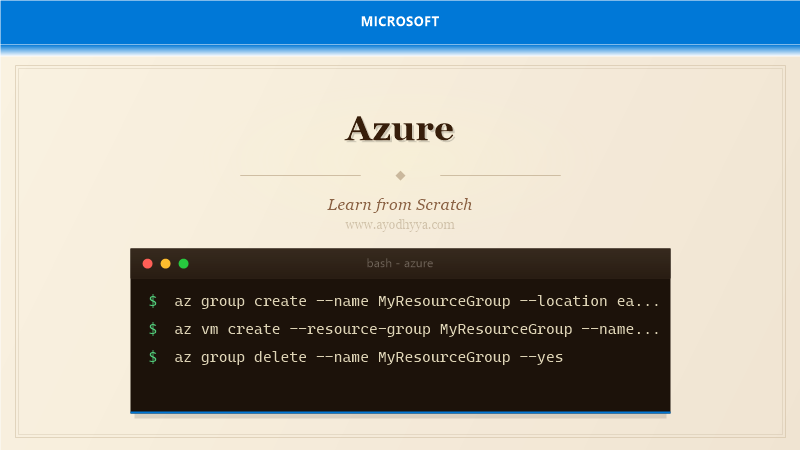
az group create --name MyResourceGroup --location eastus
az vm create --resource-group MyResourceGroup --name MyVM --image Ubuntu2204 --admin-username azureuser --generate-ssh-keys
az group delete --name MyResourceGroup --yes --no-wait
Compute: Virtual Machines, App Service, and Azure Functions
Azure offers three main compute paradigms. Virtual Machines give you full control over the OS — you manage patches, scaling, and load balancing yourself. App Service is a platform-as-a-service offering for web applications where Azure manages the runtime environment; you just deploy your code and configure scaling rules. Azure Functions takes a serverless approach — your code runs in stateless containers triggered by events, and you pay only for execution time.
Choosing the right compute service depends on your workload. Lift-and-shift migrations typically land on VMs. New web applications benefit from App Service with its built-in staging slots and auto-scaling. Background processing, file processing, and webhooks are ideal for Functions. I often combine them — a web app serving the frontend with Functions handling async jobs.
az functionapp create --resource-group MyResourceGroup --consumption-plan-location eastus --runtime dotnet --functions-version 4 --name MyFuncApp --storage-account mystorage123
az webapp create --resource-group MyResourceGroup --plan MyAppServicePlan --name MyWebApp --runtime "DOTNET|8.0"
Azure Storage: Blobs, Tables, Queues, and Files
Azure Storage is the backbone of most Azure architectures. It offers four core services: Blob Storage for unstructured data like images and backups, Table Storage for NoSQL key-value data, Queue Storage for message passing between components, and File Storage for SMB network shares. Each service is massively scalable, geo-redundant, and accessible via REST APIs or SDKs.
Blob Storage is the most commonly used service. Storage accounts organize blobs into containers, and blobs come in three access tiers — Hot, Cool, and Archive — letting you optimize cost based on access frequency. For production workloads, enable soft delete and versioning to protect against accidental deletion. Queue Storage is my go-to for decoupling microservices: a frontend enqueues a message, and a background processor dequeues and handles it, providing natural load leveling.
az storage container create --name uploads --account-name mystorageaccount --auth-mode login
az storage blob upload --container-name uploads --file photo.jpg --name photo.jpg --account-name mystorageaccount
az storage queue create --name orders --account-name mystorageaccount
Azure SQL Database and Cosmos DB
Azure SQL Database is a fully managed relational database service built on SQL Server technology. It handles backups, patching, and replication automatically. You choose a service tier — from the cost-effective Basic to the high-performance Business Critical — and can scale DTUs or vCores up or down with minimal downtime. Elastic pools let multiple databases share resources, reducing cost for low-utilization databases.
For globally distributed applications, Cosmos DB is Azure's flagship NoSQL database. It supports multiple APIs — SQL, MongoDB, Cassandra, Table, and Gremlin — so you can use familiar query languages. Cosmos DB offers single-digit-millisecond read latencies at any scale with turnkey global distribution. The trade-off is cost: Cosmos DB is priced on provisioned throughput (RU/s) and storage, so careful capacity planning is essential.
az sql server create --name mydbserver --resource-group MyResourceGroup --location eastus --admin-user dbadmin --admin-password P@ssw0rd1234!
az sql db create --resource-group MyResourceGroup --server mydbserver --name ProductCatalog --service-objective S2
az cosmosdb create --name mycosmosdb --resource-group MyResourceGroup --kind GlobalDocumentDB
Networking: VNets, Load Balancers, and DNS
Azure Virtual Networks (VNets) are the foundation of network isolation. You define IP address ranges, create subnets for different tiers of your application, and control traffic with Network Security Groups (NSGs). A typical three-tier architecture places web servers in a public subnet, application servers in a private subnet, and databases in a subnet with no direct internet access. Azure Load Balancer and Application Gateway distribute incoming traffic across healthy instances.
Azure DNS manages your domain names, and Private DNS zones let you resolve internal services without exposing them publicly. VNet peering connects separate VNets within the same region or across regions, enabling hub-and-spoke topologies. For hybrid scenarios, VPN Gateway or Azure ExpressRoute connect on-premises networks to Azure securely.
az network vnet create --resource-group MyResourceGroup --name MyVNet --address-prefix 10.0.0.0/16 --subnet-name WebSubnet --subnet-prefix 10.0.1.0/24
az network nsg rule create --resource-group MyResourceGroup --nsg-name WebNSG --name AllowHTTP --protocol tcp --priority 100 --destination-port-ranges 80 --access Allow
az network lb create --resource-group MyResourceGroup --name MyLB --frontend-ip-name MyFrontEnd --backend-pool-name MyBackEndPool
Monitoring, Security, and Cost Management
Azure Monitor collects metrics, logs, and diagnostic data from your resources. You set up alerts for CPU spikes, failed requests, or anomalous patterns. Log Analytics workspaces aggregate data from multiple sources, and Kusto Query Language (KQL) lets you build powerful dashboards. Application Insights, part of Azure Monitor, provides application performance monitoring with distributed tracing, dependency mapping, and user analytics.
For security, Azure Security Center provides unified threat protection across your workloads. Azure Key Vault stores secrets, certificates, and connection strings. Managed Identities eliminate hard-coded credentials by giving Azure resources an automatically managed identity in Azure AD. Cost management is equally important: set budgets, configure alerts, and review Azure Advisor recommendations regularly to avoid bill shock.
az monitor metrics alert create --name "HighCPU" --resource-group MyResourceGroup --scaleset MyVMSS --condition "avg Percentage CPU > 90" --window-size 5m --evaluation-frequency 1m --action-groups /subscriptions/.../actionGroups/MyActionGroup
az keyvault secret set --vault-name MyVault --name ConnectionString --value "Server=..."
Frequently Asked Questions
What is the difference between Azure and AWS?
Both offer similar core services. Azure integrates deeply with Microsoft tools like Active Directory, Visual Studio, and SQL Server, making it a natural choice for .NET shops. AWS has a broader global footprint and more mature serverless offerings.
How do I estimate Azure costs before deploying?
Use the Azure Pricing Calculator to estimate monthly costs. Set up budget alerts in Cost Management from day one to avoid surprises. Always review the pricing model for each service — some charge by provisioned capacity, others by consumption.
What is an Azure Resource Group and why does it matter?
A Resource Group is a logical container for related Azure resources. It defines a lifecycle boundary — deleting the group deletes all contained resources. It also manages access control via RBAC, so you can grant permissions to a group of resources as a unit.
Should I use Virtual Machines or App Service for my web app?
App Service is almost always better for custom web applications — it handles patching, scaling, and high availability automatically. Use VMs only when you need full OS access, custom software installations, or legacy application compatibility.
Originally published on Ayodhyyya. Last updated June 1, 2026.