Dynamics 365 Tutorial: CRM from Scratch (2026)
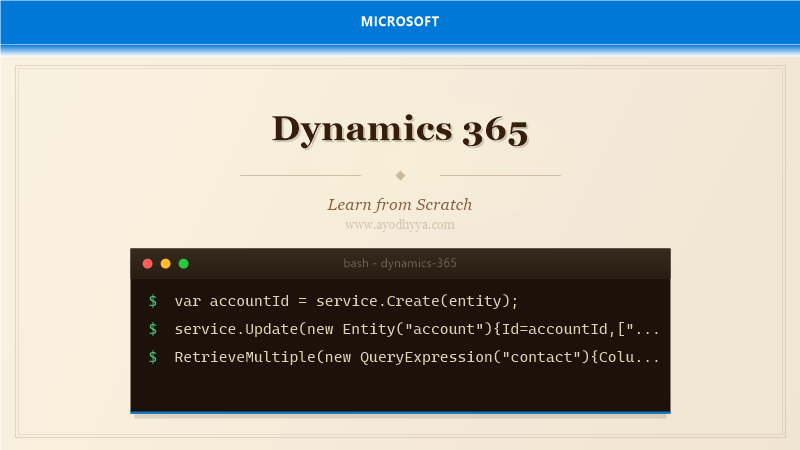
My first CRM implementation was a nightmare of custom tables, workflow deadlocks, and plugins that threw unhandled exceptions at 2 AM. Over the years, I learned that Dynamics 365 is not just a product — it is a platform. Understanding its metadata-driven architecture, event pipeline, and extension tools is key to successful delivery.
Dynamics 365 is Microsoft's enterprise CRM platform built on Dataverse. It provides out-of-box modules for sales, service, field service, and marketing, all customizable through configuration and code extensions. It is one of the most mature CRM platforms available.
Understanding the Metadata-Driven Architecture
Everything is metadata — entities, attributes, relationships, forms, views. Solutions package customizations into portable units. Unmanaged for development, managed for deployment. Solution layers track component origin for clean uninstall.
var entity=new Entity("account");
entity["name"]="Contoso Ltd.";
entity["creditlimit"]=new Money(50000M);
var accountId=service.Create(entity);
Customizing Entities, Forms, and Views
Modify system entities or create custom ones. Add fields: Text, Number, Currency, DateTime, Lookup, OptionSet. Calculated and rollup fields compute values. Form editor uses drag-and-drop. Views define list columns and filters.
var request=new RetrieveAllEntitiesRequest{EntityFilters=EntityFilters.Entity|EntityFilters.Attributes};
var response=(RetrieveAllEntitiesResponse)service.Execute(request);
Business Rules, Workflows, and Business Process Flows
Business rules provide no-code form logic. Classic workflows automate backend processes. Power Automate flows recommended for new development. Business Process Flows guide users through stages spanning multiple entities.
// Power Automate is the modern replacement for classic workflows
// Trigger: When a record is created (Dynamics 365 connector)
// Actions: Update record, Send email, Create task
Plug-ins and Custom Workflow Activities
Write C# plug-ins that respond to events. Implement IPlugin. Register on specific events at Pre-Validation, Pre-Operation, or Post-Operation stages. Run in sandbox with restricted access. Use pre/post images for state comparison.
public class ValidateOpportunityClose:IPlugin{
    public void Execute(IServiceProvider sp){
        var context=(IPluginExecutionContext)sp.GetService(typeof(IPluginExecutionContext));
        var service=((IOrganizationServiceFactory)sp.GetService(typeof(IOrganizationServiceFactory)))
            .CreateOrganizationService(context.UserId);
    }
}
Client-Side JavaScript and Ribbon Customization
Attach JavaScript to form events — OnLoad, OnSave, OnChange. Form context provides access to attributes and controls. Ribbon customizations modify command bars. Command checking controls button visibility based on state.
function setDefaultContact(executionContext){
    var formContext=executionContext.getFormContext();
    var lookupField=formContext.getAttribute("primarycontactid");
    if(!lookupField.getValue()){
        lookupField.setValue([{id:Xrm.Utility.getGlobalContext().userSettings.userId,entityType:"systemuser"}]);
    }
}
SDK, Web API, and Integration Patterns
Organization Service (SOAP) for .NET SDK. Web API (REST, OData v4) for any platform. Both authenticate via Azure AD OAuth 2.0. Integration patterns: Logic Apps, virtual entities, Service Bus pub/sub.
POST https://org.crm.dynamics.com/api/data/v9.2/accounts
Content-Type: application/json
Authorization: Bearer [token]
{"name":"Contoso Ltd.","creditlimit":50000.00}
Frequently Asked Questions
What programming languages can I use to extend Dynamics 365?
Plug-ins use C#, client-side uses JavaScript, Power Automate provides low-code, Web API works with any HTTP/OAuth language.
What is the difference between classic workflows and Power Automate?
Classic workflows run only within Dynamics 365. Power Automate offers hundreds of connectors and better debugging.
How do I handle large data migrations to Dynamics 365?
Use Data Import wizard, Configuration Migration tool, or Web API. For very large datasets, use Azure Data Factory with Dynamics connector.
Can Dynamics 365 be deployed on-premises?
Dynamics 365 is primarily cloud SaaS. On-premises is deprecated. Microsoft recommends cloud for all new projects.
Originally published on Ayodhyyya. Last updated June 1, 2026.