Microsoft Graph API Tutorial: Integrate Microsoft 365 from Scratch (2026)
The first time I needed to automate user provisioning across Office 365, I dreaded cobbling together SOAP calls. Then I discovered Microsoft Graph — one unified REST endpoint, one authentication flow, access to the entire Microsoft 365 ecosystem. I have since built apps that read Teams messages, manage OneDrive files, send Outlook emails, and provision users through a single API.
Microsoft Graph unifies APIs from Azure AD, Outlook, Teams, SharePoint, OneDrive, and Planner into a single REST endpoint at https://graph.microsoft.com. With proper authentication and permissions, you can query users, manage groups, send emails, access files, and build rich integrations.
Authentication and App Registration
Every Graph request requires an access token from Azure AD. Register an app, choose delegated or application permissions. MSAL handles token acquisition. Consent must be granted. Always request least privileged permissions.
var scopes=new[]{ "https://graph.microsoft.com/.default" };
var credential=new ClientSecretCredential(tenantId,clientId,clientSecret);
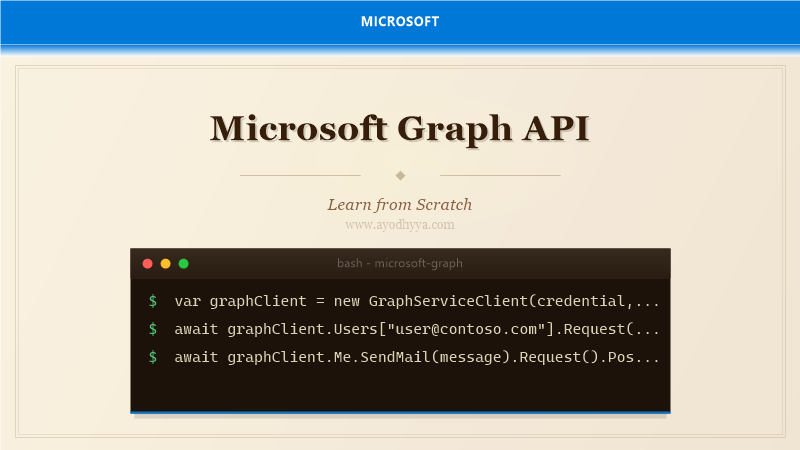
var graphClient=new GraphServiceClient(credential,scopes);
var user=await graphClient.Users["user@contoso.com"]
    .Request().Select(u=>new{u.DisplayName,u.Mail}).GetAsync();
Querying Users and Groups
The /users endpoint supports OData parameters — $filter, $orderby, $select, $top. Group management via /groups. Delta queries track changes over time for efficient synchronization.
var users=await graphClient.Users
    .Request().Filter("accountEnabled eq true")
    .Select(u=>new{u.Id,u.DisplayName,u.Department})
    .OrderBy("displayName").Top(50).GetAsync();
Sending Emails and Managing Mailboxes
Construct a Message object and POST to /users/{id}/sendMail. Support HTML body, attachments, and inline images. Read messages with OData filtering. Use change notifications (webhooks) for push alerts on new mail.
var message=new Message{
Subject="Welcome",
Body=new ItemBody{ContentType=BodyType.Html,Content="Welcome!
"},
ToRecipients=new List{
new Recipient{EmailAddress=new EmailAddress{Address="newuser@contoso.com"}}
}
};
await graphClient.Users["me"].SendMail(message).Request().PostAsync(); Working with OneDrive and SharePoint Files
Access files via /drives and /drive/items. Upload, download, manage permissions and versions. Delta query for efficient sync. Uploads up to 4 MB; larger files use upload sessions. SharePoint integration includes list and site management.
var items=await graphClient.Me.Drive.Root.Children.Request().GetAsync();
using var stream=File.OpenRead("report.pdf");
var uploaded=await graphClient.Me.Drive.Root
    .ItemWithPath("Documents/report.pdf").Content
    .Request().PutAsync(stream);
Microsoft Teams Integration
Create teams, manage channels, send messages via /teams endpoint. Channels can be standard, private, or shared. Use /chats for 1:1 and group chats. Rate-limited — implement retry logic with exponential backoff.
var team=new Team{
    DisplayName="Marketing Team",
    Description="Marketing collaboration",
    MemberSettings=new TeamMemberSettings{AllowCreatePrivateChannels=true}
};
await graphClient.Teams.Request().AddAsync(team);
Webhooks, Change Notifications, and Lifecycle Management
Subscribe to resource changes with webhooks. Receive push notifications when resources change. Subscriptions expire — implement renewal. Lifecycle notifications alert about expiring subscriptions. Use Azure Event Grid for high reliability.
var subscription=new Subscription{
    Resource="/users",
    ChangeType="updated,created,deleted",
    NotificationUrl="https://myapp.azurewebsites.net/api/graph-notifications",
    ExpirationDateTime=DateTime.UtcNow.AddHours(48),
    ClientState="secret-client-state-value"
};
await graphClient.Subscriptions.Request().AddAsync(subscription);
Frequently Asked Questions
What permissions do I need to read user profiles?
User.Read for own profile, User.Read.All for any profile, Directory.Read.All for full directory info. Always choose least privileged.
Can I use Microsoft Graph without a user signed in?
Yes. Use application permissions (app-only) with client secret or certificate for daemon services and background jobs.
What are Graph API throttling limits?
Typically 10,000 requests per 10 minutes per app per tenant. Implement exponential backoff and honor Retry-After headers.
How do I handle large result sets in Graph?
Use paging with $top/$skip. For large datasets, use delta queries. Follow @odata.nextLink for pagination.
Originally published on Ayodhyyya. Last updated June 1, 2026.