Power Automate Tutorial: Automate Workflows from Scratch (2026)
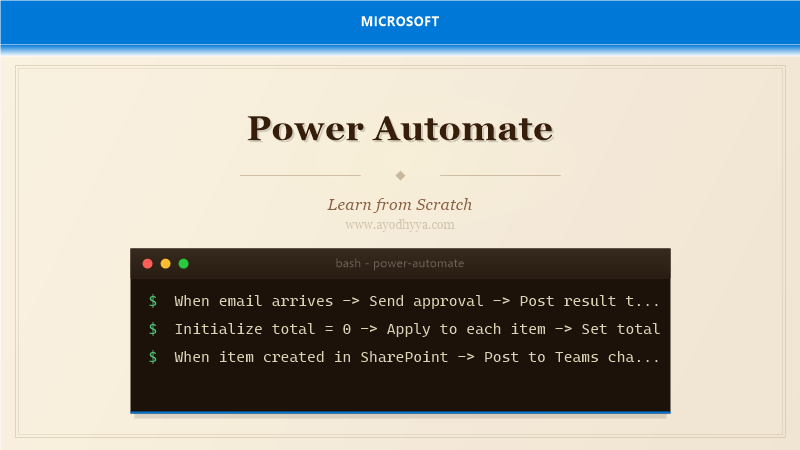
The moment I automated my first approval workflow — a simple expense report flow — I realized how much time I wasted on manual processes. Power Automate lets anyone build sophisticated automation without writing code. I have since built flows that process emails, synchronize CRM data, and orchestrate multi-step approval chains.
Power Automate is Microsoft's cloud-based workflow automation platform connecting hundreds of services through connectors. Build flows using triggers and actions in a visual designer with support for conditions, loops, parallel branches, and error handling.
Understanding Triggers, Actions, and Connectors
Triggers start flows — automated (email arrives), scheduled (every hour), or instant (button press). Actions perform work. Connectors wrap service APIs. Hundreds of connectors span Microsoft, third-party, and custom APIs. Flow Checker validates before saving.
{"triggers":{"When_a_new_email_arrives":{"type":"ApiConnection","inputs":{"host":{"connectionName":"shared_office365"},"operationId":"OnNewEmail"}},"actions":{"Send_an_email":{"type":"ApiConnection","inputs":{"host":{"connectionName":"shared_office365"},"operationId":"SendEmail"}}}}Building Approval Workflows
Approvals connector provides Start and Wait actions. Assign to individuals or groups. Adaptive cards in Teams for rich experiences. Timeout and escalation for unapproved requests. Complete audit trail for compliance.
{"actions":{"Start_an_approval":{"type":"ApiConnection","inputs":{"host":{"connectionName":"shared_approvals"},"operationId":"StartApproval","parameters":{"approvalType":"Basic"}}}}Working with Variables, Loops, and Conditions
Initialize Variable, Apply to Each, Condition, and Scope. Expressions use formula language like concat(), formatDateTime(). Concurrency control limits simultaneous iterations.
{"actions":{"Initialize_total":{"type":"InitializeVariable","inputs":{"variables":[{"name":"total","type":"float","value":0}]}},"Apply_to_each":{"type":"Foreach","foreach":"@triggerOutputs()?['body/LineItems']"}}Error Handling and Retry Policies
Configure run after behavior for success/failure/timeout. Retry policies handle transient failures — default 2 retries with 10s intervals. Exponential backoff for external APIs. Monitor failed runs in history.
{"actions":{"Call_API":{"type":"Http","inputs":{"uri":"https://api.example.com/orders","method":"POST"},"retryPolicy":{"type":"exponential","count":5,"interval":"PT10S"}}}Using Power Automate with SharePoint and Teams
SharePoint triggers on item creation/modification. Actions include creating items, sending notifications, generating PDFs. Teams integration posts messages and adaptive cards. Combine for help desk ticket workflows.
{"triggers":{"When_item_created":{"type":"ApiConnection","inputs":{"host":{"connectionName":"shared_sharepointonline"},"operationId":"OnNewItem"}}}Solution Management and Deployment Best Practices
Solutions package flows, connectors, and environment variables for ALM. Export as .zip from dev, import to test/prod. Environment variables store config. Connection references decouple details from flows.
// solution.zip structure:
// Solution.xml, Workflows/MyFlow.json, Connectors/, EnvironmentVariables/
Frequently Asked Questions
Do I need to know programming to use Power Automate?
No. The visual designer handles most scenarios. Advanced logic uses expressions, but no traditional coding is required.
What is the difference between Power Automate and Azure Logic Apps?
Power Automate targets business users. Azure Logic Apps targets developers with enterprise features and more connectors.
Can Power Automate flows run on-premises?
Yes, via the on-premises data gateway for SQL Server, file shares, and other on-premises data sources.
What are Power Automate licensing requirements?
Standard connectors included with Office 365. Premium connectors require Power Automate per-user or per-flow plans.
Originally published on Ayodhyyya. Last updated June 1, 2026.