Tutorial: Learn Push Notifications from Scratch (2026)
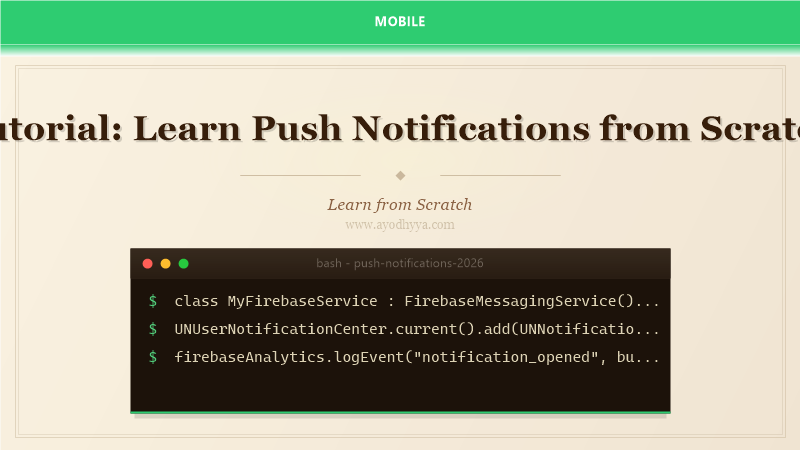
Push notifications are the most effective tool for re-engaging mobile users, with open rates averaging 20-30% compared to 2-3% for email. However, poorly implemented push notifications lead to higher opt-out rates and app uninstalls. I learned this when my app's notification strategy of daily promotional messages caused our opt-out rate to hit 60%. Push notifications require separate infrastructure for each platform: Firebase Cloud Messaging (FCM) for Android and Apple Push Notification Service (APNs) for iOS. This tutorial covers the full stack: setting up notification services, handling notification payloads, implementing rich notifications with images and actions, and A/B testing notification strategies.
Modern push notifications go beyond simple text messages. Rich notifications include images, buttons, and input fields. Notification channels on Android let users customize categories of notifications. Provisional notifications on iOS (iOS 17+) deliver quietly without showing an alert, letting users opt in later. Local notifications work without a server for scheduled reminders and alarms. The key to good push strategy is relevance, timing, and frequency. Never send a push notification that does not provide immediate value to the user.
FCM and APNs Setup
Firebase Cloud Messaging (FCM) is the unified platform for push notifications across Android and iOS. Create a Firebase project, add your Android app (package name) and iOS app (bundle ID). Download google-services.json for Android and GoogleService-Info.plist for iOS. For iOS, you also need an APNs key from the Apple Developer Portal and upload it to Firebase Console. FCM uses this key to relay messages to APNs. On the client, implement FirebaseMessagingService.onNewToken to capture the device registration token and send it to your server. For testing, use Firebase Console's Notification Composer or curl requests to FCM's HTTP v1 API.
// Android: FCM service
class MyFirebaseService : FirebaseMessagingService() {
  override fun onNewToken(token: String) {
    // Send token to your app server
  }
}
Notification Payload Structure
FCM messages can be notification messages (automatically displayed by the system) or data messages (handled by your app). Notification messages include title, body, image, click_action, and channel_id. Data messages are custom key-value pairs. For iOS, include the 'aps' dictionary with alert (title, subtitle, body), sound, badge, and content-available (for silent background updates). Use mutable-content: 1 for rich notification display. For Android, set channel_id to target a specific notification channel. The payload can also include custom data like deep_link, message_id, and campaign_name for analytics tracking.
// FCM notification payload (JSON)
{
  "message": {
    "token": "device_token",
    "notification": { "title": "New Message", "body": "Hello!" },
    "data": { "deep_link": "myapp://chat/123" }
  }
}
Rich Notifications with Images and Actions
Rich notifications display images, buttons, and inline responses. On Android, use NotificationCompat.MessagingStyle for chat notifications or NotificationCompat.BigPictureStyle for image notifications. Action buttons use PendingIntent to open the app or perform a specific action. On iOS, implement UNNotificationServiceExtension to download and attach images before the notification is displayed. UNNotificationContentExtension provides a custom interface for the notification. For interactive notifications, use UNTextInputNotificationAction for inline replies. Both platforms support notification grouping to prevent notification spam.
// Android: Big Picture notification
val style = NotificationCompat.BigPictureStyle()
  .bigPicture(pictureBitmap)
  .setSummaryText("New photo from John")
NotificationCompat.Builder(this, CHANNEL_ID)
  .setStyle(style)
  .addAction(R.drawable.ic_reply, "Reply", replyPendingIntent)
Notification Channels and Category Management
Android 8+ requires notification channels to categorize notifications. Users can block or customize each channel independently. Create channels for different notification types: messages, promotions, alerts, and social. Set importance levels (HIGH, DEFAULT, LOW, MIN) corresponding to heads-up popup, sound, no sound, and silent. On iOS, notification categories serve a similar purpose. Register categories with UNNotificationCategory and their associated actions. Provide a settings screen in your app where users can customize channel preferences. Respect user opt-outs: if a user disables a channel, do not prompt again.
// Android: Create notification channels
val channel = NotificationChannel(
  "messages", "Messages", NotificationManager.IMPORTANCE_HIGH
).apply { description = "Chat message notifications" }
notificationManager.createNotificationChannel(channel)
Local Notifications and Scheduling
Local notifications are triggered by the device without a server. Use them for reminders, alarms, calendar events, and timer completions. On iOS, use UNUserNotificationCenter to create and schedule UNNotificationRequest with UNCalendarNotificationTrigger, UNTimeIntervalNotificationTrigger, or UNLocationNotificationTrigger. On Android, use AlarmManager or WorkManager for precise or approximate timing. Android 14 requires scheduling exact alarms. Local notifications use the same notification channels as push notifications. Implement the notification permission flow (request on iOS, explain on Android for higher opt-in). Testing local notifications is easier than push because no server is needed.
// iOS: Schedule local notification
let content = UNMutableNotificationContent()
content.title = "Workout Reminder"
content.body = "Time for your daily exercise!"
let trigger = UNTimeIntervalNotificationTrigger(timeInterval: 86400, repeats: true)
let request = UNNotificationRequest(identifier: "daily_workout", content: content, trigger: trigger)
UNUserNotificationCenter.current().add(request)
Notification Analytics and A/B Testing
Analytics for push notifications measure delivery rate, open rate, and conversion rate. Track notification events as analytics events: notification_received, notification_opened, and notification_dismissed (Android). Firebase Analytics automatically tracks these. A/B test notification variables: timing (morning vs evening), title length (short vs long), personalization (with name vs without), and call-to-action buttons. Use Firebase A/B Testing with Remote Config or a dedicated push tool like OneSignal or Braze. Always measure the downstream conversion (did the user perform the intended action?) not just the open rate. A high open rate with low conversion means the notification was clickbait.
// Firebase analytics event for notification open
firebaseAnalytics.logEvent("notification_opened", bundleOf(
  "campaign" to "promo_2026", "source" to "push"
))
Frequently Asked Questions
Do I need a server to send push notifications?
Yes for remote (server-triggered) notifications. Your server sends requests to FCM/APNs with device tokens. For simple use cases, Firebase Functions or a third-party service like OneSignal can handle server-side infrastructure.
What happens when a user disables notifications?
On iOS, you receive a UNNotificationSettings update with authorizationStatus .denied. On Android, the NotificationManagerCompat.areNotificationsEnabled() returns false. Respect the user's choice and do not prompt repeatedly.
What is the difference between FCM and APNs?
FCM is Google's service (used for Android and optionally iOS). APNs is Apple's service (required for iOS). FCM can send to both platforms through a single API, but iOS delivery still goes through APNs under the hood.
How many push notifications should I send per week?
Quality over quantity. Transactional notifications (messages, alerts) can be frequent. Promotional notifications should be limited to 1-3 per week. Monitor opt-out rates: if they exceed 5% per campaign, reduce frequency.
Originally published on Ayodhyyya. Last updated June 1, 2026.