Perl Tutorial: Learn Scripting Language from Scratch (2026)
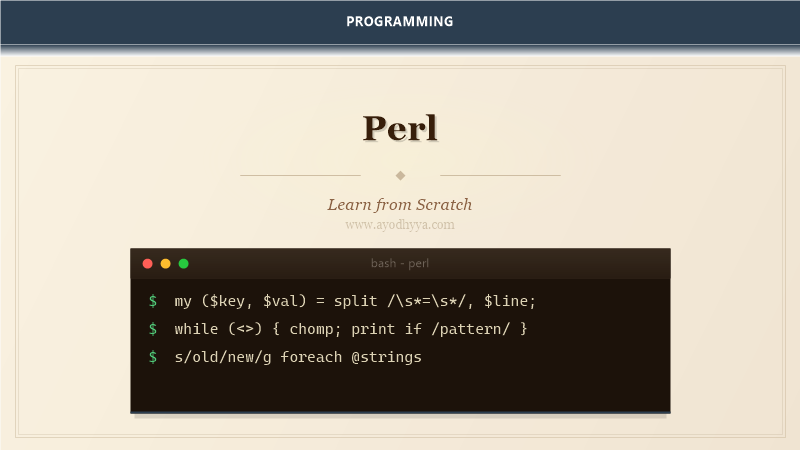
Perl is the swiss army chainsaw of scripting languages. I have used it for system administration, log parsing, text processing, and even web applications with Mojolicious. Perl's motto — TMTOWTDI (There Is More Than One Way To Do It) — reflects its flexibility, though it also means you need discipline to write maintainable code.
The language is unmatched for regex processing and one-liners. If you need to munge text files, extract data from logs, or automate system tasks, Perl is often the fastest path from problem to solution.
Regular Expressions
Perl's regex engine is the gold standard that other languages emulate. Match with m//, substitute with s///, and transliterate with tr///. Modifiers like /g (global), /i (case-insensitive), and /x (extended with comments) control behavior. Capture groups store matches in $1, $2, etc.
my $text = 'Contact: alice@example.com';

if ($text =~ m/(\w+)@(\w+\.\w+)/) {
    say "User: $1, Domain: $2";
}

$text =~ s/Contact:/Email:/g;
say $text;

# Extended regex with /x
$text =~ m/
    (\w+)   # username
    \@
    (\w+)   # domain
    \.(\w+) # tld
/x;
CPAN
CPAN (Comprehensive Perl Archive Network) is one of the oldest and most comprehensive package repositories. The cpan command installs modules. cpanminus (App::cpanminus) is a lighter alternative. Modules like Moose (OOP), DBI (database), and Catalyst (web framework) build on Perl's strength: leveraging existing code rather than reinventing.
# Install from command line
# cpan install Moose DBI JSON::XS

use strict;
use warnings;
use DBI;

my $dbh = DBI->connect(
    'dbi:SQLite:dbname=app.db',
    '', '',
    { RaiseError => 1 }
);

my $rows = $dbh->selectall_arrayref(
    'SELECT * FROM users WHERE active = ?',
    { Slice => {} },
    1
);
Context
Perl operations behave differently depending on context — scalar, list, or void. Functions like localtime() return different things in scalar vs list context. The wantarray function lets your own subs detect calling context. This context sensitivity is powerful but requires attention: assigning to a scalar forces scalar context; assigning to a list forces list context.
my @items = qw(a b c d);

# Scalar context: array length
my $count = @items;
say "Count: $count"; # 4

# List context
my @sorted = sort @items;

# wantarray in custom sub
sub get_data {
    my @data = (1, 2, 3);
    return wantarray ? @data : \@data;
}

my @list = get_data(); # (1, 2, 3)
my $ref  = get_data(); # [1, 2, 3]
Sigils and References
Sigils indicate the data type: $ for scalars, @ for arrays, % for hashes. References let you build complex data structures like arrays of hashes or hashes of arrays. Create references with \ or anonymous constructors [] and {}. Dereference with the corresponding sigil: @{$ref} or the arrow shorthand $ref->[0].
my $scalar  = 42;
my @array   = (1, 2, 3);
my %hash    = (name => 'Alice', age => 30);

# References
my $arr_ref = \@array;
my $hash_ref = %hash;

# Anonymous reference
my $data = [
    { id => 1, name => 'Alice' },
    { id => 2, name => 'Bob' },
];

say $data->[0]{name}; # Alice
say $data->[1]{id};   # 2
One-Liners
Perl one-liners process text directly from the command line. The -e flag runs inline code. -p prints each line (like sed), -n processes without printing (like awk), -a auto-splits into @F, and -l handles line endings. One-liners are essential for quick data extraction and transformation.
# Print lines matching pattern
# perl -nle 'print if /error/' app.log

# CSV column extraction
# perl -F, -lane 'print "$F[0],$F[2]"' data.csv

# In-place substitution (backup)
# perl -i.bak -pe 's/old/new/g' config.ini

# Calculate sum of column
# perl -F, -lane '$sum += $F[1]; END { print $sum }' data.csv
File Handling
Perl's file operations are concise. Read a file with open or slurp with File::Slurp. Diamond operator <> reads from files specified as arguments or STDIN. find2perl translates find commands to Perl. For log processing, line-by-line reading with a while loop is memory-efficient even with gigabyte files.
# Read file line by line
open my $fh, '<', 'access.log'
    or die "Cannot open: $!";

while (my $line = <$fh>) {
    chomp $line;
    next unless $line =~ m/500|404/;
    print "ERROR: $line\n";
}
close $fh;

# Slurp whole file (small files only)
use File::Slurp;
my @lines = read_file('config.ini');

# Write
open my $out, '>', 'output.txt'
    or die "Cannot write: $!";
print $out "processed\n";
close $out;
Frequently Asked Questions
Perl 5 vs Perl 7?
Perl 7 is essentially Perl 5.38 with modern defaults (use v5.38). The language continues evolving through Perl 5 releases.
What does use strict do?
Enforces variable declaration with my/our, prevents bareword function calls, and disallows symbolic references. Always use it.
What is the difference between my and our?
my declares lexical (block-scoped) variables. our declares package-scoped variables visible through the package.
When should I use Moose or Moo?
Moose for complex OOP with type constraints and roles. Moo for lightweight OOP with fewer dependencies. Both are better than raw bless.
Originally published on Ayodhyyya. Last updated June 1, 2026.