Beautiful Soup Tutorial: Learn Web Scraping from Scratch (2026)
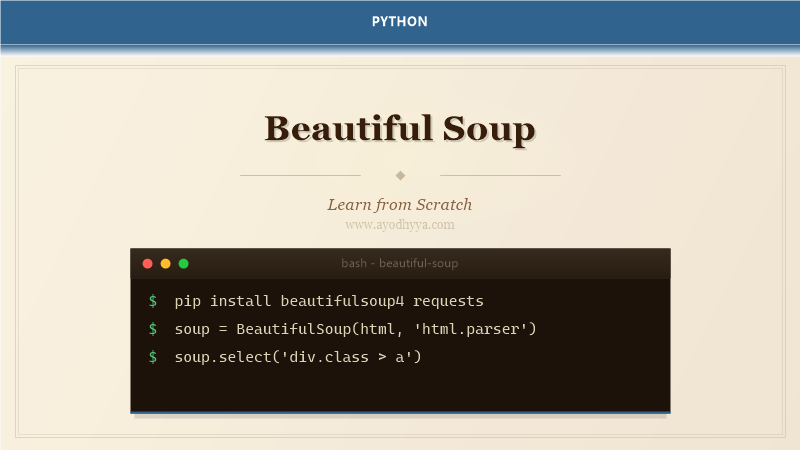
I've scraped thousands of pages with Beautiful Soup — everything from job listings to restaurant menus to academic papers. The library's job is to parse HTML and XML into a navigable parse tree, and it does that with forgiving error handling that works even on malformed markup. Combined with Requests for fetching pages and a bit of CSS selector knowledge, you can extract structured data from almost any website.
This tutorial covers the practical scraping workflow: fetching pages, navigating the parse tree, extracting data with find and select, handling pagination, and staying ethical with rate limiting and respect for robots.txt. We'll scrape a mock e-commerce listing page as the example.
Fetching HTML and Building the Soup
Requests gets the raw HTML from a URL. Always check response.status_code == 200 before parsing. BeautifulSoup accepts the HTML string and a parser — 'html.parser' is built-in, but 'lxml' is faster for large documents. The soup object represents the document as a nested tree of Tag and NavigableString objects, corresponding to HTML elements and text content.
import requests
from bs4 import BeautifulSoup

url = "https://example.com/products"
response = requests.get(url, headers={"User-Agent": "Mozilla/5.0"})
response.raise_for_status()

soup = BeautifulSoup(response.text, 'html.parser')
print(soup.title.text)  #  tag content</code></pre>
    </div>

    <div class="day-card" id="section2">
      <h2>Navigating the Parse Tree</h2>
      <p>Tags have .name, .text, .attrs, and .parent. You navigate by .contents (list of children), .children (iterator), .descendants (recursive), and .next_sibling / .previous_sibling. For deeper searches, the find and find_all methods are more practical than manual traversal — they accept tag names, attributes, text content, and class names (use class_ because class is a Python keyword).</p><pre><code>for product in soup.find_all('div', class_='product-card'):
    name_tag = product.find('h2', class_='product-name')
    price_tag = product.find('span', class_='price')

    name = name_tag.text.strip() if name_tag else "N/A"
    price = price_tag.text.strip() if price_tag else "N/A"

    print(f"{name}: {price}")</code></pre>
    </div>

    <div class="day-card" id="section3">
      <h2>CSS Selectors with select() and select_one()</h2>
      <p>For complex queries, CSS selectors are more readable than nested find calls. soup.select('div.product-card > h2') returns all matching elements. select_one returns the first match. Selectors support classes (.class), ids (#id), attributes ([data-price]), and combinators (>, +, ~). This is the approach I use for most extractions.</p><pre><code>products = soup.select('div.product-card')
for product in products:
    name = product.select_one('h2.product-name').get_text(strip=True)
    price_str = product.select_one('span.price').get_text(strip=True)
    link = product.select_one('a')['href']

    rating_badge = product.select_one('span.rating')
    rating = rating_badge.get_text(strip=True) if rating_badge else "No rating"

    print(f"{name} | {price_str} | {rating} | {link}")</code></pre>
    </div>

    <div class="day-card" id="section4">
      <h2>Handling Pagination and Loops</h2>
      <p>Most listing sites split results across multiple pages. I look for a 'Next' link or a page number pattern in the URL. A while loop fetches consecutive pages until the next button disappears. Add a delay (time.sleep) between requests to avoid hammering the server. I also limit max pages to prevent infinite loops if the termination condition fails.</p><pre><code>base_url = "https://example.com/products?page="
all_products = []
page = 1

while True:
    print(f"Fetching page {page}...")
    resp = requests.get(f"{base_url}{page}", headers=headers)
    if resp.status_code != 200:
        break

    soup = BeautifulSoup(resp.text, 'html.parser')
    items = soup.select('div.product-card')
    if not items:
        break

    all_products.extend(items)
    page += 1
    time.sleep(1)

print(f"Scraped {len(all_products)} products across {page-1} pages")</code></pre>
    </div>

    <div class="day-card" id="section5">
      <h2>Extracting Data into Structured Formats</h2>
      <p>After extraction, store results in a list of dicts and export to CSV or JSON. I use csv.DictWriter for tabular data and json.dump for nested structures. The pandas.DataFrame constructor accepts a list of dicts directly, which is convenient for further analysis. Always handle missing fields gracefully — they will happen.</p><pre><code>import csv

scraped_data = []
for product in soup.select('div.product-card'):
    scraped_data.append({
        'name': product.select_one('h2').get_text(strip=True),
        'price': product.select_one('.price').get_text(strip=True),
        'link': product.select_one('a')['href']
    })

with open('products.csv', 'w', newline='', encoding='utf-8') as f:
    writer = csv.DictWriter(f, fieldnames=['name', 'price', 'link'])
    writer.writeheader()
    writer.writerows(scraped_data)

print(f"Saved {len(scraped_data)} products")</code></pre>
    </div>

    <div class="day-card" id="section6">
      <h2>Ethical Scraping: Robots.txt and Rate Limiting</h2>
      <p>Before scraping a site, check its robots.txt (e.g., example.com/robots.txt) for disallowed paths. Set a reasonable User-Agent that identifies your bot. Add delays between requests — I use random.uniform(1, 3) seconds to avoid patterns. If the site provides an API, use that instead. Respect 429 (Too Many Requests) responses and back off.</p><pre><code>import time
import random

def polite_request(url, headers=None):
    time.sleep(random.uniform(1, 3))
    resp = requests.get(url, headers=headers)
    if resp.status_code == 429:
        wait = int(resp.headers.get('Retry-After', 60))
        print(f"Rate limited. Waiting {wait}s...")
        time.sleep(wait)
        resp = requests.get(url, headers=headers)
    resp.raise_for_status()
    return resp</code></pre>
    </div>

    <!-- ======= FAQ ======= -->
    <div id="faq">
      <h2>Frequently Asked Questions</h2>
      <h3>Is web scraping legal?</h3>
      <p>It depends on jurisdiction. Public data is generally fair game, but check the site's Terms of Service and robots.txt. Don't scrape copyrighted content for commercial use. Scraping behind authentication (bypassing login) may violate computer fraud laws.</p>
      <h3>What if the website uses JavaScript to load content?</h3>
      <p>Beautiful Soup only sees the initial HTML. For JavaScript-rendered content, use Selenium (browser automation) or Playwright. Alternatively, check if the site loads data via XHR requests — you can call those API endpoints directly with Requests.</p>
      <h3>How do I handle dynamic class names?</h3>
      <p>Use partial matches: soup.select('[class*=product]') or find with regex. For single-page apps with constantly changing class names, find stable parent IDs or data attributes like [data-product-id].</p>
      <h3>What parser should I use — html.parser or lxml?</h3>
      <p>lxml is faster and more forgiving with broken HTML. Install it with pip install lxml. Use 'html.parser' if you can't install lxml or need maximum compatibility.</p>
    </div>

    <p style="margin-top: 50px; color: #888; font-size: 0.85rem;">
      <em>Originally published on <a href="https://www.ayodhyya.com/">Ayodhyyya</a>.
      Last updated June 1, 2026.</em>
    </p>
  </article>

  <!-- Google News Structured Data -->
  <script type="application/ld+json">
  {
    "@context": "https://schema.org",
    "@type": "NewsArticle",
    "headline": "Beautiful Soup Tutorial: Learn Web Scraping from Scratch (2026)",
    "image": ["https://www.ayodhyya.com/images/beautiful-soup-tutorial-banner.png"],
    "datePublished":"2025-08-07T10:00:00+05:30",
    "dateModified":"2025-08-07T10:00:00+05:30",
    "author": {
      "@type": "Organization",
      "name": "Ayodhyyya",
      "url": "https://www.ayodhyya.com/"
    },
    "publisher": {
      "@type": "Organization",
      "name": "Ayodhyyya",
      "logo": {
        "@type": "ImageObject",
        "url": "https://www.ayodhyya.com/favicon.ico"
      }
    }
  }
  </script>
<div class="ad ad-inarticle"><ins class="adsbygoogle" style="display:block; text-align:center;" data-ad-layout="matched-content" data-ad-format="fluid" data-ad-client="ca-pub-6525382124298616"></ins><script>(adsbygoogle=window.adsbygoogle||[]).push({});</script></div>
</div>
</article>
<aside class="sidebar">
<div class="widget"><div class="widget-head"><h3><i>📚</i> Categories</h3></div><div class="widget-body"><a href="../categories/index.html">Browse all categories →</a></div></div>
<div class="ad ad-sidebar"><ins class="adsbygoogle" style="display:block" data-ad-client="ca-pub-6525382124298616" data-ad-format="auto" data-full-width-responsive="true"></ins><script>(adsbygoogle=window.adsbygoogle||[]).push({});</script></div>

</aside>
</div>
<div class="wrap"><div class="ad ad-footer"><ins class="adsbygoogle" style="display:block" data-ad-client="ca-pub-6525382124298616" data-ad-format="auto" data-full-width-responsive="true"></ins><script>(adsbygoogle=window.adsbygoogle||[]).push({});</script></div></div>
<footer class="footer"><div class="wrap"><div class="footer-bottom"><span>© 2026 Ayodhyya.com • python • Beautiful Soup Tutorial: Learn Web Scraping from Scratch (20</span><span><a href="../index.html" style="color:#64748b">Home</a></span></div></div></footer>
<div id="cookie-consent" style="position:fixed;bottom:12px;left:12px;right:12px;max-width:520px;background:#0f172a;color:#fff;padding:12px 14px;border-radius:12px;font-size:.82rem;display:none;z-index:99">We use cookies for analytics & ads (Google AdSense). <a href="../pages/privacy-policy.html" style="color:#93c5fd">Learn more</a> <button onclick="localStorage.setItem('cc','1');document.getElementById('cookie-consent').style.display='none'" style="margin-left:8px;background:#fff;border:none;border-radius:8px;padding:6px 10px;font-weight:700;cursor:pointer">Accept</button></div><script>if(!localStorage.getItem('cc'))document.getElementById('cookie-consent').style.display='block';</script><script src="../assets/bootstrap.bundle.min.js" defer></script>
<script src="../assets/site.js" defer></script>
</body></html>