Tutorial: Learn Python REST APIs with HTTpx from Scratch (2026)
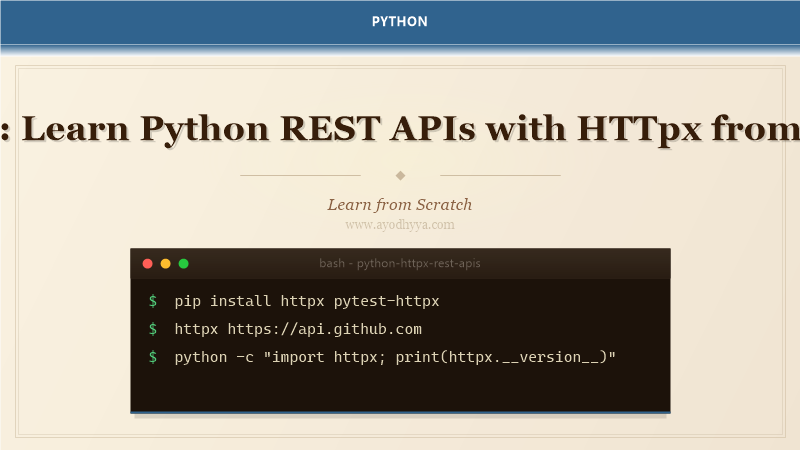
I switched from requests to httpx when I needed async HTTP in a microservice that also made synchronous calls. HTTpx provides a unified API for both sync and async HTTP, with features like connection pooling, timeouts, and event hooks that requests lacks. It supports HTTP/1.1, HTTP/2, and has a first-class async API built on top of the same core. If you're starting a new Python project in 2026, httpx is the HTTP client I recommend.
This tutorial covers real-world API client patterns: sync and async requests, authentication, error handling, streaming large responses, mocking for tests, and retry strategies. We'll build an async client for a public REST API that handles pagination, rate limits, and concurrent requests.
Sync and Async Basics
HTTpx has two APIs: httpx.Client (synchronous, uses with block) and httpx.AsyncClient (asynchronous, uses async with). The method names match HTTP verbs: .get(), .post(), .put(), .patch(), .delete(). Responses are httpx.Response objects with .status_code, .json(), .text(), .headers, and more. The sync API is a drop-in replacement for requests; the async API gives you Python's full async power.
import httpx

# Sync
with httpx.Client() as client:
    resp = client.get('https://api.example.com/users')
    print(resp.status_code)
    print(resp.json())

# Async
import asyncio

async def fetch_users():
    async with httpx.AsyncClient() as client:
        resp = await client.get('https://api.example.com/users')
        return resp.json()

result = asyncio.run(fetch_users())
print(result)
Authentication and Headers
HTTpx supports multiple auth schemes: BasicAuth, DigestAuth, Bearer tokens, and custom header injection. Set default headers on the client to avoid repeating them on every request. The auth parameter accepts tuples for Basic auth or classes for custom auth. I set the Authorization header once in the client constructor and reuse it for all requests.
# Bearer token
token = "your-api-token"
headers = {"Authorization": f"Bearer {token}"}

with httpx.Client(headers=headers) as client:
    resp = client.get('https://api.example.com/protected/endpoint')
    print(resp.json())

# Basic auth
with httpx.Client(auth=('username', 'password')) as client:
    resp = client.get('https://api.example.com/basic-auth')

# Dynamic auth header (refreshing tokens)
class TokenAuth(httpx.Auth):
    def __init__(self, token):
        self.token = token

    def auth_flow(self, request):
        request.headers['Authorization'] = f'Bearer {self.token}'
        yield request

with httpx.Client(auth=TokenAuth('mytoken')) as client:
    resp = client.get('https://api.example.com/data')
Query Parameters, Timeouts, and Error Handling
Pass query parameters as a dict with the params parameter. Set timeouts with httpx.Timeout to avoid hanging on unresponsive servers — always set connect, read, and write timeouts. HTTpx raises httpx.HTTPStatusError for 4xx/5xx responses when raise_for_status() is called. Use try/except around network calls and handle httpx.RequestError for connection failures.
import httpx
from httpx import HTTPStatusError, RequestError

params = {
    'page': 2,
    'per_page': 50,
    'sort': 'created_at',
    'filter': 'active',
}

timeout = httpx.Timeout(10.0, connect=5.0)

try:
    with httpx.Client(timeout=timeout) as client:
        resp = client.get(
            'https://api.github.com/users',
            params=params,
        )
        resp.raise_for_status()
        users = resp.json()
        print(f"Got {len(users)} users")
except HTTPStatusError as e:
    print(f"API error: {e.response.status_code} - {e.response.text}")
except RequestError as e:
    print(f"Connection failed: {e}")
Async Concurrency: Fetching Multiple Endpoints
The async client excels at concurrent requests. Use asyncio.gather() to fetch multiple endpoints simultaneously, reducing total wall-clock time significantly. Handle partial failures with gather(return_exceptions=True) to collect successes and failures separately. I use this pattern for dashboards that aggregate data from multiple API endpoints.
async def fetch_multiple():
    urls = [
        'https://api.example.com/users',
        'https://api.example.com/products',
        'https://api.example.com/orders',
    ]

    async with httpx.AsyncClient(timeout=30) as client:
        async def fetch_one(url):
            resp = await client.get(url)
            resp.raise_for_status()
            return resp.json()

        results = await asyncio.gather(
            *[fetch_one(url) for url in urls],
            return_exceptions=True
        )

    for url, result in zip(urls, results):
        if isinstance(result, Exception):
            print(f"{url} failed: {result}")
        else:
            print(f"{url}: {len(result)} items")

asyncio.run(fetch_multiple())
Streaming Responses for Large Payloads
For large responses (file downloads, streaming APIs), use httpx's streaming mode to process data incrementally without loading the entire response into memory. Use client.stream() as a context manager and iterate over response chunks. This is essential for downloading large files, processing SSE (Server-Sent Events), or handling real-time data feeds.
import httpx

# Download a large file
with httpx.Client() as client:
    with client.stream('GET', 'https://example.com/large-file.zip') as resp:
        resp.raise_for_status()
        with open('output.zip', 'wb') as f:
            for chunk in resp.iter_bytes(chunk_size=8192):
                f.write(chunk)
                print(f"Downloaded {f.tell()} bytes", end='\r')

# Server-Sent Events (SSE)
import asyncio

async def stream_events():
    async with httpx.AsyncClient() as client:
        async with client.stream('GET', 'https://api.example.com/events') as resp:
            async for line in resp.aiter_lines():
                if line.startswith('data:'):
                    print(line[5:].strip())

asyncio.run(stream_events())
Mocking HTTpx for Tests
The pytest-httpx plugin mocks all HTTP requests made through httpx, returning predefined responses. This makes tests fast, deterministic, and independent of network access. You register mock responses with httpx_mock.add_response(), specifying URL, method, status code, and response body. Use it to test error handling, edge cases, and retry logic without hitting real APIs.
import httpx
import pytest
from pytest_httpx import HTTPXMock

def test_api_success(httpx_mock: HTTPXMock):
    # Mock a successful response
    httpx_mock.add_response(
        url='https://api.example.com/users',
        method='GET',
        json=[{"id": 1, "name": "Alice"}],
        status_code=200,
    )

    client = httpx.Client()
    resp = client.get('https://api.example.com/users')
    assert resp.status_code == 200
    assert resp.json()[0]['name'] == 'Alice'

def test_api_retry_on_failure(httpx_mock: HTTPXMock):
    # Test retry logic
    httpx_mock.add_response(
        url='https://api.example.com/data',
        method='GET',
        status_code=503,
    )
    httpx_mock.add_response(
        url='https://api.example.com/data',
        method='GET',
        json={"status": "ok"},
        status_code=200,
    )

    with httpx.Client() as client:
        for attempt in range(3):
            resp = client.get('https://api.example.com/data')
            if resp.is_success:
                break
        assert resp.json() == {"status": "ok"}
Frequently Asked Questions
Should I use httpx or requests in 2026?
For new projects, use httpx. It's more modern, supports async, HTTP/2, and has a cleaner API. Requests is stable and battle-tested but no longer actively evolving. If you need async or HTTP/2, httpx is the clear choice.
Does httpx support retries automatically?
Not built-in, but you can use httpx's event hooks or wrap with tenacity/backoff libraries. Create a custom Transport class or use the 'mounts' feature to add retry logic.
How do I set up connection pooling?
HTTpx manages connection pooling automatically within a client instance. Reuse the client across requests (don't create a new client for each request). The pool limits are configurable with limits=httpx.Limits(max_connections=10).
Can I use httpx with FastAPI's TestClient?
No, FastAPI's TestClient uses Starlette's test client internally. For testing FastAPI apps, use the built-in TestClient. For testing external APIs, use httpx with pytest-httpx as shown above.
Originally published on Ayodhyyya. Last updated June 1, 2026.