Tutorial: Learn Python Testing with Pytest from Scratch (2026)
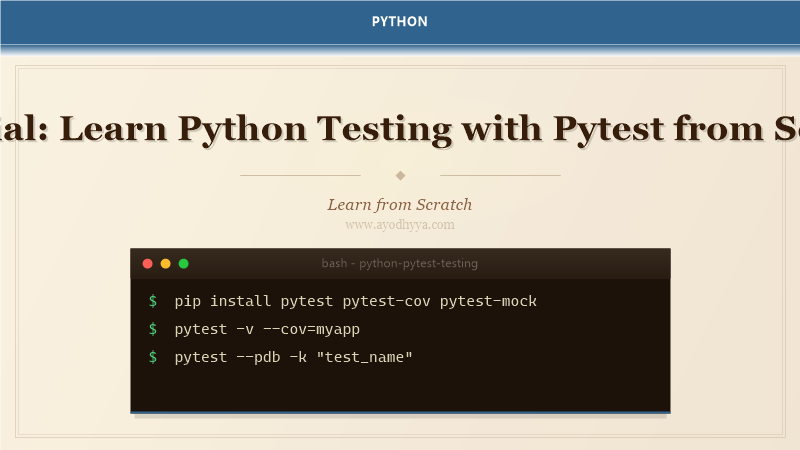
Pytest has become the de facto standard for Python testing over the past decade. I've used it across projects ranging from tiny libraries to multi-service platforms with thousands of tests. What makes pytest stand out is its combination of simplicity for beginners and power for experts — plain assert statements instead of self.assertEqual, automatic test discovery, and a fixture system that eliminates boilerplate. When I switched from unittest to pytest, my test suite shrank by 40% while becoming more readable.
This tutorial covers the pytest features I reach for every day: fixtures for setting up and tearing down resources, parametrize for running the same test against multiple inputs, mocking external dependencies with monkeypatch and pytest-mock, and measuring code coverage. By the end you'll have a testing workflow that catches regressions early and makes refactoring safe.
Getting Started with Pytest Discovery and Assertions
Pytest discovers tests by matching files named test_*.py or *_test.py and functions starting with test_. The assert statement is all you need — no special assertion methods. When an assertion fails, pytest shows the actual and expected values with context like variable expansion and diff highlighting. Running pytest with -v gives verbose output, and -k lets you filter tests by name pattern.
def test_addition():
    result = 2 + 2
    assert result == 4

def test_string_contains():
    assert "hello" in "hello world"

def test_collection():
    items = [1, 2, 3]
    assert len(items) == 3
    assert 2 in items

# Run: pytest -v -k "addition"
Fixtures: Reusable Test Setup and Teardown
Fixtures are functions that provide a fixed baseline for tests. A fixture is defined with the @pytest.fixture decorator and injected by name into test function parameters. The fixture's scope (function, class, module, session) controls how often it's created. Fixtures can yield instead of return to implement teardown code that runs after the test finishes, which is perfect for cleaning up database records or temp files.
import pytest

@pytest.fixture
def sample_data():
    return {"name": "Alice", "age": 30}

@pytest.fixture
def db_connection():
    conn = create_connection()
    yield conn
    conn.close()  # teardown

def test_user_name(sample_data):
    assert sample_data["name"] == "Alice"

def test_db_insert(db_connection):
    db_connection.insert("users", {"name": "Bob"})
    assert db_connection.count("users") == 1
Parametrize: Running Tests with Multiple Inputs
The @pytest.mark.parametrize decorator runs the same test logic with different inputs and expected outputs. Each parameter combination becomes a separate test case with its own outcome. I use parametrize heavily for edge case coverage — boundary values, invalid inputs, and common failure modes. The ids parameter provides readable test names instead of autogenerated ones.
import pytest

@pytest.mark.parametrize(
    "a, b, expected",
    [
        (1, 2, 3),
        (0, 0, 0),
        (-1, 1, 0),
        (100, -50, 50),
        (2.5, 3.5, 6.0),
    ],
    ids=["positive", "zeros", "cancel", "mixed", "float"]
)
def test_add(a, b, expected):
    assert a + b == expected
Mocking with monkeypatch and pytest-mock
Monkeypatching replaces attributes, functions, or environment variables temporarily during a test. Pytest's built-in monkeypatch fixture handles this. For more advanced mocking (tracking calls, return values, side effects), the pytest-mock plugin gives you the mocker fixture which wraps unittest.mock. I mock external HTTP calls, database queries, and file system operations to make tests fast and deterministic.
def get_api_data():
    import requests
    resp = requests.get("https://api.example.com/data")
    return resp.json()

def test_get_api_data(mocker):
    mock_resp = mocker.Mock()
    mock_resp.json.return_value = {"key": "value"}
    mocker.patch("requests.get", return_value=mock_resp)

    result = get_api_data()
    assert result == {"key": "value"}

# Using monkeypatch
def test_env_var(monkeypatch):
    monkeypatch.setenv("DATABASE_URL", "sqlite:///test.db")
    assert os.environ["DATABASE_URL"] == "sqlite:///test.db"
Conftest and Shared Fixtures
The conftest.py file holds fixtures that are shared across multiple test files in a directory. Pytest automatically discovers conftest.py in each test directory and makes its fixtures available to all tests in that directory and its subdirectories. I put database connections, client instances, and configuration fixtures in conftest.py to avoid duplication. Multiple conftest files can exist in a hierarchy with nested scoping.
# conftest.py
import pytest
from myapp import create_app

@pytest.fixture(scope="session")
def app():
    return create_app(testing=True)

@pytest.fixture
def client(app):
    return app.test_client()

# test_routes.py
def test_homepage(client):
    resp = client.get("/")
    assert resp.status_code == 200
Code Coverage and Reporting
Pytest integrates with pytest-cov to measure which lines of your code are exercised by tests. Run pytest --cov=myapp to see a coverage summary, or --cov-report=html to generate an HTML report. I aim for 80%+ coverage on business logic and 100% on critical error paths. Coverage highlights uncovered branches, helping you identify untested edge cases without guessing.
# Install: pip install pytest-cov
# Run: pytest --cov=myapp --cov-report=term-missing --cov-report=html

# Sample output:
# ---------- coverage: platform win32, python 3.12 ----------
# Name           Stmts   Miss  Cover   Missing
# -------------------------------------------
# myapp/core.py     42      5    88%   12-16, 30
# myapp/utils.py    28      0   100%
# -------------------------------------------
# TOTAL             70      5    93%
Frequently Asked Questions
Why should I use pytest over unittest?
Pytest requires less boilerplate (no test classes, plain assert), has automatic fixture management, better output with detailed diffs, and a massive plugin ecosystem. Unittest is part of stdlib but pytest is the community standard.
How do I skip tests conditionally?
Use @pytest.mark.skipif(condition, reason='...') to skip based on Python version, OS, or any runtime condition. Use @pytest.mark.xfail for tests expected to fail.
Can I run pytest on existing unittest tests?
Yes, pytest runs unittest.TestCase subclasses out of the box. You can migrate incrementally.
How do I debug a failing test?
Run pytest --pdb to drop into the debugger on failure. Use --trace to enter pdb at the start of each test. Or add breakpoint() in your test code.
Originally published on Ayodhyyya. Last updated June 1, 2026.