Tutorial: Learn Python Web Scraping Advanced from Scratch (2026)
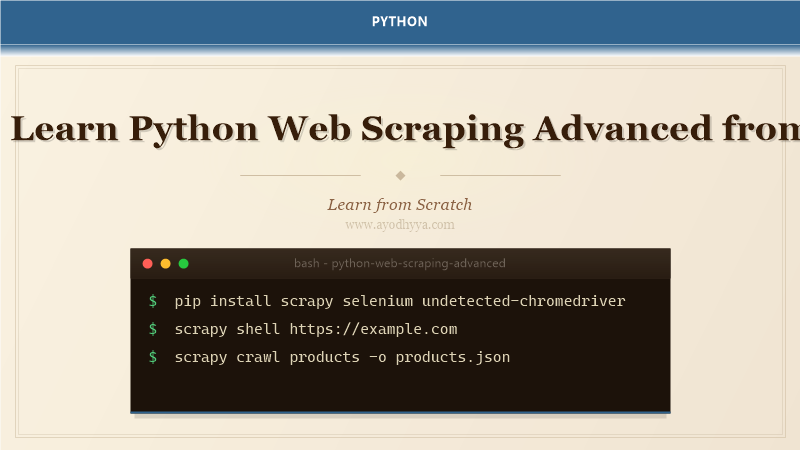
I've scraped everything from static HTML pages to single-page apps with infinite scroll and CAPTCHAs. Basic scraping with requests and BeautifulSoup works for simple sites, but modern web applications render content dynamically, block suspicious traffic, and employ anti-bot countermeasures. Advanced scraping requires browser automation, proxy rotation, fingerprint spoofing, and careful rate limiting.
This tutorial covers the toolkit I use for production scraping pipelines: Selenium for JavaScript-heavy sites, Scrapy for large-scale crawling, anti-detection techniques like header spoofing and viewport emulation, and ethical considerations like robots.txt compliance and respectful rate limiting. We'll scrape a modern e-commerce site that loads products via XHR requests.
Selenium: Automating Real Browsers
Selenium controls a real browser (Chrome, Firefox) through WebDriver. It can click buttons, fill forms, scroll pages, and wait for elements to appear. The find_element and find_elements methods locate DOM elements by CSS selector, XPath, or other strategies. WebDriverWait with expected_conditions lets you wait for elements to be present, visible, or clickable before interacting. I use headless mode on servers to avoid displaying a window.
from selenium import webdriver
from selenium.webdriver.common.by import By
from selenium.webdriver.support.ui import WebDriverWait
from selenium.webdriver.support import expected_conditions as EC

options = webdriver.ChromeOptions()
options.add_argument('--headless')
driver = webdriver.Chrome(options=options)

driver.get('https://example.com/products')

# Wait for dynamic content to load
WebDriverWait(driver, 10).until(
    EC.presence_of_element_located((By.CLASS_NAME, 'product-card'))
)

products = driver.find_elements(By.CSS_SELECTOR, '.product-card h3')
for p in products:
    print(p.text)

driver.quit()
Scrapy: Large-Scale Crawling Framework
Scrapy is a full-featured web scraping framework. You define Items (data containers), Spiders (crawling logic), and Pipelines (processing and storage). Scrapy handles concurrency, request scheduling, retries, and caching out of the box. It uses Twisted under the hood for asynchronous networking. The shell (scrapy shell) is invaluable for interactively testing selectors before writing a spider.
# Define item in items.py
import scrapy

class ProductItem(scrapy.Item):
    name = scrapy.Field()
    price = scrapy.Field()
    url = scrapy.Field()

# Spider
class ProductsSpider(scrapy.Spider):
    name = 'products'
    start_urls = ['https://example.com/products']

    def parse(self, response):
        for product in response.css('.product-card'):
            yield ProductItem(
                name=product.css('h3::text').get(),
                price=product.css('.price::text').get(),
                url=response.urljoin(product.css('a::attr(href)').get()),
            )

        next_page = response.css('.pagination .next::attr(href)').get()
        if next_page:
            yield response.follow(next_page, self.parse)
Anti-Detection: Headers, Proxies, and Fingerprints
Websites detect bots by checking User-Agent, IP reputation, request patterns, browser fingerprints (screen resolution, fonts, WebGL), and JavaScript environment properties. To evade detection: rotate User-Agent strings, use residential proxies, add random delays between requests, and emulate human behavior like scrolling and mouse movements. Selenium Wire can modify requests at the network level, and undetected-chromedriver patches Selenium's detection signatures.
import random
import time
from selenium.webdriver import Chrome
from selenium.webdriver.chrome.options import Options

# Random delays - human-like timing
def human_delay(min_s=1, max_s=3):
    time.sleep(random.uniform(min_s, max_s))

# Rotate user agents
USER_AGENTS = [
    'Mozilla/5.0 (Windows NT 10.0; Win64; x64) Chrome/120.0.0.0',
    'Mozilla/5.0 (Macintosh; Intel Mac OS X 10_15_7) Safari/605.1.15',
    'Mozilla/5.0 (X11; Linux x86_64) Firefox/121.0',
]

options = Options()
options.add_argument(f'--user-agent={random.choice(USER_AGENTS)}')
options.add_argument('--window-size=1920,1080')
options.add_experimental_option('excludeSwitches', ['enable-automation'])

driver = Chrome(options=options)
Handling Infinite Scroll and AJAX Loading
Modern sites load products as the user scrolls, making initial HTML incomplete. To scrape these, scroll the page programmatically and wait for new elements to appear. Selenium's execute_script lets you run JavaScript to scroll. Combine with WebDriverWait to detect when new content has loaded. For XHR-driven sites, monitor network requests with Selenium Wire and intercept the JSON responses directly.
def scroll_and_collect(driver, num_scrolls=10):
    items = set()

    for _ in range(num_scrolls):
        # Scroll to bottom
        driver.execute_script("window.scrollTo(0, document.body.scrollHeight);")
        time.sleep(random.uniform(1, 2))

        # Collect new items
        elements = driver.find_elements(By.CSS_SELECTOR, '.product-card h3')
        for el in elements:
            items.add(el.text)

    return items

# Alternative: intercept XHR
from seleniumwire import webdriver

driver = webdriver.Chrome()
driver.get('https://example.com')
for request in driver.requests:
    if '/api/products' in request.url:
        print(request.response.body)
Scrapy Middleware and Pipelines
Scrapy middleware hooks into the request/response cycle. The Downloader Middleware can modify requests (add headers, proxy rotation) and responses (retry on failure). Item Pipelines process scraped items for validation, cleaning, and storage (database, CSV, S3). I use pipelines to deduplicate items, validate fields, and write to PostgreSQL or Google Sheets.
# Middleware for proxy rotation
class RotateProxyMiddleware:
    def process_request(self, request, spider):
        request.meta['proxy'] = get_next_proxy()

# Pipeline for storage
import json
from itemadapter import ItemAdapter

class JsonWriterPipeline:
    def open_spider(self, spider):
        self.file = open('output.json', 'w')
        self.file.write('[')

    def close_spider(self, spider):
        self.file.write(']')
        self.file.close()

    def process_item(self, item, spider):
        line = json.dumps(ItemAdapter(item).asdict()) + ',\n'
        self.file.write(line)
        return item
Ethical Scraping: Robots.txt, Rate Limiting, and Caching
Responsible scraping respects the website's robots.txt, sets reasonable delays, and caches responses to minimize requests. Scrapy's AutoThrottle extension adjusts crawl speed based on server response times. The robots.txt middleware respects robot exclusion rules (enable with ROBOTSTXT_OBEY = True). I also use HTTP caching to avoid re-downloading pages during development.
# settings.py
# Respect robots.txt
ROBOTSTXT_OBEY = True

# AutoThrottle
AUTOTHROTTLE_ENABLED = True
AUTOTHROTTLE_START_DELAY = 5
AUTOTHROTTLE_MAX_DELAY = 60

# HTTP Cache
HTTPCACHE_ENABLED = True
HTTPCACHE_EXPIRATION_SECS = 86400  # 24 hours

# Concurrency
CONCURRENT_REQUESTS = 8
DOWNLOAD_DELAY = 2

# Crawl responsibly
USER_AGENT = 'my-scraper (+https://example.com/bot)'
Frequently Asked Questions
Is web scraping legal?
Scraping public data is generally legal in most jurisdictions, but terms of service violations can lead to IP bans. Never scrape login-gated content, personal data (GDPR), or copyrighted material for commercial use. Always check robots.txt.
Should I use Selenium or Playwright?
Playwright is newer, faster, and has better API design. Selenium has a larger ecosystem. For Python projects in 2026, consider Playwright as the default, Selenium when you need legacy browser support.
How do I bypass CAPTCHAs?
Bypassing CAPTCHAs is ethically questionable and often illegal. Instead, use CAPTCHA-solving services (2Captcha) if you have legitimate access rights, or request API access from the site. Better yet, respect the site's protections.
What's the best storage for scraped data?
For small jobs, JSON or CSV files. For large datasets, PostgreSQL or MongoDB. For real-time pipelines, use Kafka or RabbitMQ between the scraper and the database.
Originally published on Ayodhyyya. Last updated June 1, 2026.