Cucumber Tutorial: Learn BDD from Scratch (2026)
Early in my career, I watched developers and business stakeholders argue for hours over whether a feature was working correctly. The problem was that requirements were written in ambiguous prose that everyone interpreted differently. Cucumber changed that by introducing a common language — Gherkin — that both technical and non-technical team members can read and validate.
Behavior-Driven Development with Cucumber turns feature files into executable specifications. In this tutorial, you will learn to write Gherkin scenarios, implement step definitions, and integrate Cucumber with Selenium for automated acceptance tests. By the end, you will deliver features that match exactly what the business asked for.
What is Gherkin and Why Does It Matter?
Gherkin is a domain-specific language that Cucumber uses to describe software behavior. It uses a small set of keywords: Feature, Scenario, Given, When, Then, And, But, Background, and Scenario Outline. Each scenario describes one specific behavior in a Given-When-Then structure.
The beauty of Gherkin is its readability. A product owner can write a feature file, developers automate it, and testers verify it — all using the same document. This shared understanding eliminates the translation gap between requirements and tests. I have seen teams cut defect rates by half simply by adopting Gherkin for acceptance criteria.
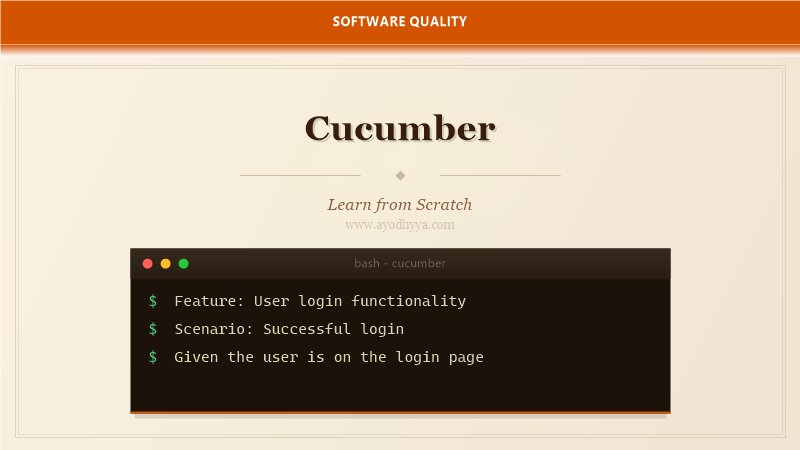
Feature: User Login
  Scenario: Successful login with valid credentials
    Given the user is on the login page
    When they enter valid credentials
    Then they should see the dashboard
Setting Up Cucumber with Java and Maven
Cucumber supports multiple languages including Java, JavaScript, Ruby, and Python. For Java projects, you add the cucumber-java and cucumber-junit dependencies to your pom.xml. The glue option tells Cucumber where to find your step definitions.
The Runner class uses @RunWith(Cucumber.class) and @CucumberOptions to configure feature file locations, glue packages, and reporting plugins. Setup once and you will never need to touch it again — all your focus goes into feature files and step definitions.
@RunWith(Cucumber.class)
@CucumberOptions(
    features = "src/test/resources/features",
    glue = "com.example.steps",
    plugin = {"pretty", "html:target/cucumber-reports"}
)
public class TestRunner {}
Writing Step Definitions
Step definitions are Java methods annotated with @Given, @When, @Then, @And, or @But. Each annotation contains a regex or Cucumber Expression that matches the Gherkin step. The method parameters are extracted from the expression.
I organize step definitions into separate classes by domain — LoginSteps, CheckoutSteps, etc. This keeps each class focused and manageable. Step definitions should delegate to a page object or service layer rather than containing complex logic themselves. This separation makes both the steps and the underlying automation easier to maintain.
@Given("the user is on the login page")
public void the_user_is_on_the_login_page() {
    driver.get("https://example.com/login");
}

@When("they enter valid credentials")
public void they_enter_valid_credentials() {
    loginPage.enterCredentials("user", "pass");
    loginPage.clickLogin();
}
Scenario Outlines and Data Tables
Scenario Outlines let you run the same scenario with multiple data sets using the Examples keyword. This is perfect for boundary testing — you define the structure once and vary the inputs. The placeholders in the scenario are enclosed in angle brackets like
Data Tables provide structured data within a single step. They are useful for passing multiple values that do not warrant a full Scenario Outline. Use List
Scenario Outline: Login validation
  Given the user enters username ""
  And the user enters password ""
  Then the error message should be ""
  Examples:
    | username | password | error                |
    | admin    | wrong    | Invalid password     |
    | invalid  | pass     | User not found       |
Integrating Cucumber with Selenium and Page Objects
Cucumber alone does not automate browsers — you pair it with Selenium for UI automation. The Page Object Model encapsulates each page's elements and actions into a class. Step definitions call page object methods, which use Selenium to interact with the browser.
This layered architecture keeps your tests resilient. When a UI element changes, you update one page object instead of dozens of step definitions. I also recommend using a shared DriverFactory with ThreadLocal for parallel execution across scenarios.
public class LoginPage {
    @FindBy(id = "email") WebElement emailField;
    @FindBy(id = "password") WebElement passwordField;

    public void login(String email, String password) {
        emailField.sendKeys(email);
        passwordField.sendKeys(password);
        passwordField.submit();
    }
}
Generating Reports and CI Integration
Cucumber generates detailed HTML reports showing which scenarios passed, failed, or were skipped. Each step shows its execution status and duration. Screenshots can be attached on failure using the @After hook with scenario.embed().
For CI, run Cucumber tests as part of your Maven or Gradle build. Use mvn verify to execute integration tests. The pretty plugin prints results to the console for quick feedback. Store the HTML reports as build artifacts so the team can review them after each pipeline run.
@After
public void takeScreenshotOnFailure(Scenario scenario) {
    if (scenario.isFailed()) {
        byte[] screenshot = ((TakesScreenshot) driver).getScreenshotAs(OutputType.BYTES);
        scenario.attach(screenshot, "image/png", "failure-screenshot");
    }
}
Frequently Asked Questions
What is the difference between TDD and BDD?
TDD focuses on testing code correctness at the unit level with assertions written before implementation. BDD focuses on verifying system behavior from the user's perspective using natural language scenarios. They complement each other — use TDD for internal quality and BDD for external correctness.
Who writes the feature files?
Ideally, everyone. The product owner or business analyst defines the scenarios, developers automate them, and testers extend them with edge cases. The power of Gherkin is that all three roles can collaborate on the same document.
Can Cucumber test APIs and databases?
Yes. Step definitions are just Java code, so they can call REST APIs via RestAssured, query databases via JDBC, or validate messages on a queue. Cucumber is not limited to UI testing.
How do I handle parallel execution in Cucumber?
Use the cucumber-junit-platform-engine with JUnit 5 and configure the junit-platform.properties file with cucumber.execution.parallel.enabled=true. Each scenario runs in a separate thread, but ensure your driver instance is thread-safe, typically using ThreadLocal.
Originally published on Ayodhyyya. Last updated June 1, 2026.