Cypress Tutorial: Learn E2E Testing from Scratch (2026)
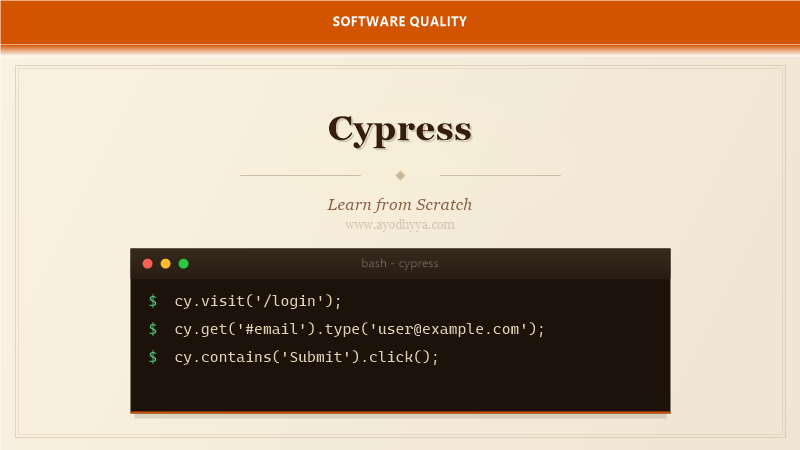
The first time I used Cypress, I was skeptical — another JavaScript testing tool? But after running my first test and watching the time-travel debugger highlight every command, I was hooked. Cypress fundamentally rethinks how end-to-end testing works by running inside the browser alongside your application.
This tutorial will guide you from installation to writing robust E2E suites. You will learn how Cypress handles async operations automatically, how to stub network requests, and how to integrate with your CI pipeline. If you have fought with flaky Selenium tests, Cypress will feel like a breath of fresh air.
Installing Cypress and Writing Your First Test
Cypress is installed via npm and runs as a developer dependency. Unlike Selenium, there is no separate driver binary — Cypress bundles its own Electron browser and manages everything. After installation, you open Cypress with npx cypress open, which launches the Test Runner.
The configuration file cypress.config.js lets you set baseUrl, viewport size, and environment variables. Cypress automatically creates an example folder structure. Your tests live in cypress/e2e and use a Mocha-like syntax with describe and it blocks.
describe('Login Flow', () => {
  it('logs in with valid credentials', () => {
    cy.visit('/login');
    cy.get('#email').type('user@example.com');
    cy.get('#password').type('secret123');
    cy.get('button[type="submit"]').click();
    cy.url().should('include', '/dashboard');
  });
});
Understanding Cypress Commands and Assertions
Cypress commands are asynchronous and chainable. Each command yields a subject that is passed to the next command. This chain is queued and executed serially. Cypress automatically waits for elements to appear and for assertions to pass, which eliminates most flakiness.
Assertions use Chai under the hood. You can chain .should() with built-in matchers like have.text, be.visible, or have.class. For custom assertions, you can write a .then() callback and use expect(). Cypress retries assertions until they pass or the timeout expires.
cy.get('.todo-list li')
  .should('have.length', 3)
  .first()
  .should('have.text', 'Write code');
Network Stubbing and Intercepts
One of Cypress's superpowers is the ability to intercept and stub network requests. With cy.intercept(), you can wait for a specific API call, modify its response, or even block it entirely. This makes your tests faster and more reliable because they do not depend on backend availability.
I use intercepts to simulate error states that are hard to reproduce manually — 500 errors, slow responses, empty data sets. You can also use intercept to verify that a request was made with the correct payload, which is invaluable for form submission testing.
cy.intercept('GET', '/api/todos', { fixture: 'todos.json' }).as('getTodos');
cy.visit('/todos');
cy.wait('@getTodos').its('response.statusCode').should('eq', 200);
Working with Fixtures and Custom Commands
Fixtures in Cypress are external data files — JSON, images, or text — that you load during tests. They live in the cypress/fixtures folder. Using fixtures keeps test data separate from test logic and makes it reusable across multiple tests.
Custom commands let you extend Cypress with reusable behavior. Define them in cypress/support/commands.js. For example, a cy.login() command can encapsulate the entire authentication flow. This reduces duplication and makes tests read more like specifications.
Cypress.Commands.add('login', (email, password) => {
  cy.session([email, password], () => {
    cy.visit('/login');
    cy.get('#email').type(email);
    cy.get('#password').type(password);
    cy.get('button').click();
    cy.url().should('include', '/dashboard');
  });
});
Component Testing with Cypress
Cypress evolved from an E2E tool into a full-featured component testing framework. With Cypress Component Testing, you can mount individual React, Vue, or Angular components and test them in isolation. This bridges the gap between unit tests and end-to-end tests.
Component tests run in a real browser with full CSS and JavaScript execution. You can test component behavior, styles, and interactions without spinning up the entire application. This is especially useful for design systems and shared UI libraries.
import { mount } from 'cypress/react';
import { Button } from './Button';
it('renders primary variant', () => {
mount();
cy.get('button').should('have.class', 'bg-blue-600');
});Cypress CI Integration and Best Practices
Running Cypress in CI is straightforward thanks to the cypress run command, which executes tests headlessly. Cypress provides a Docker image with all dependencies pre-installed. GitHub Actions, CircleCI, and Jenkins have official Cypress orb or plugin support.
For large test suites, use Cypress Dashboard to record test results, see screenshots of failures, and analyze flaky tests. Set up test retries in the config so that transient failures do not block your pipeline. Always tag your tests by environment to run the right subset in each stage.
npm install cypress --save-dev
npx cypress run --headless --browser chrome
npx cypress run --record --key your-dashboard-key
Frequently Asked Questions
Can Cypress test multiple browser tabs?
No, Cypress cannot switch between multiple open tabs because it runs in the same browser context. You can test multi-tab behavior by visiting URLs sequentially in the same tab.
How is Cypress different from Selenium?
Cypress runs in the browser alongside the application, giving it direct access to DOM, network, and JavaScript. Selenium controls the browser externally via WebDriver protocol. Cypress is generally faster and less flaky but only supports Chrome-family browsers and Electron.
Does Cypress support iframes?
Cypress has limited iframe support. You can access iframe content using .its() and .then() to reach into the iframe body, but the experience is not as seamless as regular element interactions.
What is the cy.session command for?
cy.session caches browser context — including cookies, localStorage, and sessionStorage — so you do not have to log in repeatedly across tests. It drastically speeds up suites that share authentication state.
Originally published on Ayodhyyya. Last updated June 1, 2026.