Tutorial: Learn Katalon Studio from Scratch (2026)
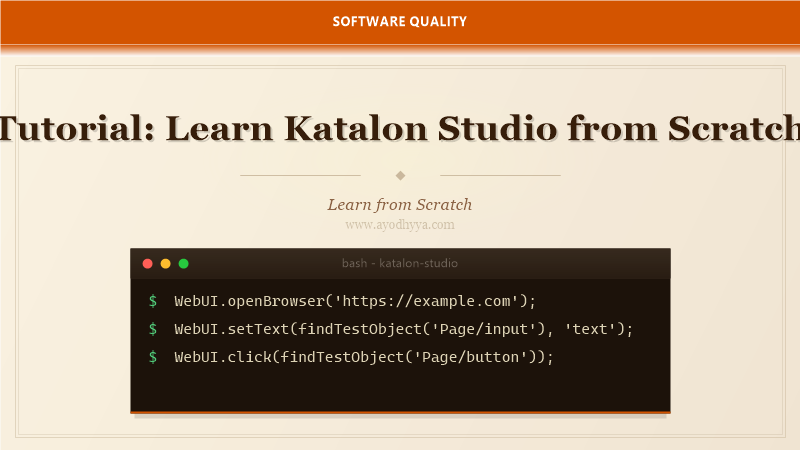
When I trained a team of manual testers to automate their regression suite, Katalon Studio was the tool that made it possible. Its codeless interface let them create tests without programming knowledge, while the advanced scripting mode gave experienced engineers full control. It is the rare tool that bridges the gap between technical and non-technical testers.
Katalon Studio supports web, mobile, API, and desktop testing in a single platform. It integrates with CI/CD tools, provides built-in reporting, and offers record-and-playback for rapid test creation. In this tutorial, you will learn the entire workflow from recording your first test to running it in CI.
Installing Katalon Studio and Recording Your First Test
Download Katalon Studio from the official website — it works on Windows, macOS, and Linux. The free tier supports all core features. After installation, create a new project and use the Record Web utility. Katalon opens a browser and starts capturing your actions.
Every click, type, and navigation becomes a test step in the Script view. You can switch between Manual view (keyword table) and Script view (Groovy code). The Object Repository stores all locators centrally. This recording process can create a working test in under five minutes.
import static com.kms.katalon.core.testobject.ObjectRepository.findTestObject
import com.kms.katalon.core.webui.keyword.WebUiBuiltInKeywords as WebUI

WebUI.openBrowser('https://example.com')
WebUI.setText(findTestObject('Page_Login/input_email'), 'user@example.com')
WebUI.setEncryptedText(findTestObject('Page_Login/input_password'), 'encrypted-pass')
WebUI.click(findTestObject('Page_Login/button_login'))
WebUI.closeBrowser()
Object Repository and Locator Strategies
The Object Repository is Katalon's central store for UI elements. Each object stores one or more locators — id, name, XPath, CSS — with a priority order. When one locator fails, Katalon falls back to the next. This built-in resilience reduces maintenance when the UI changes.
You can add objects manually or capture them during recording. I organize objects by page in a folder structure. The Smart XPath feature generates robust locators automatically. For dynamic elements, use XPath with variables or the built-in image recognition for non-standard UI components.
// Manual object definition in Object Repository
TestObject loginBtn = new TestObject()
loginBtn.addProperty('id', ConditionType.EQUALS, 'login-btn', true)
loginBtn.addProperty('xpath', ConditionType.EQUALS, '//button[@id='login-btn']', false)

WebUI.click(loginBtn)
Codeless Testing with Keywords and Test Cases
Katalon's Manual view presents tests as a table of keywords with parameters. Non-programmers can create and modify tests by filling in dropdown menus and text fields. The built-in keyword library covers browser actions, API requests, database queries, and file operations.
Custom keywords extend the library with Groovy code. Package them into a custom keyword class and they appear in the Manual view dropdown alongside built-in keywords. This layered approach lets each team member contribute at their skill level.
// Custom keyword class
class CustomKeywords {
  @Keyword
  def login(String email, String password) {
    WebUI.setText(findTestObject('Page_Login/input_email'), email)
    WebUI.setEncryptedText(findTestObject('Page_Login/input_password'), password)
    WebUI.click(findTestObject('Page_Login/button_login'))
  }
}
API Testing with Katalon Studio
Katalon includes a built-in API testing module. Create requests with the visual builder — select HTTP method, enter URL, add headers and body. Test responses with built-in assertions for status code, content type, and JSON path. Collections organize related requests.
Combine API and UI testing in the same test case. Use an API request to set up test data, then verify the data with a UI test. This hybrid approach leverages the speed of API calls for setup and the comprehensiveness of UI validation for end-to-end scenarios.
import internal.GlobalVariable
import com.kms.katalon.core.testobject.RequestObject
import com.kms.katalon.core.testobject.ResponseObject

RequestObject request = findTestObject('API/CreateUser')
ResponseObject response = WS.sendRequest(request)
WS.verifyResponseStatusCode(response, 201)
WS.verifyElementPropertyValue(response, 'name', 'Alice')
Data-Driven Testing with Excel and CSV
Katalon supports data-driven testing using Excel, CSV, or internal data files. Bind a test case to a data file, and Katalon runs the test once per row. Variables from the data file are accessible as GlobalVariable in scripts.
I store test data in Excel files with named columns. Each row represents one test iteration. The first row contains variable names that map to GlobalVariable. This separates test logic from test data, making it trivial to add new scenarios by adding rows to the spreadsheet.
// Bind to Excel data file
// Variables: username, password, expectedMessage

WebUI.setText(findTestObject('Page_Login/input_email'), GlobalVariable.username)
WebUI.setText(findTestObject('Page_Login/input_password'), GlobalVariable.password)
WebUI.click(findTestObject('Page_Login/button_login'))
WebUI.verifyTextPresent(GlobalVariable.expectedMessage, false)
CI/CD Integration and Test Reports
Katalon integrates with CI/CD tools via command-line execution. The katalonc CLI runs tests in non-GUI mode, supports parallel execution, and generates JUnit XML reports. Integrate with Jenkins, Azure DevOps, GitLab CI, or Bamboo.
Katalon TestOps provides analytics, test management, and execution history. It shows flaky test detection, execution trends, and release readiness. For open-source projects, the built-in HTML reports with screenshots and execution logs are sufficient for most needs.
katalonc -noSplash -runMode=console -projectPath=project.prj \
  -retry=0 -testSuitePath="Test Suites/Regression" \
  -executionProfile=staging -reportFolder=reports
Frequently Asked Questions
Is Katalon Studio free?
Katalon Studio has a free tier with web, API, and mobile testing. Advanced features like TestOps, parallel execution, and AI-powered test creation require a paid subscription. The free version is sufficient for small to medium projects.
Can Katalon test mobile applications?
Yes, Katalon supports iOS and Android testing through Appium integration. You can record mobile gestures, handle device-specific interactions, and run tests on real devices or emulators.
What programming language does Katalon use?
Katalon scripts are written in Groovy, which is based on Java. If you know Java, you can write Katalon scripts immediately. The Manual view does not require any programming.
How does Katalon handle dynamic elements?
Katalon uses Smart XPath with fallback locators, dynamic object properties with regular expressions, and image recognition for non-standard elements. The Object Repository can store multiple locators per object with configurable priority.
Originally published on Ayodhyyya. Last updated June 1, 2026.