Mockito Tutorial: Learn Mocking from Scratch (2026)
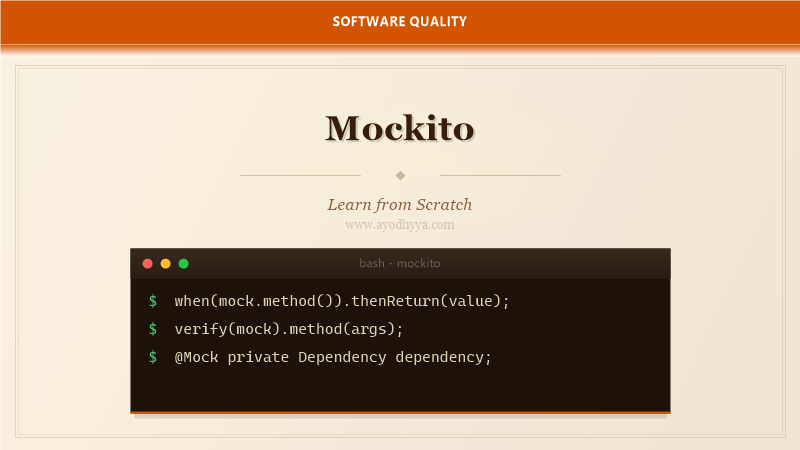
I used to spin up a full database just to test a simple service method. The tests were slow, brittle, and depended on the database state. Then I discovered Mockito, and everything changed. Mockito lets you isolate the code under test by replacing its dependencies with controllable mock objects.
Mockito is the most popular mocking framework for Java. It integrates seamlessly with JUnit and TestNG, and it makes writing focused, fast unit tests painless. In this tutorial, you will learn how to create mocks, stub method calls, verify interactions, and apply best practices for clean, maintainable tests.
Setting Up Mockito and Creating Mocks
Add the mockito-core and mockito-junit-jupiter dependencies to your project. With JUnit 5, use @ExtendWith(MockitoExtension.class) to enable Mockito's annotation processing. This extension initializes @Mock fields before each test and validates usage after each test.
The @Mock annotation creates a mock instance of a class or interface. Mockito also supports @Spy for partial mocking — a spy wraps a real object and lets you stub specific methods while keeping the rest. Use @InjectMocks to automatically inject mock dependencies into the object under test.
@ExtendWith(MockitoExtension.class)
class OrderServiceTest {
    @Mock private PaymentGateway paymentGateway;
    @Mock private InventoryService inventoryService;
    @InjectMocks private OrderService orderService;
Stubbing Methods with When and Then
Stubbing defines what a mock should return when a specific method is called. Use Mockito.when(mock.method()).thenReturn(value) for simple returns. For different results on successive calls, chain thenReturn(value1).thenReturn(value2). Use thenThrow() to simulate exception scenarios.
Mockito's default behavior is lenient — unstubbed methods return default values (null, 0, false). This can hide bugs. Use strict stubbing with MockitoExtension to fail tests when an unstubbed method is called. I enable strict stubbing by default in all my projects.
when(paymentGateway.charge(anyDouble())).thenReturn(true);
when(inventoryService.isInStock("SKU-123"))
    .thenReturn(true)
    .thenReturn(false);
Verifying Interactions and Behavior
Verification checks that specific interactions happened with the mock. Use verify(mock, times(n)).method() to assert call counts. Verify can check never(), atLeastOnce(), atMost(3), and timeout(100). Order-sensitive testing uses InOrder verification.
Argument matchers like any(), eq(), and argThat() make verifications flexible. The verifyNoMoreInteractions() method ensures no unexpected calls remain. I use verifyNoInteractions() on mocks that should not have been touched, such as a logger or metrics service in a fast-path scenario.
verify(paymentGateway).charge(49.99);
verify(inventoryService, times(2)).isInStock(anyString());
verifyNoMoreInteractions(inventoryService);
Argument Captors for Advanced Verification
ArgumentCaptor captures the arguments passed to a mocked method so you can inspect them. This is essential when the method builds a complex object internally and passes it to the dependency — you need to verify the object's state.
Use @Captor for clean declaration. After verify, call captor.getValue() to retrieve the captured argument or getAllValues() for multiple invocations. I use captors extensively when testing code that transforms data before sending it to an external dependency.
@Captor private ArgumentCaptor emailCaptor;

verify(emailService).send(emailCaptor.capture());
Email sent = emailCaptor.getValue();
assertEquals("user@example.com", sent.getTo());
Mocking Static Methods and Final Classes
Starting with Mockito 3.4, you can mock static methods and final classes using MockedStatic and MockedConstruction. This requires the mockito-inline artifact. Static mocking is useful for utility classes like Instant.now() or Collections.singletonList().
Always use try-with-resources for inline mocks — the mock is active only within the block, preventing leakage between tests. I limit static mocking to legacy code that cannot be refactored. For new code, prefer dependency injection over static methods.
try (MockedStatic mockedStatic = mockStatic(Instant.class)) {
    Instant fixed = Instant.parse("2026-01-01T00:00:00Z");
    mockedStatic.when(Instant::now).thenReturn(fixed);
    // test that depends on current time
}
Mockito Best Practices and Anti-Patterns
Over-mocking is a common pitfall. If you mock everything, your tests become tightly coupled to implementation details and break with every refactor. Test public behavior, not internal method calls. Use real objects for value objects and simple services; mock only what crosses boundaries.
Avoid using @InjectMocks for complex dependency graphs — it can silently inject mocks into the wrong fields. Prefer explicit constructor injection in your production code and create the object under test manually in your tests. This makes the wiring explicit and simplifies debugging.
// Prefer explicit construction over @InjectMocks for clarity
PaymentGateway gateway = mock(PaymentGateway.class);
InventoryService inventory = mock(InventoryService.class);
OrderService service = new OrderService(gateway, inventory);
Frequently Asked Questions
What is the difference between mock and spy in Mockito?
A mock creates a completely fake object with no real implementation — all methods return default values unless stubbed. A spy wraps a real object and uses its actual methods unless they are explicitly stubbed. Use mocks for dependencies and spies for legacy code you are gradually migrating.
Can Mockito mock private methods?
No, Mockito cannot mock private methods directly. This is by design — unit tests should test public behavior. If you feel the need to mock a private method, consider extracting it into a separate class or making it package-private for testability.
How do I reset a mock between tests?
Use reset(mock) to clear all stubbings and interactions. However, resetting is often a sign that the test needs refactoring. Creating fresh mocks in @BeforeEach is cleaner.
What does lenient() do in Mockito?
Lenient mode suppresses strict stubbing exceptions for a specific mock. Use it when you have a mock with many stubbings and not all are used in every test. Overuse can hide legitimate unused stub warnings.
Originally published on Ayodhyyya. Last updated June 1, 2026.