Tutorial: Learn Playwright from Scratch (2026)
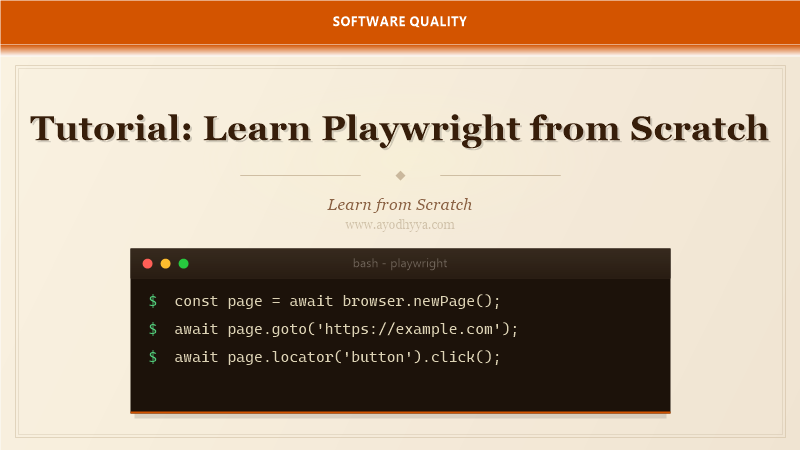
Playwright has quickly become my go-to browser automation framework. After years of working with Selenium, discovering Playwright felt like stepping into the future — cross-browser support out of the box, automatic waiting, and a rich set of debugging tools. Microsoft built it, and the open-source community has embraced it wholeheartedly.
In this tutorial, you will learn how to install Playwright, write tests for Chromium, Firefox, and WebKit, use the code generator to speed up test creation, and leverage the trace viewer for debugging. By the end, you will be able to automate any modern web application with confidence.
Installing Playwright and Writing Your First Script
Playwright is available for Node.js, Python, Java, and .NET. Install it via npm: npm install playwright. After installation, run npx playwright install to download browser binaries. Playwright bundles its own browsers so you do not need system-level installations.
Your first script launches a browser, navigates to a URL, and takes a screenshot. Playwright's API is clean and consistent across languages. The browser context isolates sessions, similar to incognito mode, making it easy to test multi-user scenarios without shared state.
const { chromium } = require('playwright');
(async () => {
  const browser = await chromium.launch();
  const page = await browser.newPage();
  await page.goto('https://example.com');
  await page.screenshot({ path: 'example.png' });
  await browser.close();
})();
Auto-Waiting and Locators
One of Playwright's standout features is auto-waiting. Before performing actions like click or fill, Playwright automatically waits for the element to be attached, visible, and stable. This eliminates the flakiness caused by race conditions in traditional WebDriver tests.
Locators in Playwright are strict and resilient. Use page.locator() with CSS or text selectors. The getByRole, getByText, getByTestId, and getByPlaceholder methods provide semantic ways to find elements. Playwright retries locator actions until the element meets the actionability checks.
const searchBox = page.locator('input[name="q"]');
await searchBox.fill('Playwright testing');
await searchBox.press('Enter');
await page.waitForURL('**/search?q=**');
Codegen and Trace Viewer
Playwright's code generator records your browser interactions and produces the corresponding test code. Run npx playwright codegen to open two windows: the browser and the Playwright Inspector. Every click, type, and navigation is translated into code in real time.
The Trace Viewer records a full trace of your test execution, including DOM snapshots, network logs, and console messages. Open traces with npx playwright show-trace trace.zip. This is invaluable for debugging flaky tests — you can replay each step and inspect exactly what the browser saw.
npx playwright codegen https://example.com
npx playwright show-trace trace.zip
Cross-Browser Testing with Playwright
Playwright supports Chromium, Firefox, and WebKit with a single API. Create a config file that defines projects for each browser. Run all tests across all browsers with npx playwright test. Each browser runs in parallel by default.
Browser-specific differences in layout, API support, and performance are surfaced instantly. I run the full test suite against all three browsers in CI. The overhead of maintaining browser-specific code is virtually zero because Playwright abstracts the differences.
// playwright.config.js
module.exports = {
  projects: [
    { name: 'chromium', use: { browserName: 'chromium' } },
    { name: 'firefox', use: { browserName: 'firefox' } },
    { name: 'webkit', use: { browserName: 'webkit' } },
  ],
};
Network Interception and Mocking
Playwright can intercept and modify network requests at any point. Use page.route() to block, modify, or stub API calls. This is critical for testing frontend behavior without depending on backend availability.
You can also mock API responses by fulfilling routes with custom data. Combine network mocking with Playwright's request handling to test error states, slow networks, and empty responses. This makes your frontend tests deterministic and fast.
await page.route('**/api/users', route => {
  route.fulfill({
    status: 200,
    body: JSON.stringify([{ id: 1, name: 'Mock User' }])
  });
});
await page.goto('https://example.com/users');
Playwright Test Runner and CI Integration
Playwright's built-in test runner provides test fixtures, assertions, and reporting. Tests are written as async functions with expect assertions. The test runner handles setup and teardown via fixtures like page, context, and browser.
For CI, Playwright offers a Docker image with all system dependencies pre-installed. GitHub Actions, Azure Pipelines, and Jenkins all have first-class Playwright support. Use the --reporter=html flag to generate detailed HTML reports with screenshots and traces attached to each failed test.
import { test, expect } from '@playwright/test';

test('homepage has correct title', async ({ page }) => {
  await page.goto('https://example.com');
  await expect(page).toHaveTitle(/Example/);
});
Frequently Asked Questions
How is Playwright different from Selenium?
Playwright runs browser automation via the Chrome DevTools Protocol and CDP for Chromium, and similar protocols for Firefox and WebKit. It auto-waits for elements, has built-in network interception, and supports modern web features like shadow DOM and service workers natively.
Does Playwright support mobile browsers?
Yes, Playwright can emulate mobile devices by setting viewport size, user agent, and device scale factor. It also supports geolocation, permissions, and orientation emulation for mobile testing.
What is the trace viewer in Playwright?
The trace viewer records every action, network request, console log, and DOM snapshot during test execution. You can replay the test step by step and inspect the state at each point, making debugging much easier.
Can Playwright test single-page applications?
Playwright excels at testing SPAs. It waits for JavaScript rendering, handles client-side routing, and can intercept XHR/fetch requests. The auto-waiting mechanism handles async rendering without explicit waits.
Originally published on Ayodhyyya. Last updated June 1, 2026.