Postman Tutorial: Learn API Testing from Scratch (2026)
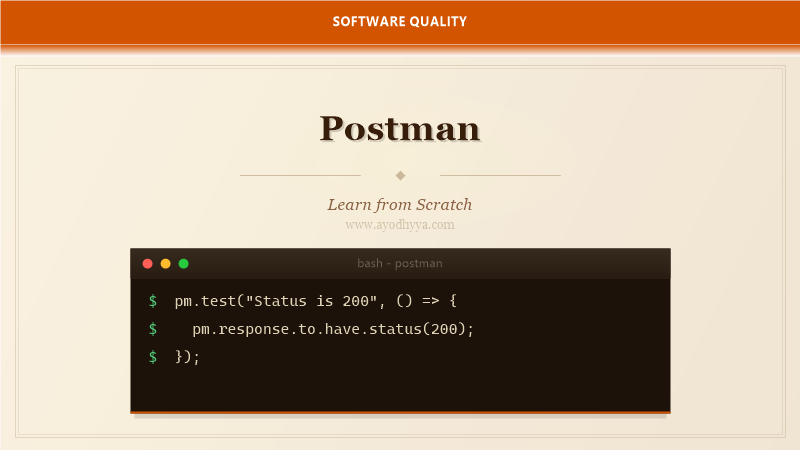
I remember debugging an API integration at 2 AM, manually crafting curl commands and squinting at JSON responses. Postman transformed that workflow entirely. It gives you a graphical interface for building requests, inspecting responses, and organizing API tests — all without leaving the tool.
Postman has evolved from a simple HTTP client into a complete API development platform. You can write tests in JavaScript, automate collections with the Collection Runner, mock servers, and generate API documentation. This tutorial covers everything you need to use Postman effectively for API testing.
Getting Started with Postman: Requests and Collections
Postman runs as a standalone desktop application. After installation, you start by sending your first request: enter the URL, select HTTP method, add headers or body, and click Send. The response appears with status code, headers, and body in a readable format.
Collections group related requests together. Think of a collection as a project folder — it organizes endpoints for a specific API. You can export collections as JSON and share them with your team. Variables at the collection level let you define common values like base URLs and tokens that are reused across all requests.
pm.test("Status code is 200", function () {
    pm.response.to.have.status(200);
});

pm.test("Response time is less than 500ms", function () {
    pm.expect(pm.response.responseTime).to.be.below(500);
});
Writing Test Scripts in Postman
Postman tests are JavaScript functions in the Tests tab. The pm object provides access to request and response data. Use pm.test() to define a test with a name and assertion function. Assertions use the Chai assertion library via pm.expect().
You can test response status, headers, body content, and response time. For JSON APIs, use pm.response.json() to parse the body and pm.expect to validate specific fields. I also check content-type headers and schema structures to ensure the API contract is honored.
const jsonData = pm.response.json();
pm.test("User data matches expected structure", function () {
    pm.expect(jsonData).to.have.property("id");
    pm.expect(jsonData).to.have.property("email");
    pm.expect(jsonData.email).to.match(/^\S+@\S+\.\S+$/);
});
Using Variables and Environments
Postman variables work like programming variables. Use {{variable_name}} syntax in URLs, headers, and body. Set variables programmatically using pm.variables.set(), pm.environment.set(), or pm.collectionVariables.set().
Environments are sets of variables scoped to a deployment target — development, staging, production. Switching environments changes the base URL and credentials automatically. I always store sensitive values like API keys as secret variables, which are encrypted and hidden in exports.
pm.environment.set("baseUrl", "https://api.staging.example.com");
pm.environment.set("authToken", pm.response.json().token);

// In subsequent requests:
// Authorization: Bearer {{authToken}}
Collection Runner and Newman for CI
The Collection Runner executes all requests in a collection sequentially, running their tests, and generating a summary report. You configure iteration count and data files for data-driven runs. A CSV or JSON data file feeds different values into your variables on each iteration.
Newman is Postman's command-line companion. Run collections from the terminal or integrate them into CI pipelines via newman run collection.json. Newman supports reporters for JUnit XML, HTML, and JSON output. In CI, I use the JUnit reporter so test results integrate with existing dashboards.
newman run MyAPI.postman_collection.json \
  --environment Staging.postman_environment.json \
  --iteration-count 10 \
  --reporters junit,cli \
  --reporter-junit-export results.xml
Mock Servers and API Documentation
Postman Mock Servers simulate API responses based on saved examples in your collection. This is invaluable when the backend is not ready yet — you design the contract in Postman, mock it, and frontend teams can start integration immediately.
Postman also generates API documentation from your collection. It creates a web page with all endpoints, example requests, and responses. You can publish documentation with a click and optionally make it public with a custom domain. This replaces standalone API documentation tools for many teams.
// Mock server example response
{
    "status": "mocked",
    "data": {
        "id": 1,
        "name": "Mock User",
        "email": "mock@example.com"
    }
}
Pre-request Scripts and Workflow Automation
Pre-request scripts run before each request. Use them to set dynamic variables, compute signatures, generate timestamps, or refresh expired tokens. This is essential for APIs that require request signing or have short-lived authentication tokens.
The setNextRequest() function controls the flow within a collection. You can skip requests, loop back, or jump to a specific request based on conditions. This turns a linear collection into a dynamic workflow that adapts to the API's responses.
// Pre-request script: generate timestamp
const timestamp = Date.now();
pm.variables.set("timestamp", timestamp);

// Conditional workflow in Tests tab
if (pm.response.code === 401) {
    postman.setNextRequest("Refresh Token");
} else {
    postman.setNextRequest(null); // continue normal flow
}
Frequently Asked Questions
What is the difference between Postman and Insomnia?
Both are API clients with similar features. Postman has a larger ecosystem including collections, workspaces, mock servers, and monitoring. Insomnia is lighter and faster. Postman is better for teams; Insomnia is great for individual developers.
Can Postman test GraphQL APIs?
Yes, Postman supports GraphQL natively. Select the POST method, enter the GraphQL endpoint, and use the GraphQL body type. You can write tests and scripts just like with REST endpoints.
How do I share collections with my team?
Postman workspaces let you share collections, environments, and mock servers. Collections can be private within a workspace or shared via a public link. You can also export collections as JSON and commit them to version control.
What is the purpose of the Postman Interceptor?
The Interceptor is a browser extension that captures cookies and requests from your browser into Postman. It is useful for debugging authenticated sessions or capturing API calls that a web application makes.
Originally published on Ayodhyyya. Last updated June 1, 2026.