SoapUI Tutorial: Learn Web Service Testing from Scratch (2026)
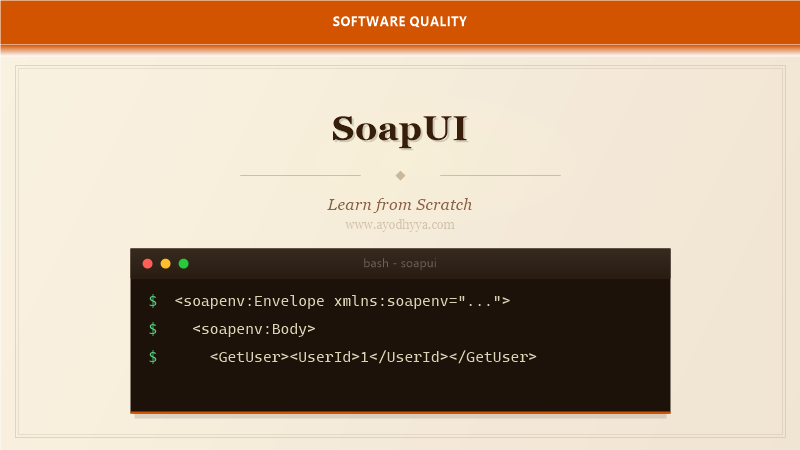
When I started working with SOAP web services, the XML was overwhelming. WSDL files, SOAP envelopes, namespaces, and XSD schemas — it felt like learning a new language. SoapUI made that learning curve manageable by providing a visual interface for building SOAP requests and validating responses.
SoapUI is the leading tool for SOAP and REST web service testing. Its open-source version handles functional testing, load testing, and security scanning for web services. In this tutorial, I will guide you through creating projects from WSDLs, building assertions, scripting with Groovy, and automating your tests.
Creating a SoapUI Project from a WSDL
SoapUI projects start from a WSDL (Web Services Description Language) file, which describes the service's operations, messages, and endpoints. Point SoapUI at the WSDL URL, and it generates request skeletons for every operation. This automatic generation is what makes SoapUI so powerful — no manual XML crafting.
After import, you will see a tree structure: the service, its bindings, operations, and requests. Each operation shows the SOAP request format with placeholder values. Fill in the placeholders and click the green arrow to send the request and see the response.
123
Building Assertions for SOAP Responses
Assertions in SoapUI validate that the SOAP response meets expectations. Right-click a TestStep and add assertions: SOAP Response (validates the envelope structure), Contains (checks for a string), XPath Match (validates a specific node value), and Response SLA (checks response time).
For complex XML validation, use the XPath and XQuery assertions. These let you extract values from the XML tree and compare them against expected results. I also use the Not SOAP Fault assertion to ensure the service did not return an error, and the Schema Compliance assertion to validate against the WSDL's XSD.
         Alice Johnson
         alice@example.com
Working with Properties and Data-Driven Tests
SoapUI uses properties — configurable values that can be scoped at the project, test suite, test case, or request level. Property expansion syntax ${#PropertyScope#PropertyName} lets you reference these values anywhere in your requests, assertions, or scripts.
For data-driven testing, use the DataSource TestStep with Excel, CSV, or XML files. Each row feeds values into properties, and SoapUI runs the subsequent TestSteps once per row. The DataSource Loop TestStep controls the iteration. This pattern is essential for testing web services with multiple input combinations.
// Groovy script property expansion
{
  "UserId": "${#Project#UserId}",
  "AuthToken": "${#TestCase#AuthToken}"
}
Scripting Test Logic with Groovy
Groovy scripts in SoapUI add dynamic behavior that assertions alone cannot achieve. Use a Groovy Script TestStep to transform data, call external APIs, generate complex test data, or perform custom validations. The context object provides access to properties, messages, and the SoapUI model.
I use Groovy scripts to chain requests — extract a value from one response and feed it into the next request. For example, create a user, extract the user ID with an XPath expression, and pass it to the GetUser operation. This automation of multi-step workflows is where SoapUI truly shines.
def response = context.expand('${CreateUser#Response}')
def xml = new XmlSlurper().parseText(response)
def userId = xml.Body.CreateUserResponse.UserId.text()
testRunner.testCase.setPropertyValue("UserId", userId)
Load Testing with SoapUI
SoapUI's load testing capabilities let you apply concurrent virtual users to your web service. Add a LoadTest to a TestCase, configure the number of threads, delay strategy, and limit. During execution, SoapUI shows real-time metrics: throughput, average response time, error count, and active threads.
For realistic load tests, use the Strategy options: Simple (constant load), Burst (spike), Variance (fluctuating), and ThreadCountChange (ramp-up). The LoadTest Report at the end provides detailed statistics and percentiles. I always run a warm-up phase of 30 seconds before measuring to allow JIT compilation to stabilize.
LoadTest Configuration:
  Threads: 50
  Strategy: ThreadCountChange
  Start Delay: 1000 ms
  Limit: 600 seconds
Security Testing and CI Integration
SoapUI Pro includes security testing scans, but the open-source version still supports basic security assertions. Check for SQL injection patterns in inputs, verify that error messages do not leak stack traces, and ensure TLS is enforced. The Security Test TestStep automates these checks.
For CI integration, use SoapUI's command-line testrunner. It executes projects in non-GUI mode and generates JUnit XML reports. Integrate with Jenkins, GitLab CI, or Azure DevOps. The testrunner supports all command-line options for properties and test selection.
testrunner.bat -s "TestSuite" -c "TestCase" -r -j -f report/
# -s suite, -c case, -r generate report, -j JUnit XML, -f output folder
Frequently Asked Questions
What is the difference between SoapUI and Postman?
SoapUI specializes in SOAP web services with native WSDL support, XML assertions, and load testing. Postman focuses on REST APIs with a modern UI and JavaScript scripting. SoapUI handles SOAP better; Postman handles REST better.
Do I need a WSDL to use SoapUI?
For SOAP services, yes — the WSDL defines the contract. For REST services, SoapUI can work without a WSDL (or with a WADL), but the WSDL gives you automatic request generation and schema validation.
What is Groovy and why does SoapUI use it?
Groovy is a JVM scripting language with Java-compatible syntax. SoapUI uses Groovy because it integrates deeply with Java libraries, has concise XML parsing (XmlSlurper), and requires no compilation step.
Can SoapUI test REST APIs?
Yes, SoapUI supports REST API testing with JSON and XML. You can import a WADL or create requests manually. However, SoapUI's REST support is less polished than its SOAP support — for heavy REST work, Postman or RestAssured may be better.
Originally published on Ayodhyyya. Last updated June 1, 2026.