TestNG Tutorial: Learn Testing Framework from Scratch (2026)
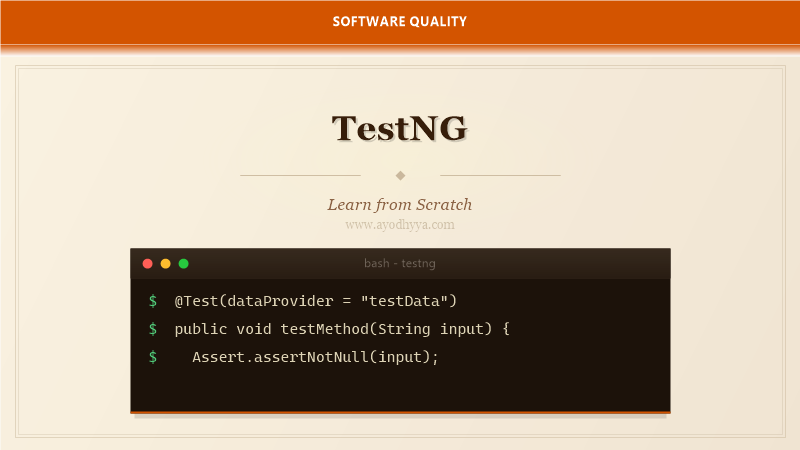
When I moved from JUnit to TestNG years ago, the first thing that struck me was how much flexibility it offered for organizing and configuring tests. TestNG was designed to cover all categories of testing — unit, functional, integration, and end-to-end — with a unified approach. Its name stands for Test Next Generation, and it truly delivered.
In this tutorial, I will show you how to use TestNG's powerful features: annotations, data providers, parallel execution, grouping, and listeners. Whether you are writing a simple unit test or orchestrating a complex suite of browser automation tests, TestNG gives you the control you need.
Installing TestNG and Writing Your First Test
TestNG integrates with Maven, Gradle, and Ant. Add the testng dependency to your pom.xml — the groupId is org.testng and the artifactId is testng. Unlike JUnit, TestNG does not require a runner class; you can run tests directly from your IDE or via the Maven Surefire plugin.
A TestNG test is a method annotated with @Test. Assertions use the Assert class with methods like assertEquals, assertTrue, and assertNotNull. TestNG's assertions include a message parameter and support soft assertions via the SoftAssert class, which collects failures without stopping the test.
import org.testng.annotations.Test;
import org.testng.Assert;

public class CalculatorTest {
    @Test
    public void shouldAddNumbers() {
        Assert.assertEquals(calculator.add(2, 3), 5, "Addition failed");
    }
}
Understanding TestNG Annotations and Lifecycle
TestNG provides lifecycle annotations: @BeforeSuite, @BeforeTest, @BeforeClass, @BeforeMethod, @AfterMethod, @AfterClass, @AfterTest, @AfterSuite. These hooks give you precise control over setup and teardown at every level of the test hierarchy.
The difference between @BeforeTest and @BeforeClass is a common point of confusion. @BeforeTest runs before any test method in a
@BeforeSuite
public void setupSuite() {
    // Initialize database connection
}

@BeforeMethod
public void setupMethod() {
    // Initialize test data
}
Data Providers for Parameterized Testing
TestNG's @DataProvider is a powerful feature for data-driven testing. A data provider is a method that returns Object[][]. Each Object[] represents one invocation of the test method, with elements matching the test method's parameters. Data providers can be in the same class or in separate classes.
You can use the INDICES attribute to run specific rows, or parallel=true to run data sets concurrently. For large data sets, I load data from Excel or JSON files inside the provider method, keeping the test logic clean and the data external.
@DataProvider(name = "userData", parallel = true)
public Object[][] provideUsers() {
    return new Object[][] {
        {"alice", "pass1", 25},
        {"bob", "pass2", 30}
    };
}

@Test(dataProvider = "userData")
public void shouldProcessUser(String name, String pass, int age) {
    Assert.assertTrue(userService.register(name, pass, age));
}
Test Groups and Dependencies
Groups let you categorize tests and run specific subsets. A test can belong to multiple groups using the groups attribute. You can define group-level setup with @BeforeGroups and @AfterGroups. In the XML suite file, you include or exclude groups to configure what runs in each environment.
Dependencies declare that one test must run before another. Use dependsOnMethods or dependsOnGroups. This is useful for integration tests where one test sets up state that the next test consumes. Be careful not to create circular dependencies, which TestNG will detect and report at runtime.
@Test(groups = {"smoke", "regression"})
public void testLogin() { ... }

@Test(dependsOnGroups = {"smoke"})
public void testCheckout() { ... }
Parallel Test Execution
TestNG can run tests in parallel at the method, class, or suite level. Configure this in the XML suite file or via the @Test annotation's parallel attribute. Parallel execution dramatically reduces build times for large test suites.
When implementing parallel tests, thread safety is critical. Use ThreadLocal for shared resources like WebDriver instances. TestNG provides the ITestContext interface to access current test information within each thread, helping you manage test-specific state without collisions.
Listeners and Reporting
TestNG listeners hook into the test lifecycle to perform cross-cutting concerns like logging, reporting, and screenshot capture. Implement ITestListener to react to test start, pass, fail, and skip events. ISuiteListener handles suite-level events.
TestNG generates a default HTML report and an XML report that CI tools can parse. For custom reporting, extend TestListenerAdapter or use reporters like ReportNG or Allure. The emailable-report.html is a self-contained report you can share with the team without additional tooling.
public class CustomListener implements ITestListener {
    @Override
    public void onTestFailure(ITestResult result) {
        System.out.println("Test failed: " + result.getName());
        captureScreenshot(result);
    }
}
Frequently Asked Questions
What is the difference between TestNG and JUnit?
TestNG offers more features out of the box: data providers, test groups, parallel execution, suite XML configuration, and dependency management. JUnit 5 has caught up with many of these features, but TestNG's XML suite configuration remains more flexible for complex scenarios.
How do I pass parameters from the XML suite to a test?
Define
What is a SoftAssert and when should I use it?
SoftAssert collects assertion failures and reports them all at the end of the test, rather than failing immediately. Use it when you want to verify multiple conditions in one test and see all failures at once.
Can TestNG run tests in a specific order?
Yes, by default TestNG runs methods in alphabetical order, or you can use dependsOnMethods to define explicit order. In the XML suite, the
Originally published on Ayodhyyya. Last updated June 1, 2026.