Astro Tutorial: Learn Islands Architecture from Scratch (2026)
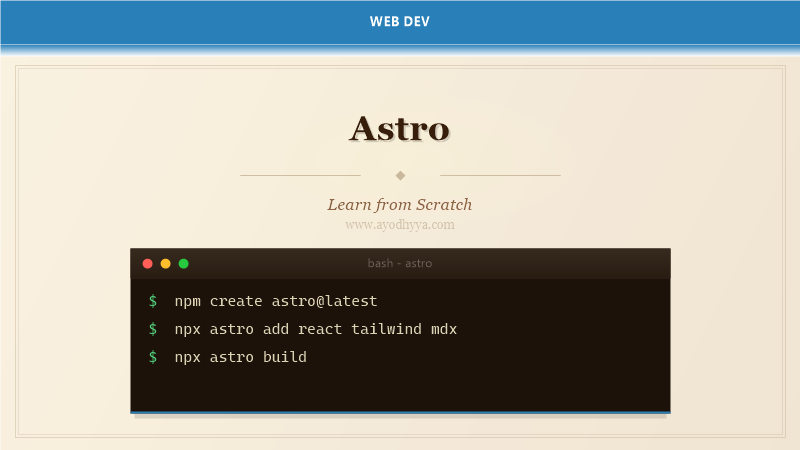
Astro is a modern static site builder that delivers lightning-fast performance by shipping zero JavaScript by default. Released in 2022 by the Astro team, it introduced islands architecture — a pattern where interactive components are isolated and hydrated independently, leaving the rest of the page as static HTML. This approach dramatically reduces bundle size and improves Core Web Vitals.
Astro supports multiple UI frameworks (React, Vue, Svelte, SolidJS) in the same project, content collections for type-safe Markdown/MDX, and on-demand server rendering via adapters. Its partial hydration strategy means only interactive components send JavaScript to the browser.
Islands Architecture and Partial Hydration
Islands architecture renders the entire page as static HTML, then hydrates only interactive components using the client:* directives. A login button with client:load loads its JavaScript immediately, while a comments section with client:visible loads when scrolled into view. This eliminates the need to hydrate the entire page tree — a fundamental difference from Next.js and Gatsby.
Each island is independently mountable, meaning multiple frameworks can coexist on the same page without conflict. Astro’s compiler strips all non-interactive JavaScript at build time, so static content never ships a single byte of JS.
---
// Component usage in Astro
import ReactCounter from '../components/Counter.jsx';
import VueSlider from '../components/Slider.vue';
import SvelteAccordion from '../components/Accordion.svelte';
---


  Welcome to Astro
  This text is pure HTML, zero JS overhead.
Content Collections and Type Safety
Content collections bring schema-based Markdown and MDX to Astro. Define a schema in src/content/config.ts, then every frontmatter field is validated and type-checked at build time. The collection API provides query methods like getCollection() and getEntry() with autocompletion.
Collections support drafts, custom slug generation, and image optimization. Blog posts, documentation pages, and product listings all benefit from validated frontmatter with TypeScript inference throughout your templates.
// src/content/config.ts
import { defineCollection, z } from 'astro:content';

const blogCollection = defineCollection({
  type: 'content',
  schema: z.object({
    title: z.string(),
    pubDate: z.date(),
    description: z.string().max(160),
    tags: z.array(z.string()).default([]),
    draft: z.boolean().default(false),
    image: z.object({ url: z.string(), alt: z.string() }).optional(),
  }),
});

export const collections = { blog: blogCollection };

// src/pages/blog/[...slug].astro
---
export async function getStaticPaths() {
  const posts = await getCollection('blog');
  return posts.map(post => ({ params: { slug: post.slug }, props: { post } }));
}

const { post } = Astro.props;
const { Content } = await post.render();
---


  {post.data.title}
Routing and File-Based Pages
Astro uses file-based routing in the src/pages directory. Files named index.astro map to /, [param].astro handles dynamic segments, and [...slug].astro catches all paths. Layouts wrap page content and can be nested. The frontmatter block runs server-side code at build time or on request.
Page components render the full HTML response. Endpoints return JSON or other formats for API routes. Astro supports prerendering, server-side rendering, and hybrid modes mixing both in a single project.
src/pages/
  index.astro          # /
  about.astro          # /about
  blog/
    index.astro        # /blog
    [slug].astro       # /blog/hello-world
    [...slug].astro    # /blog/2026/07/09/post-title
  api/
    posts.ts           # /api/posts (JSON endpoint)

// src/pages/blog/[slug].astro
---
export async function getStaticPaths() {
  const posts = await getCollection('blog');
  return posts.map(post => ({
    params: { slug: post.slug },
    props: { post },
  }));
}

const { post } = Astro.props;
---


    {post.data.title}
Integrations and Adapters
Integrations add framework support, SEO features, and performance tools to Astro. The @astrojs/react, @astrojs/vue, and @astrojs/svelte integrations enable multi-framework components. @astrojs/mdx adds MDX support, @astrojs/sitemap generates XML sitemaps, and @astrojs/image optimizes images at build time.
Adapters deploy Astro to different runtimes: @astrojs/vercel, @astrojs/netlify, @astrojs/node, and @astrojs/cloudflare. SSR adapters enable server-side rendering and API routes. Static adapters produce fully static output. Each adapter configures the output format for its platform.
// astro.config.mjs
import { defineConfig } from 'astro/config';
import react from '@astrojs/react';
import mdx from '@astrojs/mdx';
import sitemap from '@astrojs/sitemap';
import vercel from '@astrojs/vercel/static';

export default defineConfig({
  site: 'https://example.com',
  integrations: [react(), mdx(), sitemap()],
  output: 'server',
  adapter: vercel(),
  image: { service: { entrypoint: 'astro/assets/services/sharp' } },
});

// npm install @astrojs/react @astrojs/mdx @astrojs/sitemap @astrojs/vercel
Data Fetching and Server Endpoints
Astro supports server-side data fetching in the component frontmatter. Use top-level await to fetch from APIs, databases, or local files. For dynamic data, define API endpoints as .ts files in pages/api/ that export GET, POST, etc. functions.
With SSR adapters, Astro endpoints handle form submissions, authentication, and database queries. The Astro.request object provides access to request headers, cookies, and URL parameters. Server islands combine cached static content with live server data.
---
// Fetch data in page frontmatter (compile-time or server-side)
const response = await fetch('https://api.github.com/repos/withastro/astro');
const repo = await response.json();

// Or query from a database
import db from '../db';
const posts = await db.query('SELECT * FROM posts ORDER BY created_at DESC');
---

{repo.full_name}
Stars: {repo.stargazers_count}


export async function GET({ params, request }) {
  const posts = await db.query('SELECT * FROM posts');
  return new Response(JSON.stringify(posts), {
    headers: { 'Content-Type': 'application/json' },
  });
}
Styling and Asset Management
Styles in Astro are scoped by default — CSS defined in a style tag is automatically scoped to that component. You can also import global CSS files, use CSS modules for explicit scoping, or integrate Tailwind CSS via the @astrojs/tailwind integration.
The public/ directory serves static assets like robots.txt and favicons unprocessed. The src/assets/ directory works with Astro’s image optimization pipeline. Imports of images in frontmatter return optimized ImageMetadata objects with dimensions and formats.
---
import logo from '../assets/logo.png';
import '../styles/global.css';
---

Scoped heading
This style won't leak outside this component.
Tailwind-styled card
Frequently Asked Questions
What makes Astro different from Next.js?
Astro ships zero JavaScript by default using islands architecture, while Next.js hydrates entire pages. Astro is ideal for content-heavy sites; Next.js excels at full-featured web apps with client-side interactivity.
Can Astro build full-stack applications?
Yes. With SSR adapters, Astro supports API endpoints, form handling, authentication, and database access. For highly interactive client-side features, you embed React/Vue/Svelte components as islands.
How does Astro handle images?
Astro’s built-in Image component optimizes images at build time with Sharp. It generates responsive srcsets, converts to WebP/AVIF, and adds lazy loading. The @astrojs/image integration provides additional transforms.
What is view transitions in Astro?
Astro supports the View Transitions API for smooth page transitions between static pages. The
Originally published on Ayodhyyya. Last updated June 1, 2026.