HTMX Tutorial: Learn Modern HTML from Scratch (2026)
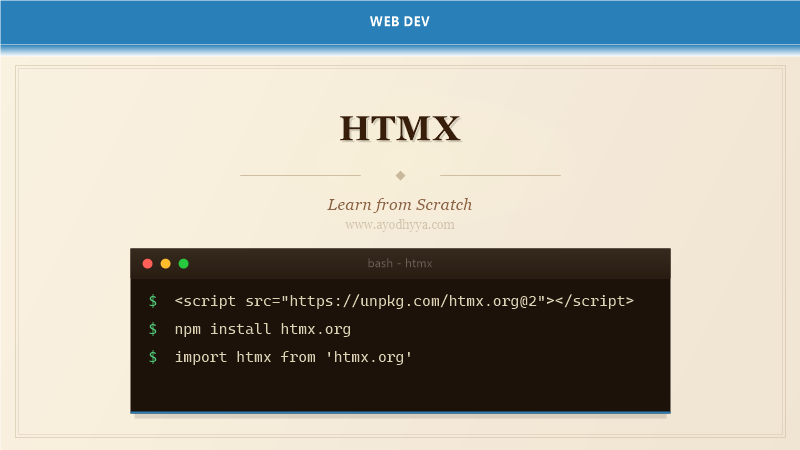
HTMX is a lightweight JavaScript library that extends HTML with attributes for making AJAX requests, triggering events, and swapping content — all without writing JavaScript. Created by Carson Gross, HTMX lets you build modern, dynamic web applications by adding attributes directly to HTML elements, making the hypertext the driver of your application.
HTMX provides access to AJAX, CSS transitions, WebSockets, and Server-Sent Events via HTML attributes. It integrates with any backend that returns HTML, making it a powerful alternative to heavy JavaScript frameworks for server-rendered applications.
Core Attributes: hx-get, hx-post, hx-put, hx-delete
HTMX core attributes trigger AJAX requests from any HTML element. hx-get issues a GET request, hx-post sends POST, hx-put for PUT, and hx-delete for DELETE. The response from the server replaces the element's inner content by default.
You can specify a URL directly or use a dynamic value. Combine with hx-trigger to control when the request fires — click (default for buttons), change (for inputs), or custom events.
Trigger Modifiers and Events
The hx-trigger attribute controls when requests fire. Modifiers include delay (debounce), throttle, once, and changed (only when value changes). Load triggers fire when the element loads, reveal fires when scrolled into view, intersect fires based on Intersection Observer.
You can combine multiple triggers with commas and use keyboard shortcuts like keyup, click, mouseenter. Custom events from JavaScript can also trigger HTMX requests, enabling inter-component communication.
Load more...
Targeting and Swapping Content
hx-target specifies which element receives the server response. It accepts CSS selectors, this, closest, next, previous, or find keywords. hx-swap controls how the content is inserted: innerHTML (default), outerHTML, beforebegin, afterbegin, beforeend, afterend, or none.
Swap modifiers include settle (delay before settling), show (scroll target into view), focus-scroll (focus and scroll), and swap/transition durations. The hx-push-url attribute updates the browser URL via history.pushState.
Including Data with hx-vals and Parameters
hx-vals includes additional data in the request as JSON object. hx-params controls which parameters are submitted — only specified params, exclude certain ones, or all (default). hx-include adds values from other elements to the request.
For forms, HTMX serializes all form inputs automatically. You can include extra elements with hx-include, and hx-vals can include dynamic values from JavaScript expressions using js: prefix or from other element values using closest and find selectors.
Server Responses and Processing
HTMX expects the server to return HTML fragments — not JSON. The response replaces or is inserted into the target element. Server-side frameworks like Django, Flask, Rails, Laravel, and ASP.NET can all return partial HTML templates for HTMX requests.
HTTP response headers control HTMX behavior: HX-Redirect for client-side navigation, HX-Refresh to reload the page, HX-Trigger to fire events on the client, HX-Location for navigation with history. The HX-Request header identifies HTMX requests on the server.
# Python (Flask) server example
@app.route('/api/posts')
def get_posts():
    posts = Post.query.all()
    return render_template('_post_list.html', posts=posts)

# Django example
from django.shortcuts import render

def post_list(request):
    posts = Post.objects.all()
    if request.headers.get('HX-Request'):
        return render(request, 'blog/_posts.html', {'posts': posts})
    return render(request, 'blog/full_page.html', {'posts': posts})

# Response headers for HTMX
response = render_template('_partial.html', data=data)
response.headers['HX-Trigger'] = 'post-created'
return response
Integration with Backend Frameworks
HTMX works with any backend that returns HTML. In Django, return partial templates for HTMX requests and full templates for direct requests. Flask and FastAPI render templates with Jinja2. Laravel returns Blade partials. HTMX's HX-Request header lets servers distinguish HTMX from regular requests.
HTMX can progressively enhance existing applications — add attributes to your existing HTML templates and deploy server-side partials. CSS transitions animate content swaps using the htmx-added, htmx-swapping, and htmx-settling classes. The hx-boost attribute turns all links and forms in a container into AJAX requests.
if request.headers.get('HX-Request'):
template = 'blog/_post_list.html'
else:
template = 'blog/full_page.html'
@foreach($posts as $post)
{{ $post->title }}
{{ $post->excerpt }}
@endforeach