Redux Tutorial: Learn State Management from Scratch (2026)
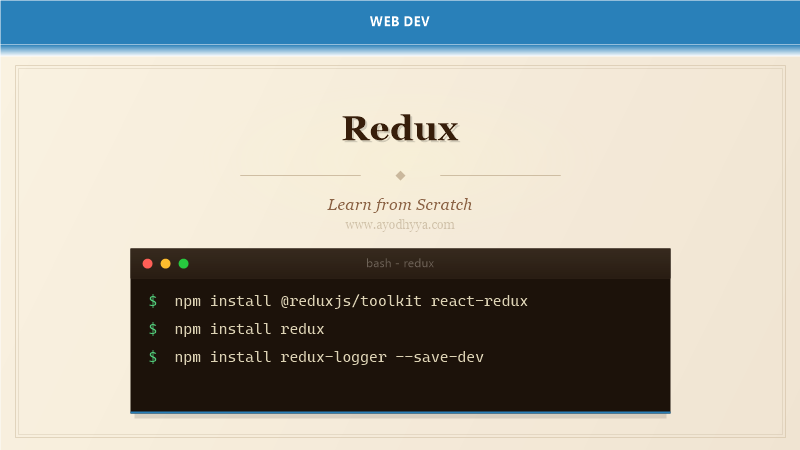
Redux is a predictable state container for JavaScript applications. Created by Dan Abramov and Andrew Clark in 2015, Redux provides a centralized store that makes state mutations predictable through pure reducer functions. While commonly used with React, Redux works with any JavaScript framework.
Redux follows three core principles: single source of truth (one store), state is read-only (only changed by dispatching actions), and changes are made with pure functions (reducers). Modern Redux uses Redux Toolkit, which simplifies store setup, reduces boilerplate, and includes utilities like createSlice and createAsyncThunk.
Store, Actions, and Reducers
The Redux store holds the entire application state tree. Actions are plain JavaScript objects with a type field describing what happened. Reducers are pure functions that take the current state and an action, then return the new state. The store dispatches actions, which flow through all registered reducers.
The createStore function accepts the root reducer and an optional initial state. With Redux Toolkit, configureStore() sets up the store with middleware and DevTools enabled by default. The store provides getState(), dispatch(), and subscribe() methods.
import { createStore } from 'redux';

// Action
const increment = { type: 'counter/increment' };

// Reducer
function counterReducer(state = { value: 0 }, action) {
  switch (action.type) {
    case 'counter/increment':
      return { value: state.value + 1 };
    case 'counter/decrement':
      return { value: state.value - 1 };
    case 'counter/incrementByAmount':
      return { value: state.value + action.payload };
    default:
      return state;
  }
}

// Store
const store = createStore(counterReducer);

// Usage
store.dispatch(increment);
console.log(store.getState()); // { value: 1 }
store.dispatch({ type: 'counter/incrementByAmount', payload: 5 });
console.log(store.getState()); // { value: 6 }
Dispatch and Selectors
Dispatch sends actions to the store. The dispatch function is the only way to trigger state changes. Actions are typically created by action creator functions. Selectors extract specific pieces of state, computing derived data to avoid redundant state. Reselect's createSelector creates memoized selectors.
In React, useDispatch() returns the dispatch function, and useSelector() subscribes to store updates. useSelector automatically re-renders the component when the selected state changes. Selectors compose easily — you can call one selector inside another.
import { useSelector, useDispatch } from 'react-redux';
// Selectors
const selectCounter = (state) => state.counter;
const selectCounterValue = (state) => state.counter.value;
// Component
function Counter() {
const count = useSelector(selectCounterValue);
const dispatch = useDispatch();
return (
{count}
);
}
// Memoized selector
import { createSelector } from '@reduxjs/toolkit';
const selectItems = (state) => state.items;
const selectFilter = (state) => state.filter;
const selectFilteredItems = createSelector(
[selectItems, selectFilter],
(items, filter) => items.filter(item => item.category === filter)
);Middleware and Async Actions with Thunk
Middleware sits between dispatching an action and the reducer. Redux Thunk middleware lets action creators return functions (thunks) instead of plain objects. Thunks receive dispatch and getState as arguments, enabling async operations like API calls with conditional dispatching.
Redux Toolkit includes createAsyncThunk, which generates action types for pending, fulfilled, and rejected states. This eliminates manual action type creation for API calls. Middleware like redux-logger logs every action and state change for debugging.
import { createAsyncThunk, createSlice } from '@reduxjs/toolkit';

// Async thunk
export const fetchPosts = createAsyncThunk(
  'posts/fetchPosts',
  async (_, { rejectWithValue }) => {
    try {
      const response = await fetch('/api/posts');
      if (!response.ok) throw new Error('Failed to fetch');
      return await response.json();
    } catch (err) {
      return rejectWithValue(err.message);
    }
  }
);

// Slice handles all three states
const postsSlice = createSlice({
  name: 'posts',
  initialState: { items: [], loading: false, error: null },
  reducers: {},
  extraReducers: (builder) => {
    builder
      .addCase(fetchPosts.pending, (state) => { state.loading = true; })
      .addCase(fetchPosts.fulfilled, (state, action) => {
        state.loading = false;
        state.items = action.payload;
      })
      .addCase(fetchPosts.rejected, (state, action) => {
        state.loading = false;
        state.error = action.payload;
      });
  },
});
Redux Toolkit and createSlice
Redux Toolkit (RTK) is the official recommended way to write Redux logic. RTK includes configureStore (with middleware and DevTools), createSlice (auto-generates actions and reducers), createAsyncThunk (async action creators), and createEntityAdapter (normalized state). createSlice accepts a name, initial state, and reducers object — it generates action creators and action types automatically.
RTK eliminates boilerplate: you no longer write action types as string constants, action creators manually, or switch statements. Immer is integrated into createSlice, allowing mutable-style state updates in reducers that compile to immutable updates.
import { createSlice, configureStore } from '@reduxjs/toolkit';

const counterSlice = createSlice({
  name: 'counter',
  initialState: { value: 0 },
  reducers: {
    increment: (state) => { state.value += 1; },
    decrement: (state) => { state.value -= 1; },
    incrementByAmount: (state, action) => { state.value += action.payload; },
  },
});

export const { increment, decrement, incrementByAmount } = counterSlice.actions;

const store = configureStore({
  reducer: {
    counter: counterSlice.reducer,
  },
});

// Component usage
import { increment } from './counterSlice';
dispatch(increment()); // No need to write { type: 'counter/increment' }
React-Redux Integration
The react-redux library connects Redux to React components. The Provider component makes the store available to nested components. useSelector extracts data from the store and subscribes to updates. useDispatch provides the dispatch function. React-Redux automatically batches updates for performance.
The connect() API (class components) maps state and dispatch to props. For function components, hooks (useSelector, useDispatch) are preferred. React-Redux v8+ uses React 18's concurrent rendering features and ensures your UI stays in sync with the store.
import { Provider, useSelector, useDispatch } from 'react-redux';
import { store } from './store';
import { increment } from './counterSlice';
// App setup
function App() {
return (
);
}
// Component
function Counter() {
const count = useSelector((state) => state.counter.value);
const dispatch = useDispatch();
return (
{count}
);
}
// Class component with connect
import { connect } from 'react-redux';
class CounterClass extends Component {
render() {
return (
{this.props.count}
);
}
}
const mapState = (state) => ({ count: state.counter.value });
export default connect(mapState, { increment })(CounterClass);Redux DevTools and Debugging
Redux DevTools Extension provides time-travel debugging, action history inspection, and state diffing. Redux Toolkit's configureStore enables DevTools automatically in development. You can inspect every dispatched action, view the state tree before and after each action, and jump between states to debug issues.
The DevTools integrate with Redux middleware, showing action payloads, state diffs, and performance timings. You can dispatch actions directly from the DevTools panel for testing. In production, disable DevTools for security by setting devTools: false in configureStore.
// Redux Toolkit enables DevTools automatically
import { configureStore } from '@reduxjs/toolkit';

const store = configureStore({
  reducer: {
    todos: todosReducer,
    user: userReducer,
  },
  // DevTools enabled by default in development
  // devTools: process.env.NODE_ENV !== 'production',
});

// Manual DevTools setup (without RTK)
import { composeWithDevTools } from '@redux-devtools/extension';

const store = createStore(
  rootReducer,
  composeWithDevTools(applyMiddleware(thunk))
);

// Logging middleware for debugging
import { createLogger } from 'redux-logger';

const store = configureStore({
  reducer: rootReducer,
  middleware: (getDefaultMiddleware) =>
    getDefaultMiddleware().concat(createLogger()),
});
Frequently Asked Questions
Do I need Redux for my React app?
Not necessarily. Redux is useful for apps with complex state, multiple state slices, frequent updates, or when state needs to be accessed by many components. For simple apps, React's useState and useReducer or Context API may suffice.
What is Redux Toolkit and why use it?
Redux Toolkit is the official recommended approach for Redux. It reduces boilerplate with createSlice, includes Immer for mutable-style updates, and provides createAsyncThunk for async logic. It is the standard way to write Redux code.
How does Redux handle side effects?
Side effects are handled by middleware. The most common is Redux Thunk (included in RTK). For complex async flows, Redux Saga uses generator functions, and Redux Observable uses RxJS. RTK Query handles API caching and data fetching.
What is Immer and how does it work with Redux?
Immer allows writing mutable code in reducers that produces immutable state updates. Redux Toolkit integrates Immer automatically in createSlice reducers. You can write state.value += 1 instead of returning a new state object.
Originally published on Ayodhyyya. Last updated June 1, 2026.