Remix Tutorial: Learn Web Fundamentals from Scratch (2026)
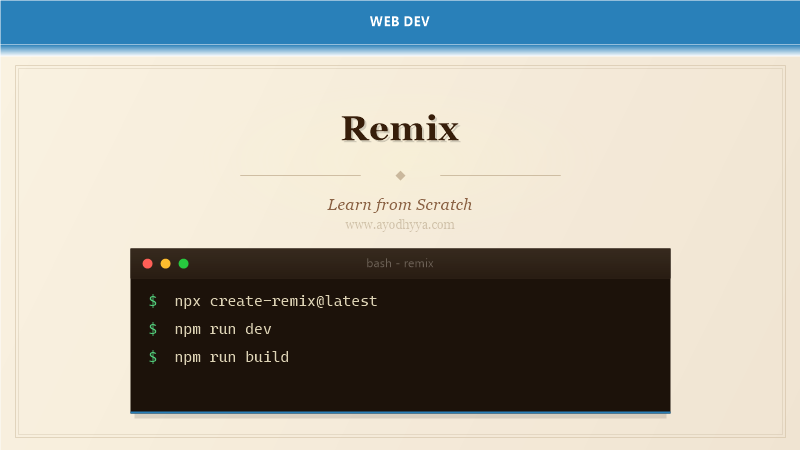
Remix is a full-stack web framework built on web standards — the Web Fetch API, Request/Response, and FormData. Created by the React Router team (Michael Jackson and Ryan Florence), Remix embraces the web platform rather than abstracting it. It treats the browser as a thin renderer that delegates most work to the server.
Remix’s architecture centers on nested routes that load data in parallel, form-based mutations that work without JavaScript, and error boundaries that isolate failures. Acquired by Shopify in 2022, Remix powers e-commerce and content sites that need fast navigation and resilient data handling.
Nested Routes and Outlets
Remix uses file-based routing where each file in app/routes exports a component, loader, and action. Nested routes map to nested layouts automatically. The component renders child routes, enabling layouts that share UI and data boundaries.
Route modules export LoaderFunctionArgs and ActionFunctionArgs. The route tree determines which loaders run in parallel. When navigating between sibling routes, only the changing outlet re-renders — parent data is cached.
app/routes/
_index.tsx # /
_layout.tsx # Root layout
_layout.blog.tsx # Blog layout wrapper
blog._index.tsx # /blog
blog.$slug.tsx # /blog/hello-world
blog.$slug.edit.tsx # /blog/hello-world/edit
dashboard._index.tsx # /dashboard
dashboard.projects.tsx # /dashboard/projects
dashboard.projects.$id.tsx # /dashboard/projects/42
// app/routes/_layout.tsx
import { Outlet } from '@remix-run/react';
export default function Layout() {
return (
Loaders: Server-Side Data Fetching
Loaders run on the server, fetching data before the page renders. Each route can export a loader function that receives the request, params, context, and URL. Loaders return data via json() helper. Remix automatically serializes the response and makes it available to the component via useLoaderData().
Loaders can access cookies, sessions, and database connections. Multiple loaders for nested routes run in parallel. Remix caches loader data and revalidates after mutations. The shouldRevalidate function controls revalidation logic.
// app/routes/blog.$slug.tsx
import { json } from '@remix-run/node';
import { useLoaderData } from '@remix-run/react';

export async function loader({ params, request, context }) {
  const post = await db.posts.findUnique({
    where: { slug: params.slug },
    include: { author: true, tags: true }
  });

  if (!post) {
    throw new Response('Not Found', { status: 404 });
  }

  const headers = new Headers();
  headers.set('Cache-Control', 'public, max-age=3600');

  return json({ post }, { headers });
}

export default function BlogPost() {
  const { post } = useLoaderData();

  return (

      {post.title}

      By {post.author.name} | Tags: {post.tags.map(t => t.name).join(', ')}

  );
}
Actions: Form Mutations
Actions handle form submissions on the server. Export an action function that receives the form data, validates it, performs mutations, and returns the result. Components in Remix work without JavaScript — the browser submits natively. useActionData() accesses validation errors returned from the action.
After an action runs, Remix revalidates all loader data on the current page, ensuring the UI reflects the new server state. useNavigation tracks form submission state. Remix supports multiple forms per page with independent loading states.
// app/routes/blog.new.tsx
import { json, redirect } from '@remix-run/node';
import { Form, useActionData, useNavigation } from '@remix-run/react';
export async function action({ request }) {
const formData = await request.formData();
const title = String(formData.get('title') || '');
const body = String(formData.get('body') || '');
const errors = {};
if (title.length < 3) errors.title = 'Title must be at least 3 characters';
if (body.length < 10) errors.body = 'Body must be at least 10 characters';
if (Object.keys(errors).length > 0) {
return json({ errors, values: { title, body } }, { status: 400 });
}
const post = await db.posts.create({ data: { title, body, slug: title.toLowerCase().replace(/\s+/g, '-') } });
return redirect(`/blog/${post.slug}`);
}
export default function NewPost() {
const actionData = useActionData();
const navigation = useNavigation();
const isSubmitting = navigation.state === 'submitting';
return (
);
}Error Boundaries and Catch Boundaries
Error boundaries catch rendering errors. Each route can export an ErrorBoundary component that renders when the route or its children crash. Error boundaries are nested — if a child route crashes, its own ErrorBoundary handles it. If the child has no boundary, the parent boundary catches it.
This allows targeted error UI while the rest of the page remains functional. The useRouteError hook accesses the thrown error or response. isRouteErrorResponse distinguishes expected errors from unexpected ones.
// app/routes/blog.$slug.tsx (continued)
import { isRouteErrorResponse, useRouteError } from '@remix-run/react';
export function ErrorBoundary() {
const error = useRouteError();
if (isRouteErrorResponse(error)) {
return (
);
}
// Unexpected error
return (
);
}
// Nested error boundaries means sidebar stays visible
app/routes/
_layout.tsx # ErrorBoundary for entire app
_layout.blog.tsx # ErrorBoundary for blog section
blog.$slug.tsx # ErrorBoundary for individual postResource Routes and API Endpoints
Resource routes return non-HTML responses — JSON, RSS, CSV, images, or files. Export a loader but no default component. The loader returns a Response directly for fine-grained control. Resource routes handle webhooks, API responses, and file generation.
Routes can respond to multiple HTTP methods by exporting loader (GET, HEAD) and action (POST, PUT, PATCH, DELETE) functions. Resource routes support CORS headers, streaming, and conditional responses.
// app/routes/api.posts.tsx (resource route)
import { json } from '@remix-run/node';
export async function loader({ request }) {
const url = new URL(request.url);
const page = Number(url.searchParams.get('page')) || 1;
const limit = Number(url.searchParams.get('limit')) || 20;
const [posts, total] = await Promise.all([
db.posts.findMany({ skip: (page - 1) * limit, take: limit }),
db.posts.count()
]);
return json({
data: posts,
meta: { page, limit, total, totalPages: Math.ceil(total / limit) }
});
}
// app/routes/sitemap[.]xml.tsx
export async function loader({ request }) {
const posts = await db.posts.findMany({ where: { published: true } });
const urls = posts.map(p => `\n https://example.com/blog/${p.slug} ${p.updatedAt.toISOString()} ${urls} `,
{ headers: { 'Content-Type': 'application/xml' } }
);
}Session, Cookies, and Authentication
Remix provides a cookie and session API built on the Web Cookie API. createCookieSessionStorage creates a session store backed by signed cookies. The session data is encrypted and stored client-side. Flash messages provide one-time notifications.
Remix sessions integrate with any authentication provider. The getSession function in loaders and actions reads the session cookie. requireUser is a pattern for protected routes that redirect unauthenticated users.
// app/session.server.ts
import { createCookieSessionStorage } from '@remix-run/node';

const { getSession, commitSession, destroySession } = createCookieSessionStorage({
  cookie: {
    name: '__session',
    httpOnly: true,
    secure: process.env.NODE_ENV === 'production',
    sameSite: 'lax',
    maxAge: 60 * 60 * 24 * 30,
    secrets: [process.env.SESSION_SECRET],
  },
});

export async function requireUser(request) {
  const session = await getSession(request.headers.get('Cookie'));
  const userId = session.get('userId');
  if (!userId) throw redirect('/login');
  return userId;
}

export { getSession, commitSession, destroySession };

// app/routes/login.tsx
export async function action({ request }) {
  const formData = await request.formData();
  const session = await getSession(request.headers.get('Cookie'));

  const user = await authenticateUser(formData.get('email'), formData.get('password'));
  session.set('userId', user.id);
  session.flash('success', 'Logged in successfully');

  return redirect('/dashboard', {
    headers: { 'Set-Cookie': await commitSession(session) }
  });
}
Frequently Asked Questions
How does Remix differ from Next.js?
Remix relies on web standards (Fetch API, FormData). It performs all data loading and mutations on the server. Next.js offers both client and server rendering with React Server Components.
Does Remix work without JavaScript?
Yes. Remix Forms use standard HTML form submission. When JavaScript is disabled, forms submit normally and the server returns the full page.
How does Remix handle caching?
Remix uses HTTP caching headers. The browser’s native cache and CDNs cache responses. After mutations, Remix revalidates loader data by re-fetching from the server.
Can I use Remix for e-commerce?
Yes. Remix is used by Shopify internally. Its form-based mutations and server-side data handling make it well-suited for carts, checkout, and product pages.
Originally published on Ayodhyyya. Last updated June 1, 2026.