SASS Tutorial: Learn CSS Preprocessor from Scratch (2026)
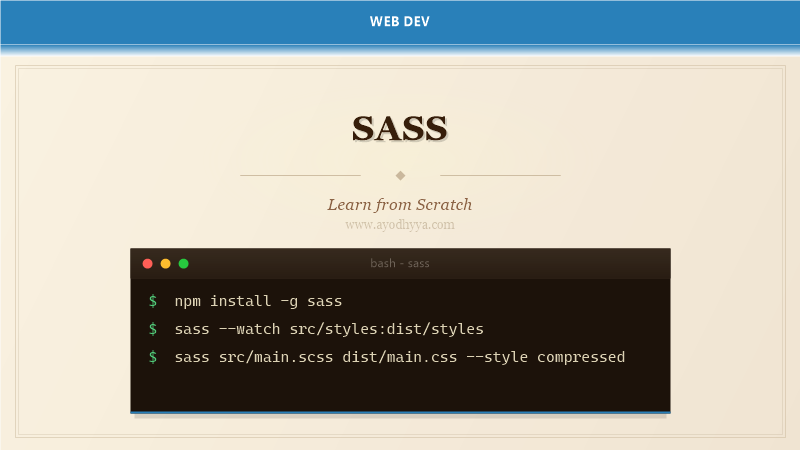
SASS (Syntactically Awesome Style Sheets) is a CSS preprocessor that extends CSS with variables, nesting, mixins, functions, and modules. First developed by Hampton Catlin in 2006 and later maintained by Natalie Weizenbaum, SASS is the most mature and widely adopted CSS preprocessor in the industry.
SASS offers two syntaxes: SCSS (.scss), a superset of CSS with curly-brace syntax, and indented SASS (.sass), which uses significant whitespace. SCSS is more popular because existing CSS files are valid SCSS files. This tutorial covers the full SCSS feature set.
Variables and Nesting
SASS variables store reusable values like colors, font stacks, and spacing units. Defined with $ prefix, variables make global design changes trivial. Unlike CSS custom properties, SASS variables are compile-time constants.
Nesting mirrors the HTML hierarchy within your stylesheets. A nested rule's & references the parent selector, enabling pseudo-classes like &:hover and BEM-style modifiers. Nesting beyond three levels deep is discouraged.
$primary-color: #3498db;
$font-stack: 'Inter', system-ui, sans-serif;
$spacing-unit: 8px;

.card {
  background: white;
  border-radius: 4px;
  padding: $spacing-unit * 2;
  font-family: $font-stack;

  &__title { color: $primary-color; font-size: 1.25rem; }
  &__body { margin-top: $spacing-unit; line-height: 1.6; }
  &--featured { border: 2px solid $primary-color; }
  &:hover { box-shadow: 0 2px 8px rgba(0, 0, 0, 0.1); }
}
Mixins for Reusable Styles
Mixins defined with @mixin and included with @include reduce duplication. They accept arguments, default values, and variable arguments. Mixins are ideal for vendor prefixes and responsive breakpoints.
Unlike @extend which groups selectors, mixins duplicate the output. Use @extend for static property groups and mixins for dynamic values. @content enables context injection within mixins.
@mixin respond-to($breakpoint) {
  @if $breakpoint == 'sm' { @media (max-width: 640px) { @content; } }
  @else if $breakpoint == 'md' { @media (max-width: 1024px) { @content; } }
  @else if $breakpoint == 'lg' { @media (min-width: 1025px) { @content; } }
}

@mixin flex-center($direction: row) {
  display: flex;
  flex-direction: $direction;
  align-items: center;
  justify-content: center;
}

.header {
  @include flex-center;
  padding: 1rem;
  @include respond-to('sm') { flex-direction: column; }
}
Functions and Computations
SASS functions defined with @function return a single value and can perform arithmetic, color manipulation, and string operations. Built-in functions include darken(), lighten(), mix(), rgba(), and map-get().
SASS supports unit-aware arithmetic. The calc() function passes through to CSS without evaluation, important for combining SASS variables with CSS custom properties.
@function px-to-rem($px, $base: 16px) {
  @return calc($px / $base) * 1rem;
}

@function fluid-size($min, $max, $min-vw: 320px, $max-vw: 1200px) {
  @return clamp(#{$min}, calc(#{$min} + (#{$max} - #{$min}) * ((100vw - #{$min-vw}) / (#{$max-vw} - #{$min-vw}))), #{$max});
}

h1 {
  font-size: px-to-rem(32px);
  line-height: fluid-size(1.2, 1.5);
}
Partials and the Module System
Partial files prefixed with _ tell the compiler they are meant to be imported. The @use rule (replacing @import) loads a module and scopes its members by namespace, preventing naming collisions.
Variables from a @used module are accessed with namespace.member by default. Use as * to bring them into the current scope. Built-in sass:color, sass:math, and sass:map modules provide standardized functions.
// _variables.scss
$primary: #3498db !default;
$secondary: #2ecc71 !default;

// _buttons.scss
@use 'variables' as v;

.button { background: v.$primary; }

// main.scss
@use 'variables' with ( $primary: #e74c3c );
@use 'buttons';
Inheritance with @extend
The @extend directive groups selectors in the compiled output: .error, .critical-error { ... }. This produces leaner CSS when multiple selectors share identical property blocks. Placeholder selectors %placeholder define styles only visible when extended.
Use @extend for is-a relationships. Avoid deeply nested extends which can produce unexpected selector groups.
%message-shared {
  border: 1px solid #ccc;
  padding: 10px;
  border-radius: 4px;
}

.message { @extend %message-shared; background: #f9f9f9; }
.warning { @extend %message-shared; background: #fff3cd; border-color: #ffc107; }
.error { @extend %message-shared; background: #f8d7da; border-color: #f5c6cb; }
Control Directives and Loops
SASS supports @if, @each, @for, and @while control directives evaluated at compile time. These are ideal for generating utility classes, color variants, and spacing scales without writing repetitive CSS.
@each iterates over lists and maps. @for has two forms: through (inclusive) and to (exclusive). Combined with functions and mixins, these make SASS a powerful DSL for design systems.
$spacing-scale: (0, 0.25, 0.5, 1, 1.5, 2, 3, 4);
@each $value in $spacing-scale {
  .m-#{$value} { margin: #{$value}rem; }
  .p-#{$value} { padding: #{$value}rem; }
}

@for $i from 1 through 6 {
  h#{$i} { font-size: 2rem - ($i * 0.25rem); }
}
Frequently Asked Questions
What is the difference between SCSS and SASS syntax?
SCSS uses curly braces and semicolons — identical to CSS — making any CSS file valid SCSS. SASS uses indentation with no braces or semicolons. SCSS is more widely adopted.
Should I use @use or @import in modern SASS?
Always use @use. @import is deprecated and will be removed. @use resolves dependencies once, creates namespaced access, and prevents variable pollution.
How do SASS variables differ from CSS custom properties?
SASS variables are compiled away — replaced with literal values in output CSS. CSS custom properties (--var) are dynamic and can change at runtime. Modern projects use both: SASS for design tokens and CSS custom properties for theming.
Can I use SASS with CSS-in-JS frameworks?
SASS compiles to CSS and works with any framework accepting CSS files. Many projects use SASS for global styles alongside a CSS-in-JS solution for component-scoped styles.
Originally published on Ayodhyyya. Last updated June 1, 2026.