SvelteKit Tutorial: Learn Full-Stack Framework from Scratch (2026)
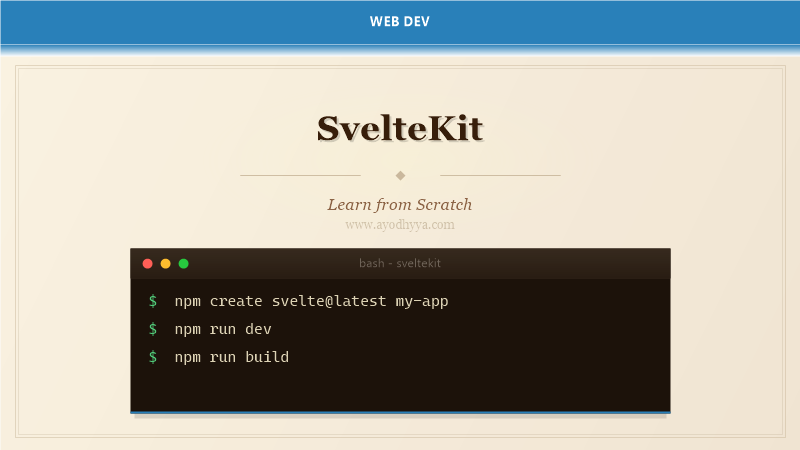
SvelteKit is the official framework for building Svelte applications with server-side rendering, file-based routing, and deployment adapters. Created by the Svelte team led by Rich Harris, SvelteKit provides everything needed to build modern web applications — from static sites to highly dynamic full-stack apps.
SvelteKit supports multiple rendering modes: static prerendering, server-side rendering, client-side rendering, and a hybrid combining all three for different routes. Its file-based routing, form actions, and endpoint system make it a complete alternative to Next.js and Nuxt.
File-Based Routing and Layouts
SvelteKit routes are defined by the src/routes directory. Each +page.svelte file creates a route. Dynamic parameters use [slug] syntax. Layouts wrap nested route groups. The +page.server.js file provides server-side data loading that runs before the page component renders.
Advanced routing includes: route grouping without affecting URL, +error.svelte for error boundaries, +layout reset to break inheritance, and optional parameters. The $page store provides access to current route data including params, URL, and status.
src/routes/
  +layout.svelte          # Root layout
  +page.svelte            # /
  about/
    +page.svelte           # /about
  blog/
    +layout.svelte         # Layout for all blog routes
    +page.svelte           # /blog
    [slug]/
      +page.svelte         # /blog/post-title
      +page.server.js      # Server data for [slug]
    [category]/[year]/
      +page.svelte         # /blog/tech/2026
  (auth)/
    login/
      +page.svelte         # /login (grouped, no URL change)
  admin/
    +layout.svelte         # Admin layout (auth check here)
    +page.svelte           # /admin

// src/routes/blog/[slug]/+page.server.js
export async function load({ params, fetch }) {
  const res = await fetch(`/api/posts/${params.slug}`);
  const post = await res.json();
  return { post };
}
Server Load Functions and Data Fetching
+page.server.js and +layout.server.js export a load function that runs on the server before the page renders. Load functions receive params, url, fetch, locals, cookies, and request objects. Returned data is available as the page store’s data property.
Load functions can redirect, return error pages, and access cookies. Data is serialized and sent to the client as part of the HTML response. The fetch function is instrumented — server fetches use direct Node.js while client fetches use browser fetch.
// src/routes/blog/[slug]/+page.server.js
export async function load({ params, fetch, cookies, setHeaders }) {
  // Cache headers for this specific page
  setHeaders({ 'Cache-Control': 'public, max-age=300' });

  const postRes = await fetch(`https://api.example.com/posts/${params.slug}`);
  if (!postRes.ok) throw error(postRes.status, 'Post not found');

  const post = await postRes.json();

  // Fetch related posts in parallel
  const relatedRes = await fetch(`https://api.example.com/posts/${params.slug}/related`);
  const related = relatedRes.ok ? await relatedRes.json() : [];

  // Read auth token from cookie
  const token = cookies.get('session');

  return {
    post,
    related,
    isAuthor: token === post.authorToken,
    meta: { title: post.title, description: post.excerpt }
  };
}

// src/routes/+layout.server.js
export async function load({ locals }) {
  return { user: locals.user, theme: locals.theme };
}
Form Actions and Mutations
SvelteKit forms use the action attribute pointing to a +page.server.js export. Named actions handle different form intents. Actions receive FormData and can return validation errors, success data, or redirect. Form state is reactive — $page.form contains the latest action result.
Forms work without JavaScript — the server handles submission and returns the updated page. With JavaScript, SvelteKit intercepts the form submission, sends a fetch request, and updates only the changed parts of the page. This provides progressive enhancement out of the box.
// src/routes/blog/new/+page.server.js
import { fail, redirect } from '@sveltejs/kit';
let posts = [];
export const actions = {
default: async ({ request }) => {
const data = await request.formData();
const title = data.get('title');
const body = data.get('body');
if (!title || title.length < 3) {
return fail(400, { error: 'Title too short', title, body });
}
if (!body || body.length < 10) {
return fail(400, { error: 'Body too short', title, body });
}
const post = { id: posts.length + 1, title, body, createdAt: new Date() };
posts.push(post);
throw redirect(303, `/blog/${post.id}`);
}
};
Endpoints and API Routes
API routes in SvelteKit use +server.js files that export functions named GET, POST, PUT, PATCH, DELETE, and OPTIONS. Each function receives RequestEvent and returns a Response object. Endpoints can be placed anywhere in the routes directory.
Endpoints can set response headers, return JSON or streamed data, handle CORS, and access the request body. SvelteKit automatically applies content negotiation — returning JSON for API requests and HTML for page requests.
// src/routes/api/posts/+server.js
import { json } from '@sveltejs/kit';

let posts = [
  { id: 1, title: 'Hello SvelteKit', body: 'Content here' }
];

export async function GET({ url }) {
  const limit = Number(url.searchParams.get('limit')) || 10;
  const page = Number(url.searchParams.get('page')) || 1;

  const paginated = posts.slice((page - 1) * limit, page * limit);

  return json({
    data: paginated,
    meta: { page, limit, total: posts.length }
  }, {
    headers: { 'Cache-Control': 'public, max-age=60' }
  });
}

export async function POST({ request, cookies }) {
  const token = cookies.get('auth');
  if (!token) {
    return new Response('Unauthorized', { status: 401 });
  }

  const body = await request.json();
  const post = { id: posts.length + 1, ...body, createdAt: new Date() };
  posts.push(post);

  return json(post, { status: 201 });
}
Adapters and Deployment
Adapters transform SvelteKit into platform-specific output. @sveltejs/adapter-node creates a Node.js server. @sveltejs/adapter-static generates static HTML files. @sveltejs/adapter-vercel, @sveltejs/adapter-netlify, and @sveltejs/adapter-cloudflare optimize for serverless platforms.
The prerender option in +page.js generates static HTML at build time. The ssr option controls server-side rendering per route. Each adapter has unique configuration for caching, regions, and edge functions.
// svelte.config.js
import adapter from '@sveltejs/adapter-node';
import { vitePreprocess } from '@sveltejs/vite-plugin-svelte';

export default {
  preprocess: vitePreprocess(),
  kit: {
    adapter: adapter({
      out: 'build',
      precompress: true,
    }),
    prerender: {
      crawl: true,
      entries: ['/', '/about', '/blog/*'],
    },
    csp: {
      directives: {
        'script-src': ['self'],
        'style-src': ['self', 'unsafe-inline'],
      }
    }
  }
};

// src/routes/+page.js (shared between client and server)
export const prerender = true;
export const ssr = true;
export const csr = true;

// src/routes/admin/+page.js
export const ssr = false;
export const csr = true;
Hooks, Middleware, and Modules
Hooks are functions in hooks.server.js and hooks.client.js that run on every request. Server hooks include handle (wraps every request), handleFetch, and handleError. Client hooks include handleError for client-side error handling.
SvelteKit modules provide built-in utilities: $app/navigation for programmatic navigation, $app/environment for runtime flags, $lib for aliased imports, and $env/static/private for environment variables.
// src/hooks.server.js
import { sequence } from '@sveltejs/kit/hooks';

async function auth({ event, resolve }) {
  const session = event.cookies.get('session');
  if (session) {
    const user = await verifySession(session);
    event.locals.user = user;
  }
  return resolve(event);
}

async function logger({ event, resolve }) {
  const start = Date.now();
  const response = await resolve(event);
  const elapsed = Date.now() - start;
  console.log(`${event.request.method} ${event.url.pathname} - ${elapsed}ms`);
  return response;
}

export const handle = sequence(auth, logger);

export async function handleError({ error, event }) {
  console.error(`Error on ${event.url.pathname}:`, error);
  return { message: 'An unexpected error occurred' };
}

// src/hooks.client.js
export async function handleError({ error }) {
  console.error('Client error:', error);
}

// Using $lib (maps to src/lib/)
// import { api } from '$lib/api.js';
Frequently Asked Questions
How does SvelteKit compare to Next.js?
SvelteKit offers similar features (SSR, file-based routing, API routes) with significantly less code and smaller bundles. SvelteKit apps are faster by default due to Svelte’s compiled output and fine-grained reactivity.
Can I build a static site with SvelteKit?
Yes. Set prerender: true in +page.js and use @sveltejs/adapter-static. SvelteKit prerenders all routes at build time, outputting pure HTML, CSS, and JS — perfect for blogs and documentation sites.
How does SvelteKit handle TypeScript?
SvelteKit has first-class TypeScript support. Route files can use .ts, +page.server.ts, and +server.ts. Svelte files support lang=”ts” for script blocks. Types are auto-generated for route params and load function returns.
What is SvelteKit’s hydration strategy?
SvelteKit hydrates the entire page by default but supports partial hydration using client: directives on individual components. This enables islands of interactivity within static pages.
Originally published on Ayodhyyya. Last updated June 1, 2026.