Three.js Tutorial: Learn 3D Graphics from Scratch (2026)
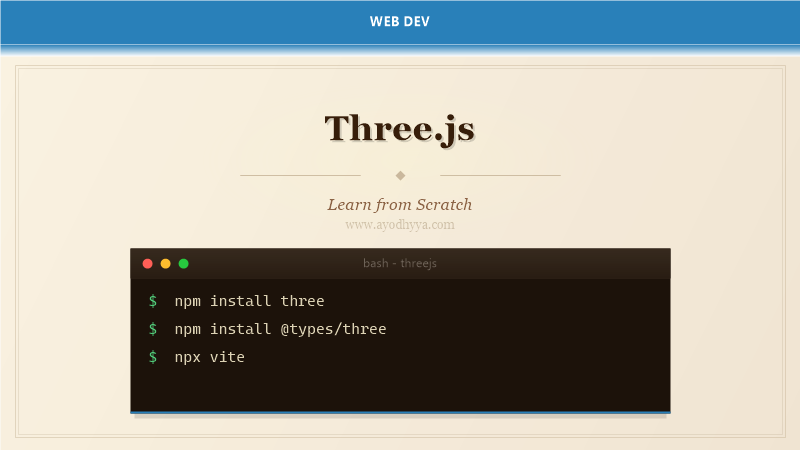
Three.js is the most popular JavaScript library for creating 3D graphics in the browser. Built on WebGL, Three.js abstracts the complexity of shader programming behind a clean, object-oriented API. Created by Ricardo Cabello (Mr.doob) in 2010, it powers product configurators, data visualizations, browser games, and VR experiences.
Three.js provides a scene graph with cameras, lights, geometries, materials, and post-processing effects. The WebGPU renderer (r152+) supports the next-generation graphics API. This tutorial covers essential concepts for building interactive 3D scenes.
Scene, Camera, and Renderer Setup
Every Three.js app starts with three core objects: a Scene that holds everything, a Camera that defines the viewpoint, and a Renderer that draws the scene. The PerspectiveCamera simulates human vision with field of view, aspect ratio, and clipping planes.
The WebGLRenderer is the default for broad browser support. The WebGPURenderer offers compute shaders. Always handle window resize by updating the camera aspect ratio and renderer size.
import * as THREE from 'three';

const scene = new THREE.Scene();
scene.background = new THREE.Color(0x111122);

const camera = new THREE.PerspectiveCamera(75, window.innerWidth / window.innerHeight, 0.1, 1000);
camera.position.set(2, 2, 5);
camera.lookAt(0, 0, 0);

const renderer = new THREE.WebGLRenderer({ antialias: true });
renderer.setSize(window.innerWidth, window.innerHeight);
document.body.appendChild(renderer.domElement);

function animate() {
  requestAnimationFrame(animate);
  renderer.render(scene, camera);
}
animate();

window.addEventListener('resize', () => {
  camera.aspect = window.innerWidth / window.innerHeight;
  camera.updateProjectionMatrix();
  renderer.setSize(window.innerWidth, window.innerHeight);
});
Geometries and Materials
Built-in geometries like BoxGeometry, SphereGeometry, CylinderGeometry, and TorusGeometry have configurable dimensions. Custom geometries are built from BufferGeometry with position, normal, and UV attribute arrays.
Materials determine surface appearance: MeshStandardMaterial for PBR, MeshNormalMaterial for debugging normals, and MeshBasicMaterial for unlit rendering. Properties include color, roughness, metalness, and opacity.
const geometry = new THREE.SphereGeometry(1, 32, 32);
const material = new THREE.MeshStandardMaterial({
  color: 0x44aa88,
  roughness: 0.3,
  metalness: 0.8
});
const sphere = new THREE.Mesh(geometry, material);
scene.add(sphere);

const vertices = new Float32Array([-1, -1, 0, 1, -1, 0, 0, 1, 0]);
const customGeo = new THREE.BufferGeometry();
customGeo.setAttribute('position', new THREE.BufferAttribute(vertices, 3));
customGeo.computeVertexNormals();
Lighting Your Scene
Lighting transforms flat 3D shapes into convincing objects. Three.js provides AmbientLight (base illumination), DirectionalLight (sunlight), PointLight (omnidirectional), SpotLight (focused beams), and HemisphereLight (sky-ground gradients).
Shadows require renderer.shadowMap.enabled = true, light.castShadow = true, and mesh.castShadow/receiveShadow flags. Shadow map resolution and bias parameters control quality.
const ambient = new THREE.AmbientLight(0x404060, 0.5);
scene.add(ambient);

const sun = new THREE.DirectionalLight(0xffffff, 1.5);
sun.position.set(10, 15, 10);
sun.castShadow = true;
sun.shadow.mapSize.width = 1024;
sun.shadow.mapSize.height = 1024;
scene.add(sun);

scene.add(new THREE.DirectionalLightHelper(sun));
Animations and Transformations
Animations are driven by the render loop. Update position, rotation, scale, or material uniforms each frame. The Clock utility provides delta time for frame-rate-independent speeds.
For complex sequences, use KeyframeTrack and AnimationMixer to blend animation clips from glTF files. Group objects with THREE.Group to transform multiple meshes as a unit.
const clock = new THREE.Clock();

function animate() {
  requestAnimationFrame(animate);
  const delta = clock.getDelta();
  const elapsed = clock.getElapsedTime();

  sphere.position.x = Math.sin(elapsed * 0.5) * 2;
  sphere.rotation.y += delta * 0.5;
  sphere.rotation.x = Math.sin(elapsed * 0.3) * 0.2;

  renderer.render(scene, camera);
}
animate();
Textures and Environment Maps
Textures add surface detail without increasing geometry complexity. TextureLoader loads images for material maps: map for diffuse color, normalMap for bumps, roughnessMap, metalnessMap, and aoMap for ambient occlusion.
Environment maps create reflections. Cube textures from CubeTextureLoader or HDR equirectangular textures from RGBELoader provide realistic reflections on metal and glass. PMREMGenerator pre-filters environment maps for PBR lighting.
const loader = new THREE.TextureLoader();
const texture = loader.load('textures/brick_diffuse.jpg');
texture.wrapS = THREE.RepeatWrapping;
texture.wrapT = THREE.RepeatWrapping;
texture.repeat.set(2, 2);
texture.anisotropy = 16;

const material = new THREE.MeshStandardMaterial({
  map: texture,
  normalMap: loader.load('textures/brick_normal.jpg'),
  roughness: 0.8,
  metalness: 0.1
});
Interaction and Orbit Controls
Raycasting projects a ray from the camera through the mouse position to detect intersections. The Raycaster tests against meshes and returns intersection details including point, distance, and the intersected object.
OrbitControls provides camera orbiting, panning, and zooming. Other controls include FlyControls (first-person), DragControls (object manipulation), and TransformControls (translate/rotate/scale gizmos). WebXR integrates for VR sessions.
import { OrbitControls } from 'three/examples/jsm/controls/OrbitControls.js';

const controls = new OrbitControls(camera, renderer.domElement);
controls.enableDamping = true;
controls.dampingFactor = 0.05;
controls.minDistance = 2;
controls.maxDistance = 20;

const raycaster = new THREE.Raycaster();
const pointer = new THREE.Vector2();

renderer.domElement.addEventListener('click', (event) => {
  pointer.x = (event.clientX / window.innerWidth) * 2 - 1;
  pointer.y = -(event.clientY / window.innerHeight) * 2 + 1;
  raycaster.setFromCamera(pointer, camera);
  const intersects = raycaster.intersectObjects(scene.children);
  if (intersects.length > 0) {
    intersects[0].object.material.color.setHex(0xff0000);
  }
});
Frequently Asked Questions
Should I use WebGL or WebGPU renderer for Three.js?
Use WebGLRenderer for maximum compatibility. WebGPURenderer offers better performance with compute shaders but requires Chrome 113+, Edge 113+, or Firefox Nightly.
How can I optimize Three.js performance?
Use BufferGeometry, merge static geometries, use InstancedMesh for repeated objects, enable frustum culling, reduce shadow map resolution, and avoid per-frame allocations in the animation loop.
Does Three.js support glTF models?
Yes. The GLTFLoader imports glTF 2.0 files with PBR materials, animations, skins, and morph targets. Draco compression and KTX2 texture compression reduce load times.
Can I use Three.js for WebXR and VR?
Yes. Three.js supports WebXR through renderer.xr.enabled = true and controller models from XRControllerModelFactory. The XRButton creates immersive VR and AR sessions.
Originally published on Ayodhyyya. Last updated June 1, 2026.