Webpack Tutorial: Learn Module Bundler from Scratch (2026)
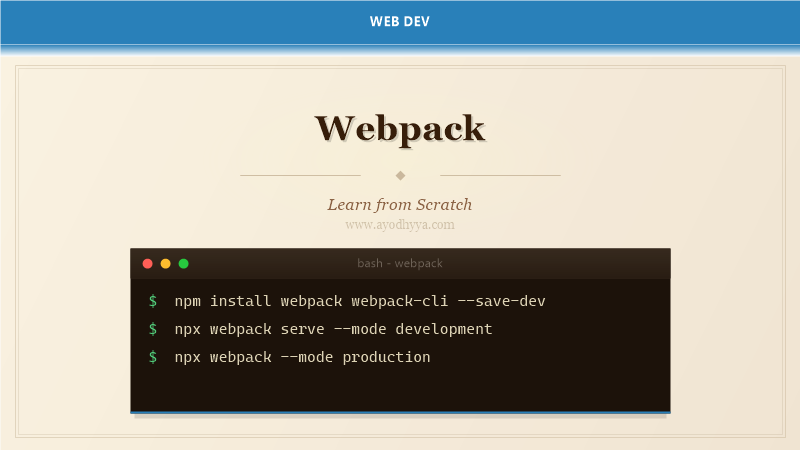
Webpack is a static module bundler for modern JavaScript applications. Created by Tobias Koppers in 2012, it analyzes your dependency graph — JavaScript, CSS, images, fonts — and bundles them into optimized static assets. Webpack introduced loaders and plugins that transform files during the build, fundamentally changing front-end development workflows.
While Vite and Turbopack have emerged, Webpack remains the most configurable bundler for complex enterprise applications. This tutorial covers Webpack 5 from basic setup to production optimization.
Entry, Output, and Mode
Every Webpack config has three core properties: entry defines the dependency graph start point; output specifies where to emit bundles; mode sets optimizations — development (fast builds, source maps), production (tree shaking, minification).
SPAs need one entry; multi-page apps use an object. The output filename can include [contenthash] for caching. clean: true removes old files before each build.
const path = require('path');

module.exports = {
  mode: 'development',
  entry: './src/index.js',
  output: {
    path: path.resolve(__dirname, 'dist'),
    filename: 'bundle.[contenthash].js',
    clean: true,
  },
};
Loaders: Transforming Modules
Loaders transform files before adding to the dependency graph. They form a pipeline — the last loader executes first. babel-loader transpiles JavaScript, css-loader interprets CSS imports, style-loader injects CSS via style tags.
Asset modules (type: 'asset') replace file-loader and url-loader for images and fonts. They either emit separate files (asset/resource) or inline as data URIs (asset/inline).
module.exports = {
  module: {
    rules: [
      {
        test: /\.jsx?$/,
        exclude: /node_modules/,
        use: { loader: 'babel-loader', options: { presets: ['@babel/preset-env', '@babel/preset-react'] } },
      },
      {
        test: /\.scss$/,
        use: ['style-loader', 'css-loader', 'sass-loader'],
      },
      {
        test: /\.(png|svg|jpg|jpeg|gif)$/i,
        type: 'asset/resource',
        generator: { filename: 'images/[hash][ext][query]' },
      },
    ],
  },
};
Plugins: Extending Webpack
Plugins extend Webpack's build pipeline. HtmlWebpackPlugin generates HTML with automatic bundle injection. MiniCssExtractPlugin extracts CSS into separate files. DefinePlugin creates compile-time global constants for environment variables.
BundleAnalyzerPlugin visualizes bundle size. CompressionPlugin pre-compresses gzip/brotli. CopyWebpackPlugin copies static assets. Plugins are instantiated in the plugins array.
const HtmlWebpackPlugin = require('html-webpack-plugin');
const MiniCssExtractPlugin = require('mini-css-extract-plugin');

module.exports = {
  plugins: [
    new HtmlWebpackPlugin({ template: './src/template.html', title: 'My App' }),
    new MiniCssExtractPlugin({ filename: 'styles/[name].[contenthash].css' }),
  ],
};
Code Splitting and Dynamic Imports
Code splitting breaks your bundle into smaller on-demand chunks via entry points, SplitChunksPlugin, or dynamic imports (import() syntax). Dynamic imports are most powerful — each import() creates a separate chunk.
SplitChunksPlugin extracts vendor libraries into a vendors chunk. Magic comments like /* webpackChunkName: "admin" */ name resulting chunks.
const button = document.getElementById('load-admin');
button.addEventListener('click', async () => {
  const { renderAdmin } = await import(
    /* webpackChunkName: "admin" */
    './admin.js'
  );
  renderAdmin();
});

module.exports = {
  optimization: {
    splitChunks: {
      chunks: 'all',
      cacheGroups: { vendor: { test: /[\\/]node_modules[\\/]/, name: 'vendors' } },
    },
  },
};
Dev Server and HMR
Webpack Dev Server provides live reloading with Hot Module Replacement (HMR). HMR updates modules without a full page refresh, preserving application state. CSS updates instantly; JS re-executes only the changed module.
The dev server supports API proxy, History API fallback for SPAs, and HTTPS. The overlay option displays compilation errors in the browser.
module.exports = {
  devServer: {
    static: './dist',
    hot: true,
    port: 3000,
    historyApiFallback: true,
    proxy: { '/api': { target: 'http://localhost:8080', changeOrigin: true } },
    client: { overlay: { errors: true, warnings: false } },
  },
};
Production Optimization and Caching
Production builds minimize file size and maximize caching. Production mode enables TerserPlugin for minification and tree shaking. CssMinimizerPlugin minifies CSS. Content hashes in filenames enable aggressive caching — changes invalidate only affected cache entries.
runtimeChunk extraction isolates the Webpack runtime. Module federation enables sharing code between separately deployed applications. The webpack-merge utility combines common config with environment-specific overrides.
const { merge } = require('webpack-merge');
const CssMinimizerPlugin = require('css-minimizer-webpack-plugin');
const TerserPlugin = require('terser-webpack-plugin');

module.exports = merge(common, {
  mode: 'production',
  output: { filename: 'js/[name].[contenthash:8].js' },
  optimization: {
    minimize: true,
    minimizer: [new TerserPlugin({ terserOptions: { compress: { drop_console: true } } }), new CssMinimizerPlugin()],
    runtimeChunk: 'single',
  },
});
Frequently Asked Questions
How does Webpack compare to Vite and Turbopack?
Vite offers faster dev startup via ES modules. Webpack's strength is its maturity, plugin ecosystem, and configurability for complex enterprise builds.
What is tree shaking in Webpack?
Tree shaking eliminates unused exports. It requires ES module syntax, production mode, and side-effect declarations. Webpack removes modules or exports never imported.
How do I debug a Webpack build?
Use stats configuration. webpack-bundle-analyzer visualizes bundle composition. Source maps with devtool enable debugging. Check resolve.alias for module resolution issues.
Can I use Webpack with TypeScript?
Yes. Use ts-loader or babel-loader with @babel/preset-typescript. Add resolve.extensions for .ts/.tsx files.
Originally published on Ayodhyyya. Last updated June 1, 2026.